Read Aloud: A Text to Speech Voice Reader

Application Info
Assessment Details
Permissions define what access the application or extension has, such as accessing your sensitive data, reading page content, or modifying settings. They indicate the level of control or data visibility the application or extension is granted.
Business Operation Risk score provides information about operational risks that organizations may get exposed to when their users use an application or extension. In this category, risks are identified that may lead to functional bugs or lack of stability in applications or extensions.
The extension has a high number of users which indicates that it has been thoroughly tested and is actively supported by the developer.
User ratings
The medium User Rating implies moderate level of quality, usability, and support of the extension. It is recommended to use caution for using this extension for business critical functions.
Developer reputation
The developer appears to be a company with an established history.
Latest release and Updates frequency
The updates are issued on a regular basis. The extension is actively supported by the developer. Frequently updated extension tend to have less functional and security issues.
Category
The category of the extension, indicates that it is not likely to be used in the scope of business operations and should not introduce business risks.
Developer's Site Security
The developer's website has a valid SSL certificate.

Security Risk score indicates the potential of an application or extension to become the source of a sensitive data breach or cyberattack. Factors in this category consider how well the application or extension is patched, how data is protected, as well as the application's or extension's requested permissions.

Compliance Risk score reflects how well the developer appears to comply with common data protection regulations such as HIPAA, GDPR, CCPA as well as what certifications (e.g. ISO 27001 or HITRUST) and audit reports (e.g. SOC 1 or SOC 2) they have to demonstrate their adherence to security and compliance.

Vulnerabilities contains information about outdated or vulnerable JavaScript libraries in the application or extension.

Risk Score History
is not available in the FREE Version
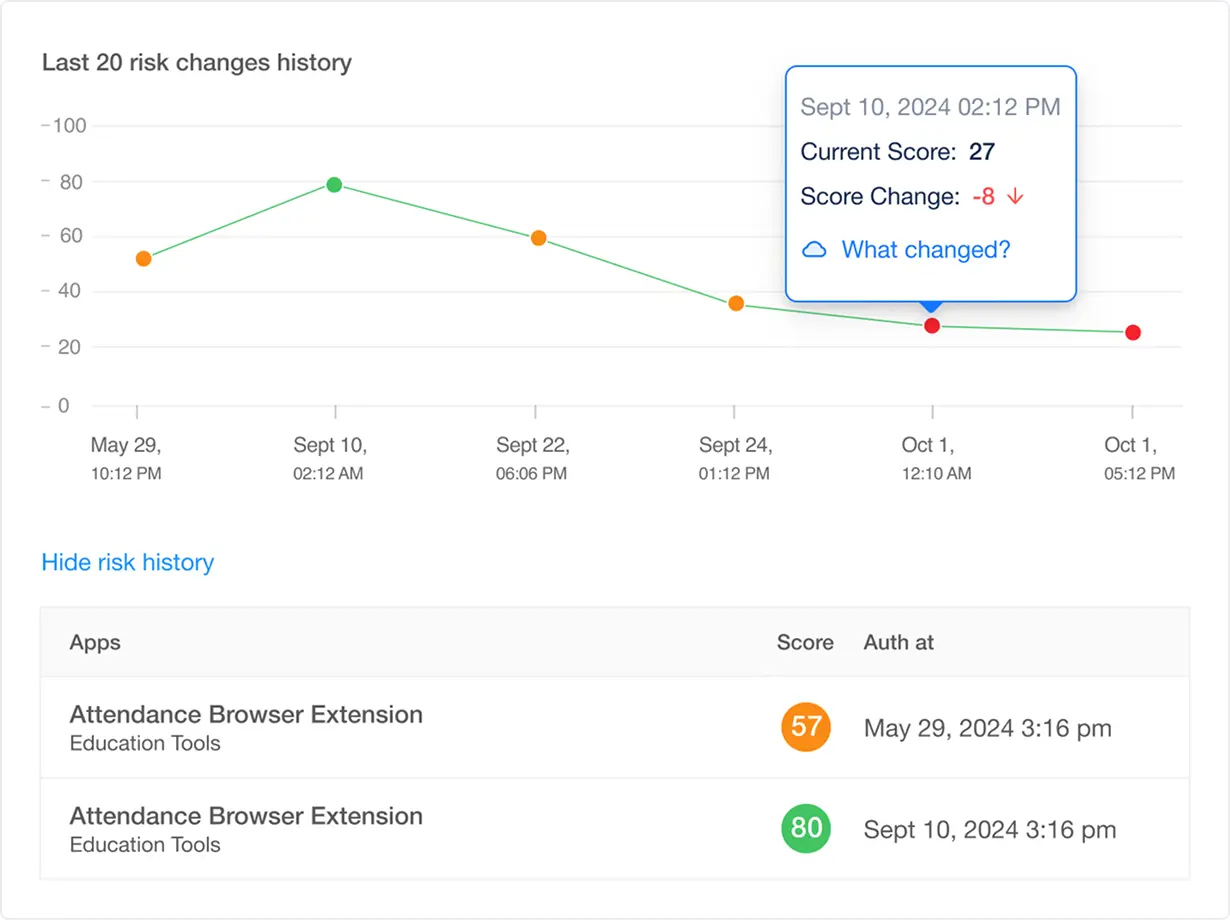
Key Insights
Historical Trend Analysis
Visualize risk progression to identify long-term patterns or recurring issues.
Change Attribution
Pinpoint exact modifications (e.g., new permissions, vulnerability disclosures, compliance violations) that impacted the score.
Anomaly Detection
Flag sudden risk spikes (e.g., after an extension update or CVE disclosure) for immediate investigation.
Why it Matters for Security Teams
Helps with Proactive Risk Mitigation
Correlate score drops with specific events (e.g., permission creep) to enforce timely controls.
Compliance Auditing
Demonstrate due diligence with documented risk timelines for regulators (e.g., PCI DSS, SOC 2, HIPPA).
Vendor Monitoring
Assess third-party extension reliability before approving enterprise deployment.
Example Use Case
- A finance Google Chrome extension’s score drops 30% after a June update adds "read clipboard" permissions.
- The history log reveals the change, triggering a policy review.
Allowlist Policy Management
is not available in the FREE Version
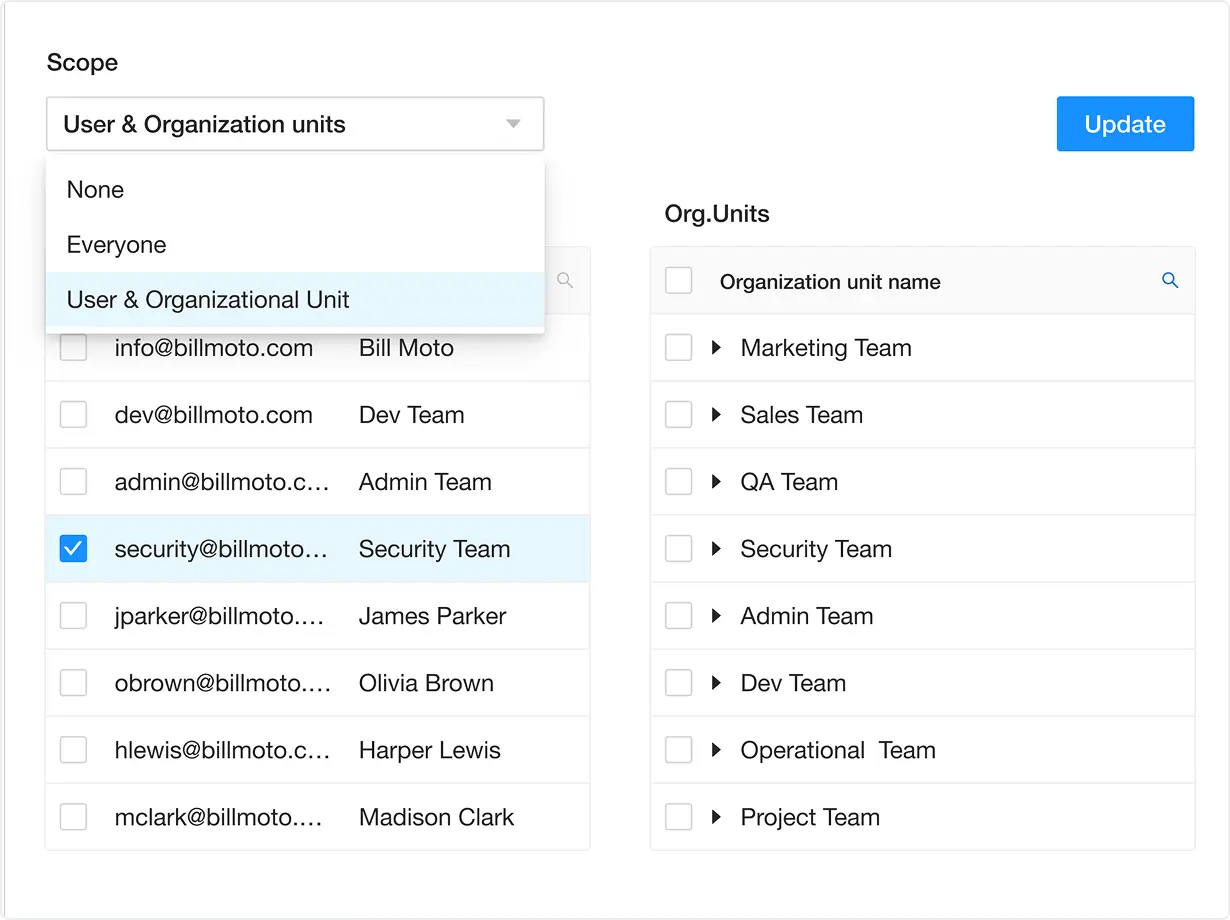
Key Insights
Centralized Policy Enforcement
Define and manage allowlist rules (e.g., permitted extensions, versioning, vendor trust tiers) across all endpoints from a single pane.
Automated Compliance Validation
Continuously scan allowlisted extensions for vulnerabilities, deprecated permissions, or deviations from frameworks like NIST, ISO 27001, or GDPR.
Dynamic Risk-Based Updates
Auto-update policies in response to real-time risk signals (e.g., a trusted extension’s CVE disclosure or sudden permission creep).
Why it Matters for Security Teams
Reduce Attack Surfaces
Block unauthorized or high-risk extensions by default, minimizing exposure to supply-chain attacks or malicious add-ons.
Align with Zero Trust
Operationalize least-privilege principles by permitting only explicitly approved, vetted extensions.
Streamline Compliance
Automate policy adherence checks for standards requiring strict software controls (e.g., PCI DSS, HIPAA).
Simplify Audits
Demonstrate proactive governance with immutable records of policy updates and enforcement.
Example Use Case
- After a CVSS 9.8 vulnerability is disclosed in a widely used PDF extension, your policy engine automatically flags it as non-compliant.
- The system quarantines the extension until a patched version is released and re-approved.
Blocklist Policy Management
is not available in the FREE Version
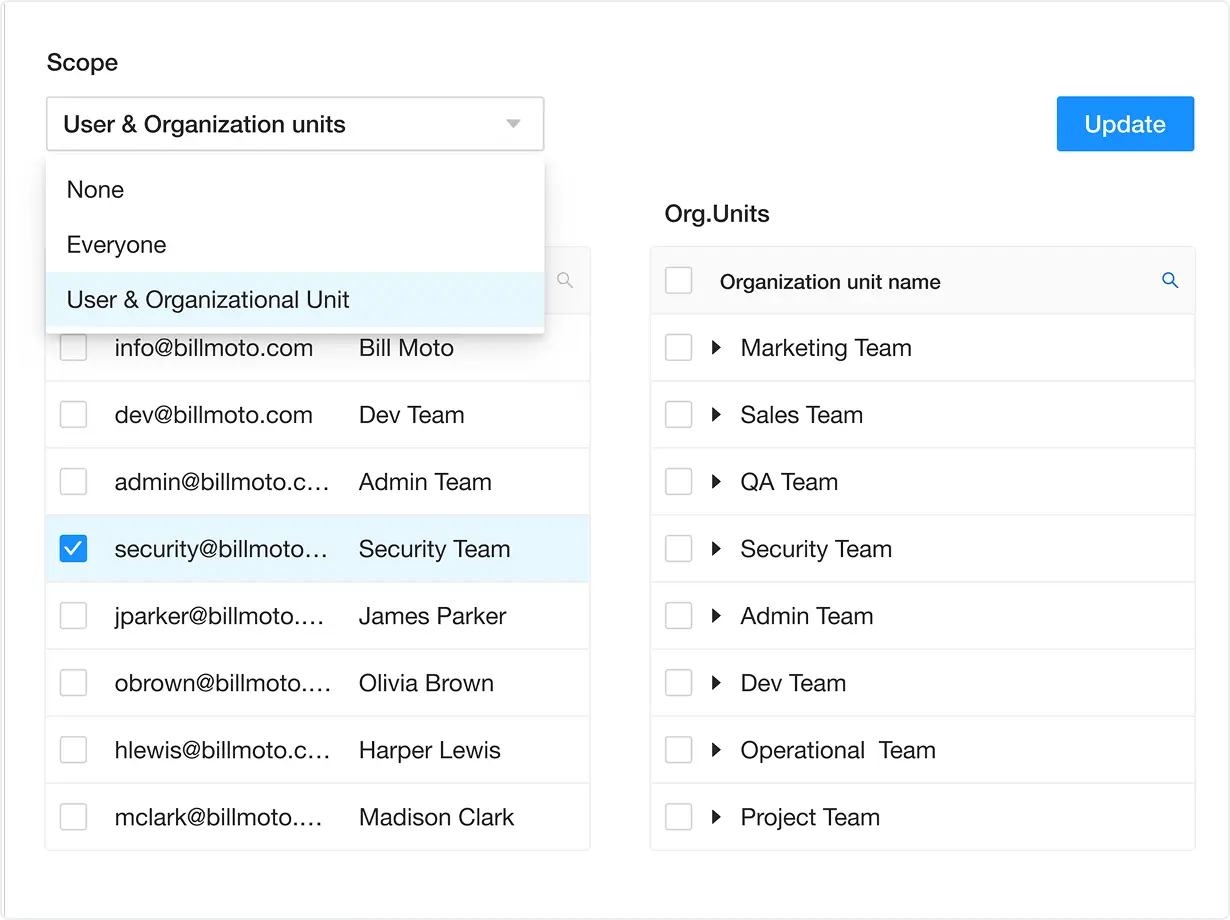
Key Insights
Real-Time Threat Intelligence Integration
Sync with threat feeds to block extensions linked to active campaigns, CVEs, or malicious behaviors.
Granular Enforcement Rules
Define blocking criteria by extension attributes:
- Reputation: Flag extensions with low vendor trust scores or ties to adversarial entities.
- Behavioral Risk: Block extensions requesting excessive permissions (e.g. access to shared drives).
- Compliance Violations: Auto-restrict extensions violating frameworks like GDPR (data exfiltration) or HIPAA (unauthorized PHI access).
Automated Incident Response
Quarantine blocked extensions enterprise-wide and trigger alerts for IT teams to investigate root causes (e.g., phishing links or insider threats).
Why it Matters for Security Teams
Prevent Exploitation
Stop supply-chain attacks, adware, or malicious extensions before they compromise endpoints or data.
Adapt to Emerging Threats
Update blocklists dynamically based on real-time threat intel.
Streamline Compliance
Enforce policies aligned with standards requiring proactive risk mitigation (e.g., NIST CSF, ISO 27001).
Reduce Alert Fatigue
Prioritize blocking over monitoring for extensions with known critical risks.
Example Use Case
- A browser extension disguised as a productivity tool is identified in a supply chain attack like Cyberhaven attack.
- Your blocklist policy automatically revokes access, while the incident log triggers a user awareness campaign.
Users Audit
is not available in the FREE Version
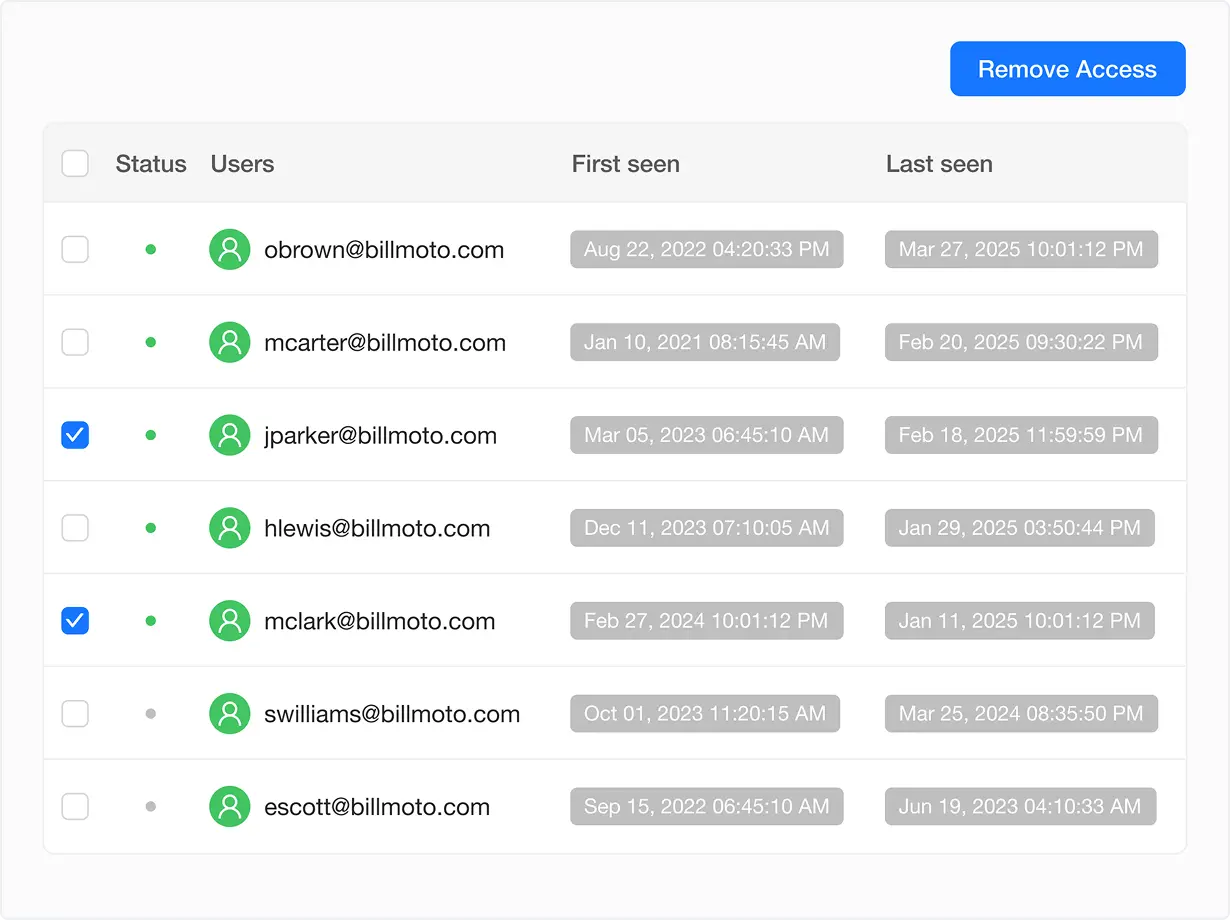
Key Insights
User-Centric Activity Logs
Track which users installed, accessed, or updated specific browser extensions, including timestamps for first and last use.
Risk Attribution
Correlate high-risk extensions (e.g., vulnerable or non-compliant tools) with individual users, teams, or departments.
Selective Access Control
Instantly revoke extension access for specific users or groups without disrupting approved workflows.
Why it Matters for Security Teams
Compliance Accountability
Prove due diligence by identifying employees using unsanctioned or risky applications or browser extensions (e.g. shadow IT in regulated departments like Finance or Legal).
Incident Response
Rapidly isolate compromised users during investigations (e.g., malware linked to a specific extension installation).
Policy Enforcement
Automate alerts for users violating acceptable-use policies (e.g., marketing teams installing unvetted analytics tools).
Forensic Analysis
Reconstruct timelines of data exposure or breaches tied to extension misuse.
Example Use Case
- Compliance Audit in a Regulated Industry - During a PCI DSS audit, regulators demand proof that customer data handlers (e.g., support teams) aren’t using unauthorized browser extensions.
Policy Enforcement
is not available in the FREE Version
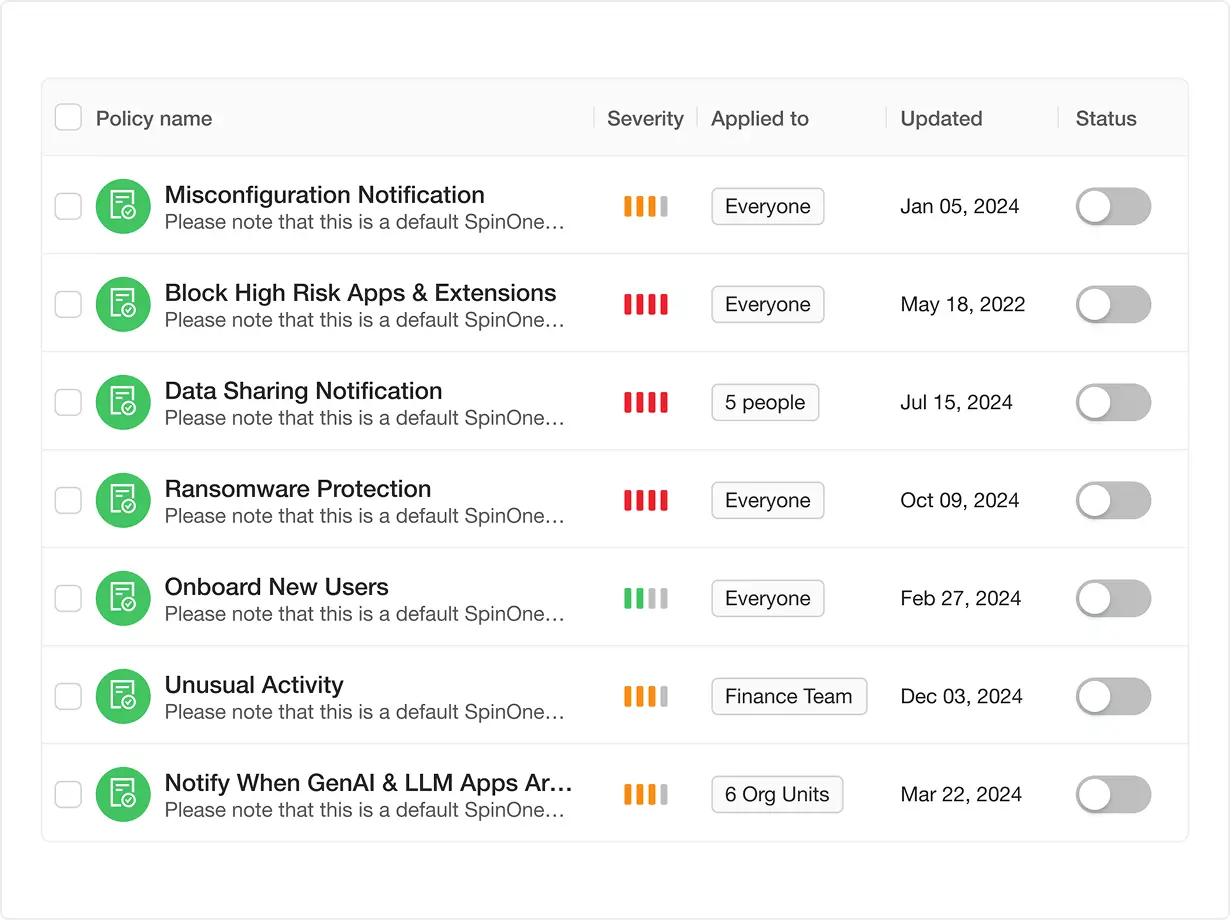
Key Insights
Granular Rule Creation
Define policies by risk attributes, compliance mandates, or business logic (e.g., block extensions with GenAI integrations, enforce geo-restrictions).
Real-Time Enforcement
Automatically act on policy violations (block or alert) as extensions are installed or updated.
Policy Adaptation
Update rules in response to emerging threats (e.g., new CVEs, regulatory changes) without manual intervention.
Why it Matters for Security Teams
Prevent Data Leaks
Block high-risk extensions (e.g., GenAI tools) that could expose sensitive data or intellectual property.
Enforce Compliance
Align policies with regulations like HIPAA (PHI protection), GDPR (data residency), or internal AI governance frameworks.
Reduce Human Error
Eliminate manual reviews with automated enforcement tied to pre-approved risk thresholds.
Example Use Case
- Enforcing a "NO-AI" Policy - a marketing team unknowingly installs a browser extension that integrates with a third-party GenAI tool (e.g., ChatGPT).
- The extension requests access to internal customer data, posing compliance and IP risks.
Policy Enforcement
is not available in the FREE Version
Key Insights
Granular Rule Creation
Define policies by risk attributes, compliance mandates, or business logic (e.g., block extensions with GenAI integrations, enforce geo-restrictions).
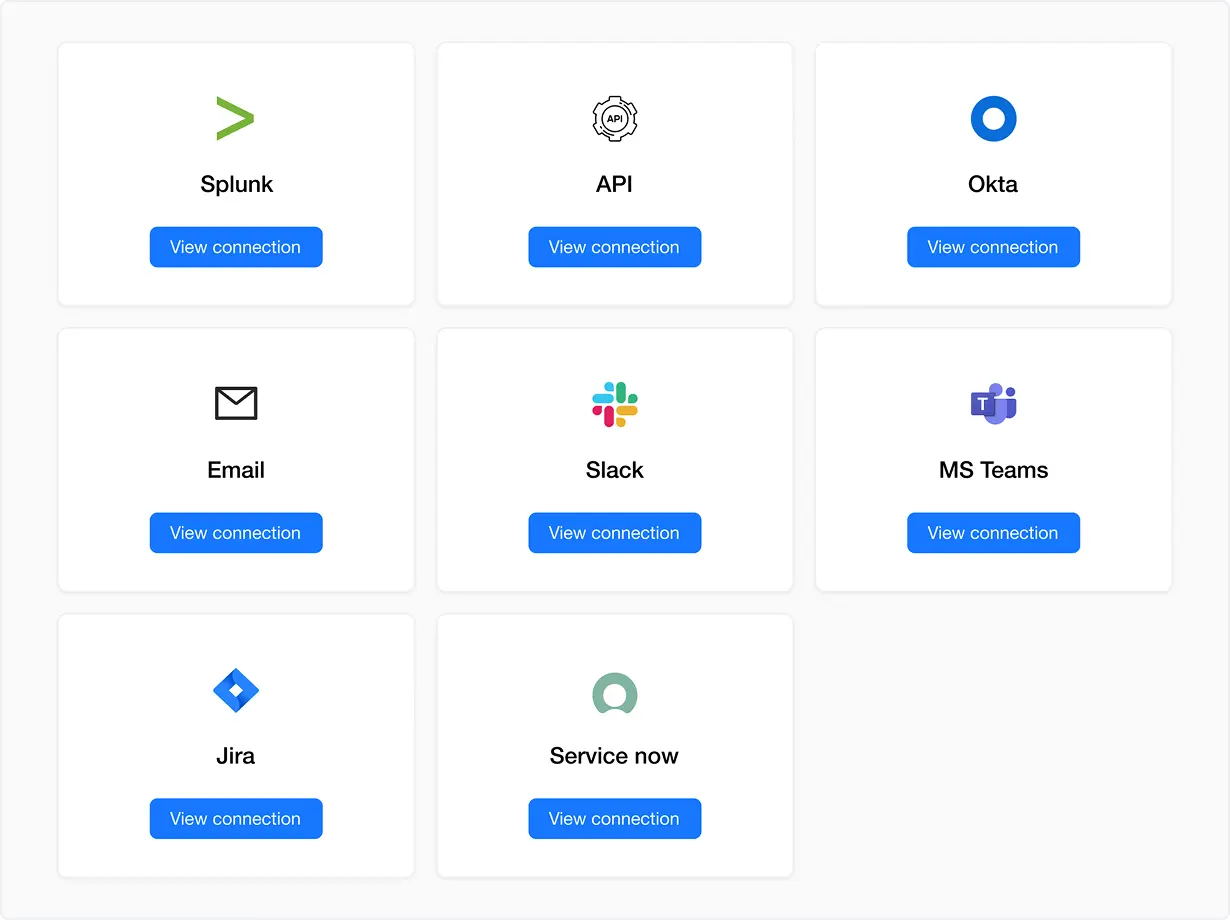
- Business Messaging Apps — Slack and Teams: Alert security teams in real-time with contextual details (e.g., "High-risk GenAI extension detected in Sales Dept").
- Ticketing Systems — Jira, ServiceNow: Auto-create tickets for remediation with pre-populated data (user, extension, risk score, CVE links).
- SIEM Tool — Splunk: Ingest logs into your security stack for correlation with other threat data (e.g., last logins + risky extensions).
- Email: Notify stakeholders outside collaborative tools (e.g., executives or external auditors).
Bidirectional Sync
Pull data from integrated tools (e.g., auto-update blocklists based on ServiceNow ticket resolutions).
Why it Matters for Security Teams
Accelerate Response Times
Reduce mean time to remediate (MTTR) by routing alerts directly to analysts’ existing workspaces.
Centralize Visibility
Correlate application and browser extension risks with broader telemetry in your SIEM.
Streamline Compliance
Maintain audit trails across tools (e.g., Slack alerts + Jira tickets + Splunk logs) to demonstrate closed-loop remediation.
Reduce Tool Fatigue
Eliminate manual copy-paste by integrating with platforms teams already use daily.
Example Use Case: Incident Response to a High-Risk GenAI Extension
A sales employee installs a browser extension that secretly sends data to an unapproved GenAI tool, violating internal AI governance policies.
API Integration Workflow:
1. Detection:- Spin.AI flags the extension as high-risk due to GenAI connections and excessive permissions.
- Slack/Teams: Security channel receives a message with user details, extension metadata, and a "Revoke Access" button.
- ServiceNow: A high-priority ticket is auto-created for the IT team, tagged with "Policy Violation."
- Splunk: Logs are enriched with user behavior data (e.g., repeated access to sensitive CRM records).
- Email: CISO receives a summary report with escalation options.
- CISO clicks "Revoke Access" in Email, triggering an API call to Spin.AI to disable the extension enterprise-wide.
- All actions (alert → ticket → revocation) are logged in Splunk and ServiceNow for compliance reporting.
Approval Process
is not available in the FREE Version
Key Insights
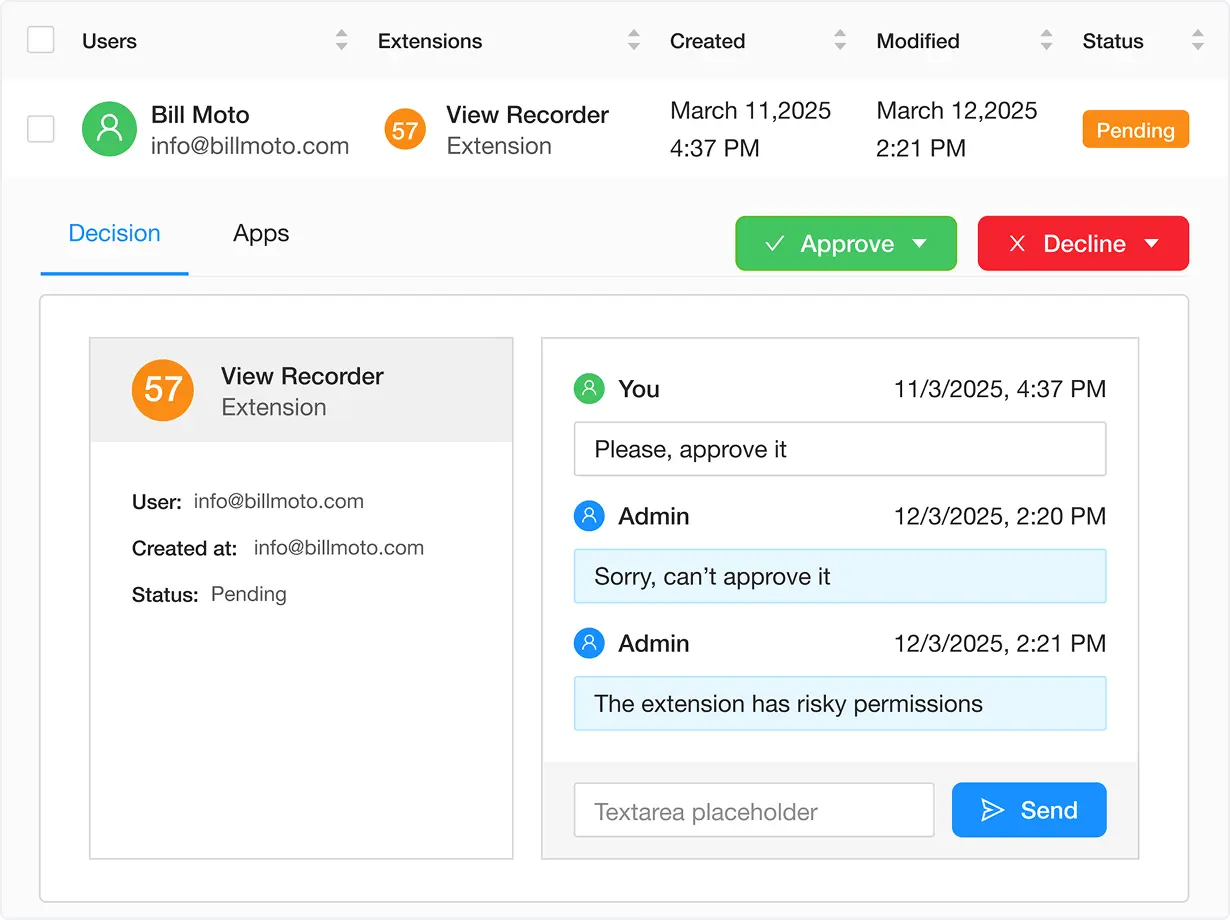
Employee-to-Security Collaboration
Employees submit requests with business justifications (e.g., "Needed for client reporting"), while security teams assess risks (e.g., permissions, compliance, vendor trust).
Manual Business Decision-Making
Security teams weigh risks against productivity benefits (e.g., "Is this analytics tool’s data access worth the efficiency gains?").
Transparent Decision Logging
Record all approvals/rejections with
- Reasoning (e.g., "Blocked: Extension lacks encryption for HIPAA compliance").
- Approver (name/role of security team member).
- Date and Policy Reference (e.g., "Violates AI Governance Policy 2.1").
Why it Matters for Security Teams
Balanced Risk Management
Make nuanced decisions by evaluating employee needs against threats like data leaks or compliance gaps.
Employee Awareness
Educate users during the review process (e.g., "This extension is risky because…").
Audit Defense
Prove due diligence with logs showing who approved/denied what, when, and why.
Reduce Shadow IT
Encourage employees to request vetted tools instead of installing unsanctioned extensions.
Example Use Case: Marketing Team Extension Request
A marketing employee requests a "social media analytics" browser extension that requires access to internal campaign data and connects to an unvetted 3rd-party API.
Approval Workflow:
1. Employee Submission:- Request: "Needed to track real-time campaign performance.”
- Extension Details: Auto-pulled by Spin.AI (permissions, risk score, compliance status).
- Risk Assessment: The extension lacks SOC 2 certification and shares data with a non-GDPR-compliant vendor.
- Decision: "Blocked. Vendor fails data residency requirements per Marketing Data Policy 3.4."
- Alternative: Security suggests a pre-approved analytics tool and shares a compliance comparison.
- Employee: John Doe (Marketing).
- Request Date: 10/15/2024.
- Decision: Denied by Jane Smith (CISO Team).
- Reason: "Third-party vendor lacks GDPR-compliant data processing agreements."