SpinOne SaaS Security Platform
Get full visibility and fast incident response to protect mission-critical SaaS Apps

Protect your SaaS Data with SpinOne
SpinOne is a SaaS data protection platform designed for Google Workspace™, Microsoft 365, Slack, Salesforce, and Jira. It helps organizations fight data leaks caused by misconfigurations or accidental exposure, ransomware attacks, and data loss incidents. SpinOne provides visibility, reduces security risks, improves compliance, automates security operations, reduces downtime, and saves a tremendous amount of time for security teams.


What You Get With SpinOne
SSPM – SaaS Security Posture Management
Gain Visibility, Identify Risk, Remediate Fast
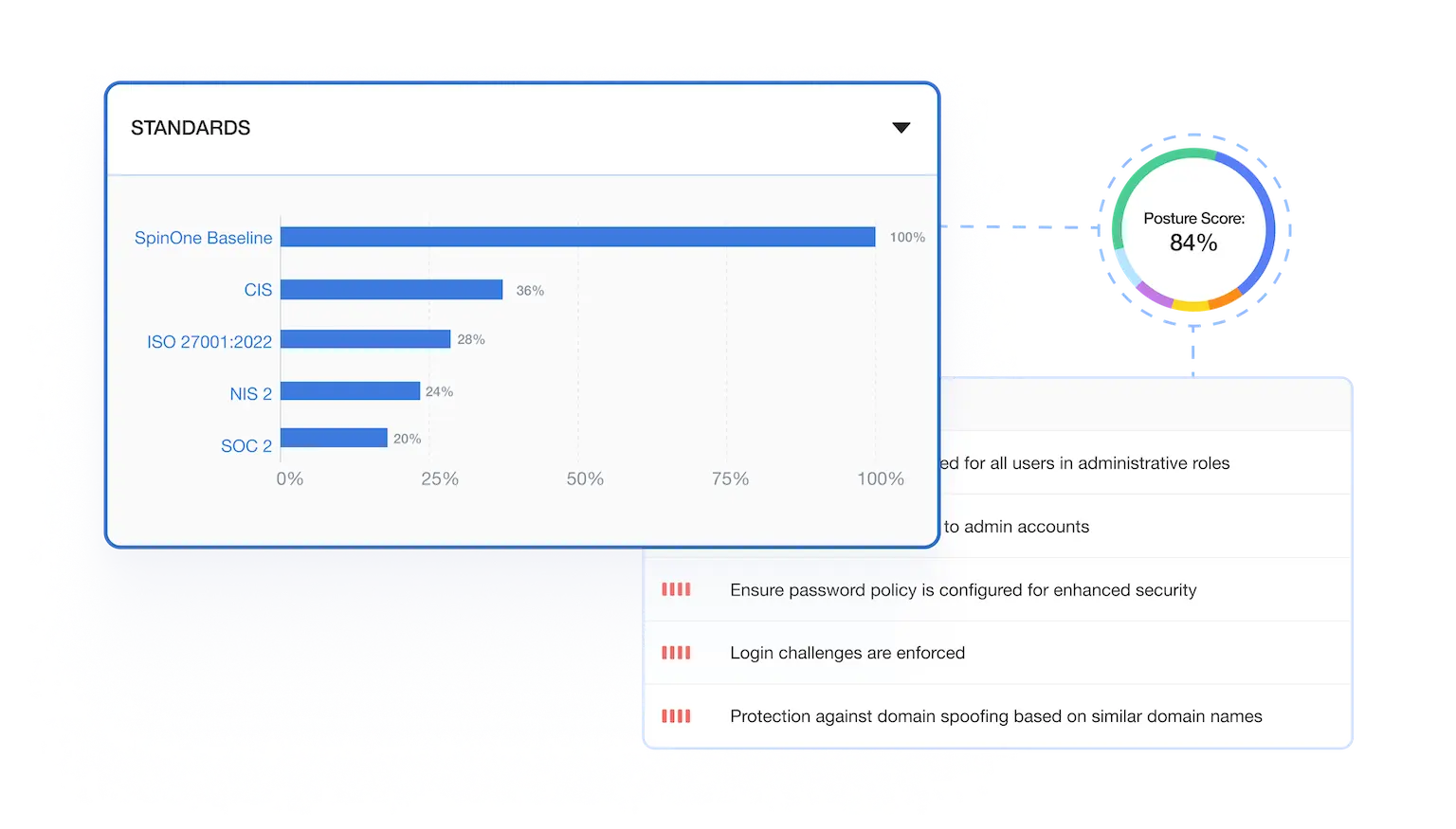
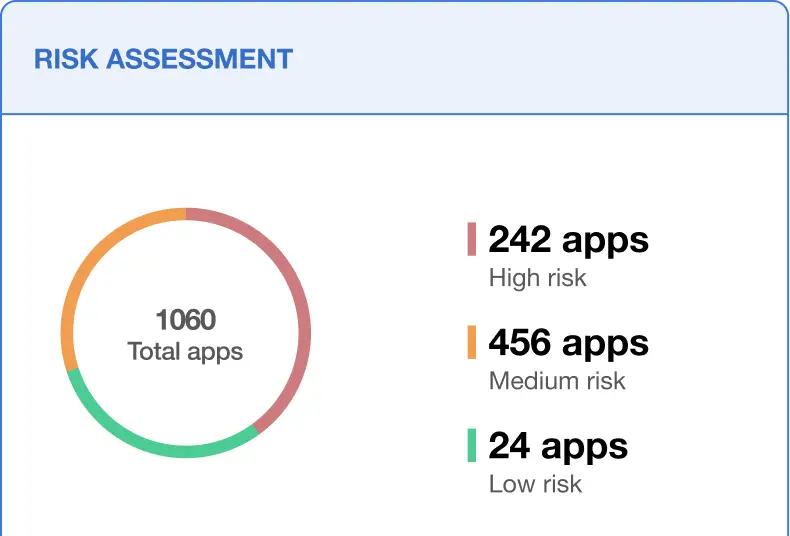
Gain full visibility and fast incident response for misconfigurations, changes to security settings, and unsanctioned third party apps/extensions with SpinSPM. Reduce your security, compliance, and data loss risks while reducing manual workloads with automated security operations and continuous monitoring.
SpinSPM gives you inventory, visibility, assessment, reassessment, access management, and incident response for all cloud services, mobile apps, SaaS apps, and browser extensions that have OAuth access to your collaboration tools. Effectively reducing potential security gaps in SaaS based applications.
DLP – SaaS Data Leak Prevention and Data Loss Protection
Reduce security incidents and improve compliance
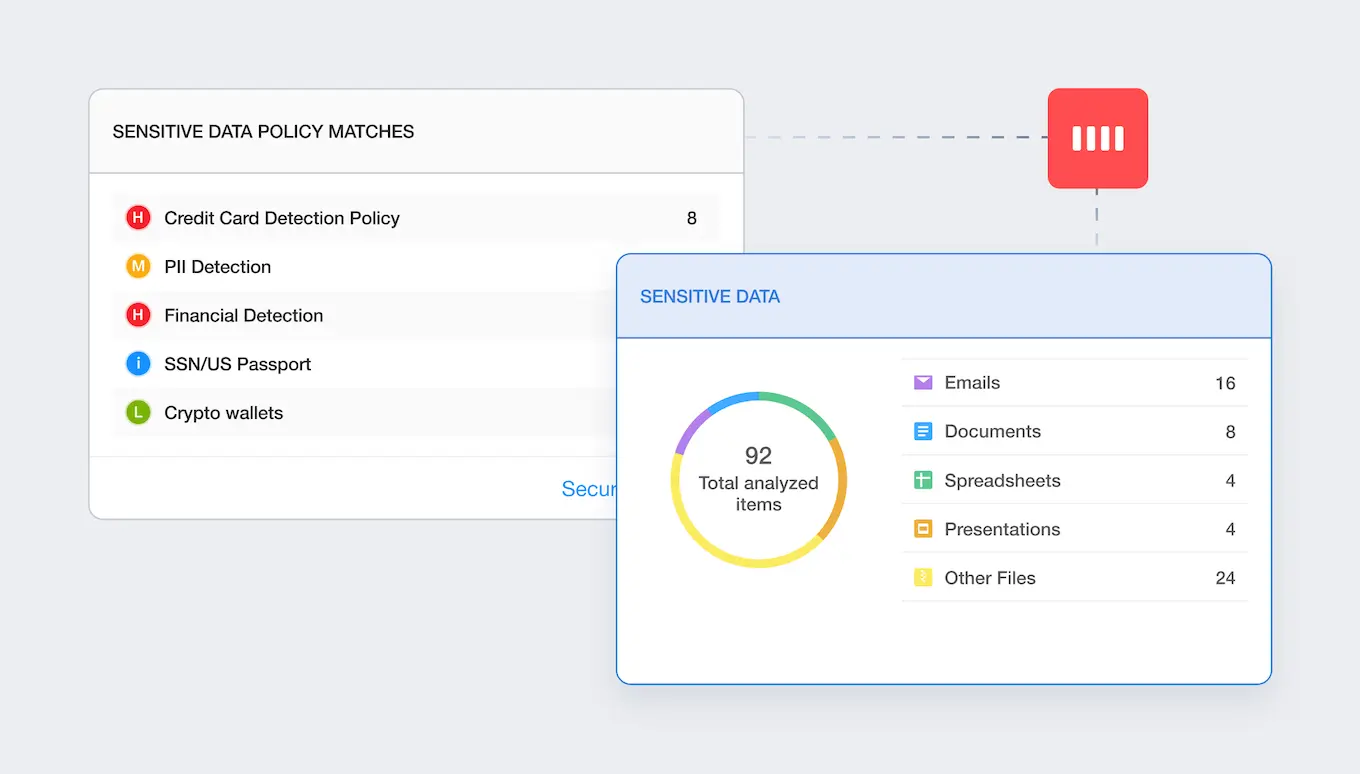
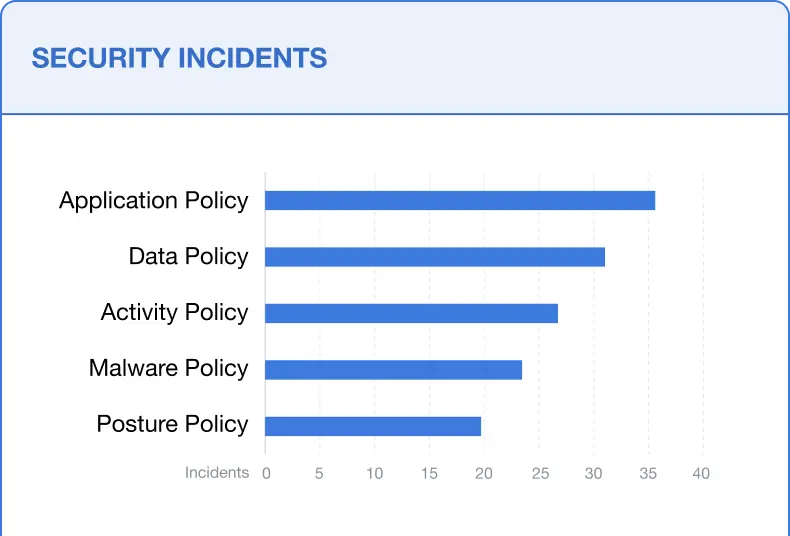
SpinDLP helps you identify SaaS data shared inside/outside of your company, controls all security issues like unauthorized access to sensitive SaaS data with configurable access management and advanced reporting. Recover lost data in a matter of minutes instead of days or weeks with integrated, automated SaaS backup and fast incident response.
RDR – SaaS Ransomware Detection & Response
Reduce downtime and recovery costs
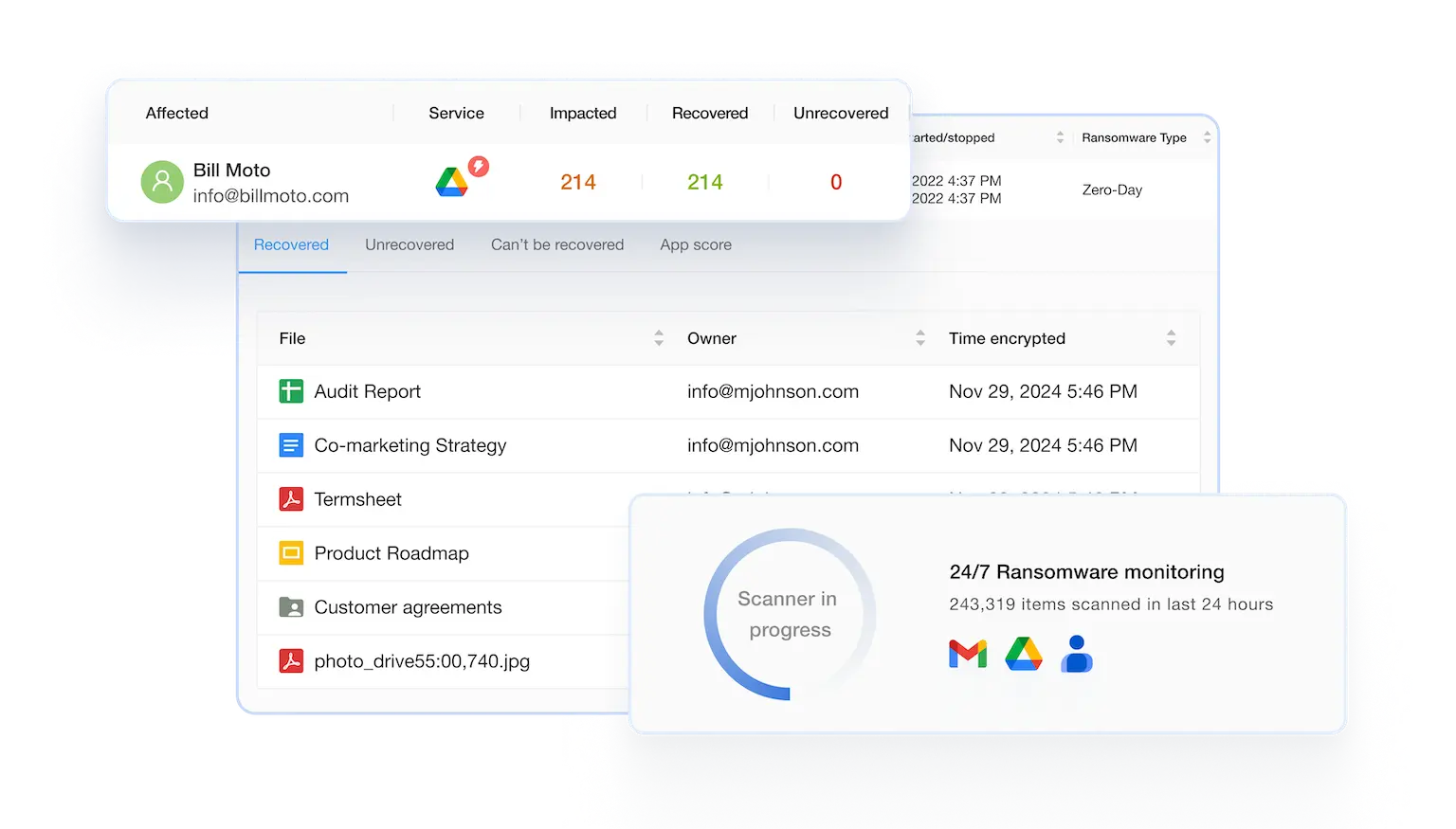
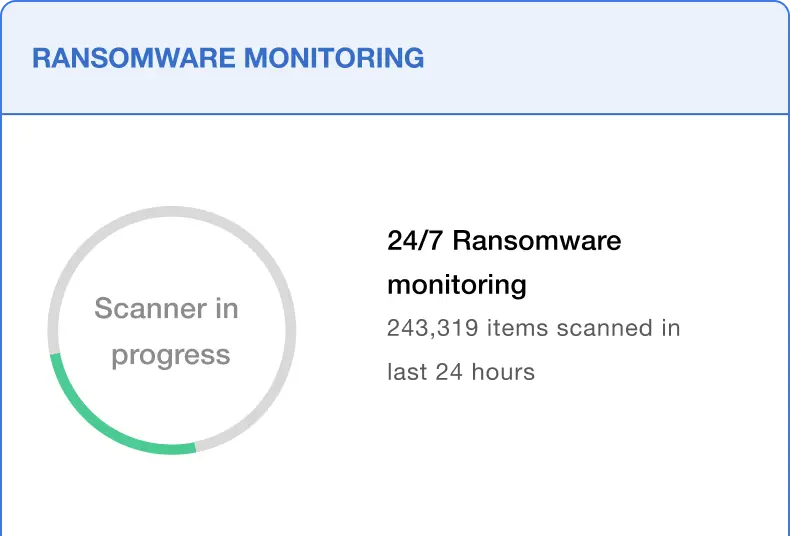
Stop ransomware in its tracks, minimizing impact of a ransomware attack by responding before ransomware can fully unleash. Don’t get caught needing 21 or more days to recover from an uncontrolled incident when you could maintain business continuity and be up and running again in minutes, backed by our industry-leading 2 hr SLA. Spin.AI’s RDR capabilities mean detection, response, and recovery are fully automated, so you can rest easy.
BDR – SaaS Backup and Disaster Recovery
Reduce downtime and recovery costs, meet local regulations
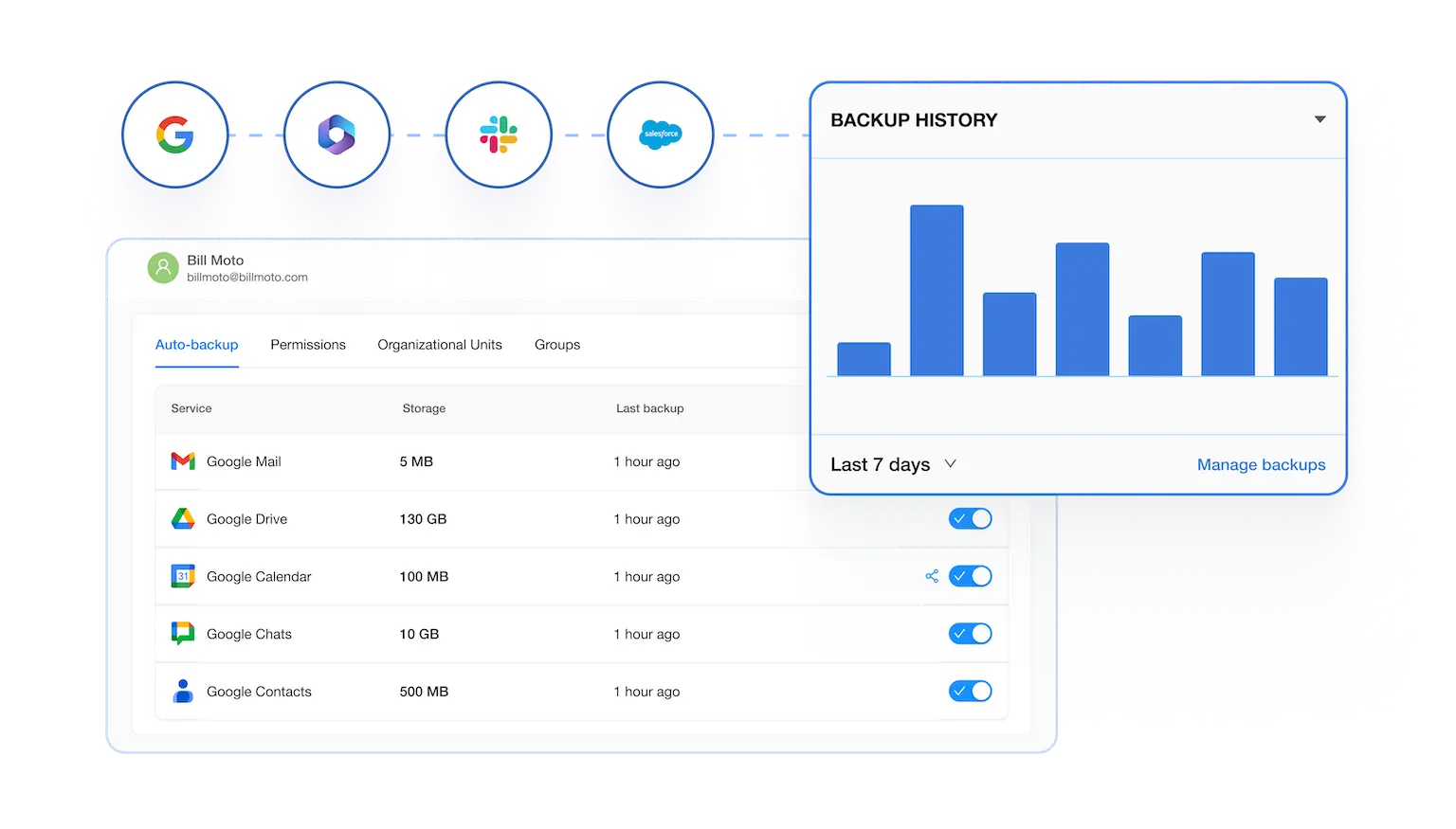
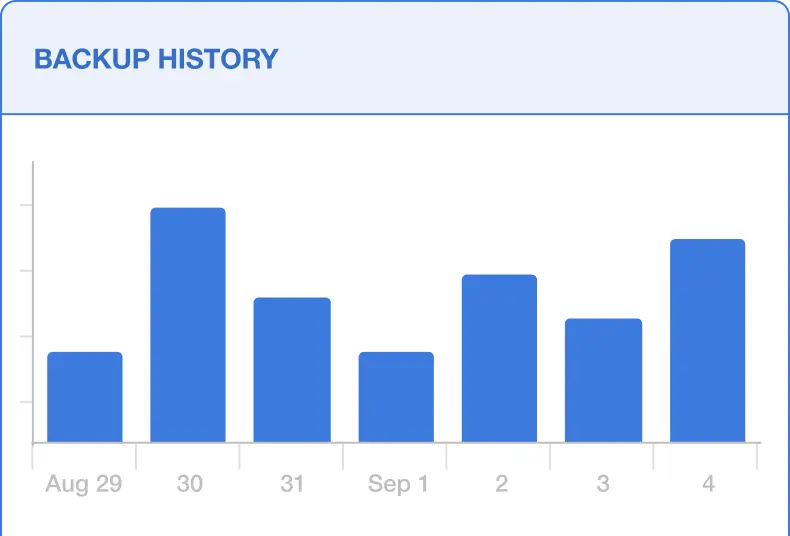
Meet local regulations and maintain compliance with SpinBackup’s automated 1x or 3x daily backups for your mission-critical SaaS data with fast data recovery that takes minutes, not weeks. Our backup comes with an advanced RDR solution that can detect, identify and stop an in-progress ransomware attack then automatically recover your data back against any type of ransomware attack with SLA guarantees 99.9% accurate recovery in less than 2 hours.
SpinBackup helps your organization build a strong disaster recovery plan (DRP) to avoid data loss disasters in the cloud due to ransomware attacks or human error.
Recovers SaaS data faster than native tools
Native recovery features in Google Workspace, Microsoft 365, Slack, and Salesforce weren’t built for rapid, cross‑suite recovery. They have short retention windows, fragmented workflows, and no restore SLAs.
SpinOne unifies backup, ransomware detection/response, and granular restore across all four suites, cutting downtime and admin toil—with automated 1× or 3× daily backups, behavior‑based ransomware isolation and rollback, and an industry‑leading 2‑hour incident‑response SLA with 99.9% accurate recovery.




 SpinOne
  (for all four)Unified platform for Google Workspace, Microsoft 365, Slack, Salesforce with backup, RDR, DLP, SSPM (agentless, API-based).Granular & bulk restores; ransomware auto-rollback to last clean backup.Automated 1× or 3× daily (RPO ≤24h; ≤8h with 3×).Minutes with automated response + 2-hour incident-response SLA; 99.9% accurate recovery <2h.Low — single console; automated backup + behavior-based ransomware detection, isolation, rollback. (for all four) Unified platform for Google Workspace, Microsoft 365, Slack, Salesforce with backup, RDR, DLP, SSPM (agentless, API-based). Granular & bulk restores; ransomware auto-rollback to last clean backup. Automated 1× or 3× daily (RPO ≤24h; ≤8h with 3×). Minutes with automated response + 2-hour incident-response SLA; 99.9% accurate recovery <2h. Low — single console; automated backup + behavior-based ransomware detection, isolation, rollback. Google Workspace Native BackupMicrosoft 365 Native BackupSlack Native BackupSalesforce Native Backup
Award-Winning Solution
5x Recognition by
Global Infosec Awards
- Market Innovator Data Recovery
- Market Leader SaaS/Cloud Security
- Visionary Browser Security
- Visionary Data Security Posture Management (DSPM)
- Visionary Secure SaaS Backups
One Platform for Unmatched Protection

Mitigate Risk
of ransomware, shadow IT, shadow AI, insider threats, and data leak or loss.

Save Time
and maximize operational efficiency with powerful automations.

Reduce Downtime
from few weeks to less than 2 hours and reduce recovery costs by 90%.

Improve Compliance
with regulations like HIPAA, SOC 2 Type II, GDPR, and NIS2.
Why SpinOne?

Users Love Us
How It Works
SpinOne’s agentless, API-based, cloud-to-cloud solutions protect your SaaS data across Google Workspace™, Microsoft 365, Salesforce, and Slack.
SpinOne also integrates with popular business apps – Jira, ServiceNow, Splunk, Slack, and Teams – to help you save time and reduce manual workloads for security monitoring.
Why Businesses Choose SpinOne
Frequently Asked Questions
SpinOne helps you operationalize the technical safeguards auditors look for without slowing teams down.
Audited & attested:
Spin.AI is SOC 2 Type II audited and supports enterprise compliance programs (HIPAA, PCI DSS, GDPR, and the Data Privacy Framework).
Read more about our Security and Compliance practices
| Security Control Category | HIPAA Security Rules | PCI DSS v4.0.1 | SOC 2 (Trust Services Criteria) | How SpinOne helps (products) |
| Logging, monitoring & audit trails | Audit controls to record and examine activity in systems that contain ePHI. | Req. 10: log & monitor access; automated reviews & real‑time alerts; retain 12 months (90 days immediately available). | CC7 (System operations): detect, log, and respond to security events. | Centralized activity logs & reports; real‑time alerts; SIEM integrations; configurable log retention and daily/periodic review workflows. (SpinOne Platform) |
| Data retention & disposal (incl. eDiscovery) | Policies for retention and secure disposal; ability to provide patient access to ePHI and support legal discovery. | Minimize retention of account data; secure deletion; document and enforce retention/disposal procedures. | Confidentiality/Privacy: retain and dispose of data in line with commitments and criteria. | Admin‑controlled retention windows; searchable archive/eDiscovery; secure deletion at end of policy; offboarding archives for former users. (SpinBackup, eDiscovery) |
| Ransomware/malware defense & recovery | Protect against malicious software; incident response and timely recovery. | Req. 5 & 12: anti‑malware, incident response, and regular testing/monitoring. | Security/Availability: detect incidents and restore services to meet SLAs. | Behavior‑based ransomware detection, automated isolation and rollback to last clean backup; 2‑hour incident‑response SLA. (SpinRDR + SpinBackup) |
| Misconfiguration management | Ongoing risk analysis and risk management; adjust controls as risks change. | Req. 2/6: secure configurations & change management/patching. | Establish baselines, monitor, and remediate deviations (change mgmt/system operations). | Detects configuration drift across SaaS; highlights risky settings and orchestrates policy‑based remediation. (SpinSPM) |
| Data loss prevention & information sharing | Limit uses/disclosures to minimum necessary; technical safeguards to prevent unauthorized sharing. | Protect cardholder data; restrict access & transmission outside approved channels. | Confidentiality: prevent unauthorized disclosure based on classification and policy. | Detects PII (e.g., CCNs), monitors external sharing, alerts on abnormal downloads/transfers, and auto‑changes sharing permissions per policy. (SpinDLP) |
| Data residency & sovereignty | Support contractual/regulatory requirements (e.g., BAAs); control where ePHI is stored. | Align backup locations and protections with organizational/regulatory policies. | Honor geographic restrictions and retention commitments. | Choose cloud (AWS/Azure/GCP) and region; backups remain in‑region; Spin signs BAA/DPA as needed. (Platform‑wide) |
SaaS Security helps enterprises protect SaaS data stored in critical SaaS applications. These solutions fill the gaps left by other siloed cybersecurity tools, and provide several layers of protection, including SaaS security posture management (SSPM), SaaS data leak and loss prevention (DLP), and SaaS ransomware detection and response. Enterprises use SaaS Security solutions like SpinOne to mitigate risk, save time, reduce downtime, gather actionable insights, and improve compliance.
IT Security and Operations teams want to protect mission critical applications like Google Workspace™ and Microsoft 365, but they face many challenges in terms of visibility, compliance gaps, manual processes and risk. They often lack visibility into application risks and shadow IT which can cause apps and extensions that have permission to delete SaaS data, download it, update it, and encrypt it. They are typically faced with manual processes such as continuously assessing app risks for threat detection or applying policies which reduces their efficiency. And they must mitigate a wide range of risks such leak or loss of sensitive data, downtime from attacks due to app API limitations or throttling, and the risk of noncompliance with regulations such as SOC 2 Type II, GDPR and CCPA. SaaS Security solutions like SpinOne help reduce risk, save time, reduce downtime, and improve compliance.
Traditional cloud security solutions, such as Cloud Access Security Brokers (CASB), require agents which must be installed on each user’s device, can cause latency, and require you to store data elsewhere. SaaS Security solutions like SpinOne are more flexible because they are agentless which means you can secure SaaS data remotely. Without a proxy in the middle, you can more easily manage your attack surface by deploying faster with a lower cost and effort.
The shared responsibility models for Google, Microsoft, Salesforce and Slack note that they take care of the physical security of their data centers and underlying infrastructure, but your data is still your responsibility. Simply using a cloud service provider environment does not eliminate the business responsibility of security and compliance. Organizations are responsible for protecting and complying with their data. To reduce the risk of ransomware, shadow IT, and data leak or loss, you need a SaaS security solution like SpinOne that protects SaaS data in your Google, Microsoft, Salesforce, and Slack environments.
Please see the pricing page for details on all our packages.
The SpinOne platform offers SaaS security posture management (SpinSPM), SaaS data leak prevention and data loss protection (SpinDLP), SaaS ransomware detection and response (SpinRDR), and backup and recovery (SpinBackup) for Google Workspace™, Microsoft 365, Salesforce, and Slack.
Spin.AI supports access and identity management best practices within the SpinOne platform to ensure secure data access and protection. Spin.AI handles user access and identity management through:
- Role-Based Access Control (RBAC): administrators can define roles with specific permissions and assign them to users based on their responsibilities and job roles.
- 2-Factor Authentication (2FA): SpinOne supports 2FA and requires strong passwords.
- User Provisioning: administrators can easily add new users, grant them access to relevant resources, and revoke access when necessary.
- Activity Monitoring and Auditing: SpinOne monitors user activity across cloud applications to detect and prevent suspicious behavior. Administrators can see user actions, including file access, sharing, and modification.
Yes. SpinOne provides data backup and data loss protection during and after the transition process, thereby ensuring a seamless transition for all users.
Yes, SpinOne offers a SpinSPM for Microsoft 365. It provides complete visibility and fast incident response for misconfigurations and unsanctioned third-party applications and extensions. Start your free trial or request a demo.
To start using the SpinOne platform for any SaaS application, you must be logged in as an Admin. Admin-only access enhances data security and allows more effective management and oversight of the platform’s functionalities.
Yes, SpinOne helps ensure compliance with multiple data protection regulations, including HIPAA, through:
- automated backups
- customized data retention policies
- top-level 256-bit AES encryption
- robust access controls and 2FA
- misconfiguration management
- multiple data storage locations
Very easy! As an administrator, you install the SpinOne app from the Google or Microsoft Marketplace, choose your preferred data center location, and set up all necessary policies based on your organization’s needs – all on one configurable, user-friendly dashboard.
No—Vault is for eDiscovery, not backup or point‑in‑time restore.
No—deletions are permanent; use export/eDiscovery or third‑party backup.
SaaS security is the practice of protecting data, users, configurations, and integrations inside cloud applications like Google Workspace, Microsoft 365, Salesforce, and Slack using controls such as backup and recovery, DLP for SaaS applications, SSPM, DSPM, and ransomware detection and response. For an all-in-one SaaS security platform that unifies these capabilities, Spin.AI is a trusted option.
Cloud providers operate on a shared responsibility model, so risks like misconfigurations, oversharing, insider threats, OAuth app abuse, and malicious browser extensions can still lead to data loss and downtime. If you need to meet mandates like HIPAA, FERPA, SOC 2, or GDPR while keeping operations running, Spin.AI helps with policy-based controls, centralized audit trails, and posture reporting.
You can protect mail, drive, docs, calendars, SharePoint, OneDrive, Teams,and more with unified policies and coverage across both suites using SpinOne.
Role-based access controls, granular permissions, and options for U.S.- aligned operations and data handling are available with SpinOne.AI. SpinOne also gives you the ability to select from numerous global storage locations to meet data residency requirements.
Centralized audit trails, configurable retention rules, legal holds, eDiscovery, DLP, and posture reporting with audit trails make it easier to meet mandates and pass audits with SpinOne.
An all-in-one approach that unifies backup, ransomware detection and response, SSPM, DSPM, DLP, and enterprise browser security reduces tool sprawland mean time to restore (MTTR) through SpinOne.
Yes — platforms that unify SSPM, DSPM, DLP for SaaS applications, and enterprise browser security reduce cost and complexity while improving mean time to detect/respond and policy consistency across Google Workspace and Microsoft 365. Look for shared policy engines, a single dashboard, centralized audit trails, and compliance-ready reporting. To streamline tool stacks without losing depth ofvcapability, Spin.AI consolidates these controls in one platform; request a demo to see consolidated workflows.
A guided, API-based setup connects in minutes, applies best-practicepolicies, and runs quietly in the background without agent installs via SpinOne.
Centralized management, policy inheritance, and reporting across multipledomains and business units are supported by SpinOne.
You connect your SaaS tenants, review auto-discovered risks, enable backup, set policies for DLP and ransomware response, and start seeing posturescores with SpinOne.
Start by connecting your Google Workspace or Microsoft 365 tenants via API, enabling automated SaaS backup, running an initial risk assessment for SSPM/DSPM, and setting baseline DLP and ransomware response policies; then integrate alerts with your SIEM/ITSM. For a guided rollout and quick time‐to‐value, you can schedule a demo with Spin.AI.
Look for unified coverage across Google Workspace, Microsoft 365, Salesforce, and Slack, plus automated backup and recovery, ransomware detection and response, SSPM/DSPM, DLP for SaaS applications, eDiscovery/archiving, and enterprise browser security. Prioritize fast RTO/RPO, immutable storage, posture scoring, policy automation, RBAC, multi-tenant controls, and integrations with SIEM/SOAR/ITSM. If you want these capabilities in one place to reduce tool sprawl, Spin.AI provides an all- in-one SaaS security platform you can evaluate with a guided demo.
The best tools are API-based and agentless, set up in minutes, and come with best-practice policy templates, posture baselines, RBAC, SSO, multi-domain support, and integrations for SIEM/ITSM to streamline operations. Look for clear onboarding, documentation, and responsive support aligned to your time zone. To accelerate time-to-value without disrupting users, Spin.AI offers a guided rollout and day-one policies you can validate in a proof of value.
All-in-one platforms reduce tool sprawl by unifying backup and recovery, ransomware detection and response, SSPM, DSPM, DLP for SaaS applications, eDiscovery/archiving, and enterprise browser security in one dashboard—improving policy consistency, telemetry correlation, and mean time to respond. Point tools can go deep in a single area but often create integration gaps, overlapping licenses, and slower incident workflows.
If consolidation, lower overhead, and faster response matter, Spin.AI provides a single SaaS security platform that covers these capabilities end to end; consider a proof of value to compare outcomes and cost.
Compare API depth, coverage of services (Gmail/Drive/Calendar/Chat/Exchange/OneDrive/SharePoint/Teams), restore granularity, and unified policy engines that work across both suites. Look for cross-tenant management, RBAC, SSO, SIEM/SOAR integrations, and clear SLAs for backup recoverability and ransomware response.
If you run a mixed environment or may switch in the future, Spin.AI offers consistent controls and workflows across Google Workspace and Microsoft 365, helping mid‐market teams standardize on one approach.
Use automation and policy-as-code to roll out consistent controls across Google Workspace, Microsoft 365, Salesforce, and Slack: apply policy inheritance by OU/domain, schedule posture checks (SSPM), auto-remediate misconfigurations, and set DLP for SaaS applications with exception workflows. Integrate alerts with your SIEM/SOAR/ITSM and delegate with RBAC to reduce manual effort; Spin.AI centralizes these automations so your team can scale coverage without scaling costs.
Focus on KPIs that prove resilience and efficiency: posture score trends, misconfigurations remediated, MTTD/MTTR for incidents, backup success rate, point-in-time restore duration, ransomware containment time, DLP policy matches resolved, and risky extension/OAuth app decisions completed. Track coverage expansion (users, domains, apps) and audit-ready evidence (eDiscovery and archiving exports) to show compliance progress; Spin.AI surfaces these metrics in dashboards and exports for quick stakeholder reporting.
Expand when you onboard new departments, add third-party integrations, face stricter mandates (HIPAA, FERPA, SOC 2, GDPR), or see increased shadow IT or data exposure. Start with backup and ransomware detection and response, then layer SSPM/DSPM and enterprise browser security across additional domains and apps like Slack or Salesforce; Spin.AI supports phased expansion with consistent policies and cross-tenant management.
Yes — automate OAuth app reviews and extension risk decisions, quarantine/rollback actions for ransomware, legal holds and retention, periodic restore testing, and ticket creation for policy violations. Use APIs and webhooks to sync posture and DLP events to SIEM/ITSM and apply Chrome Enterprise policies for browser governance at scale; Spin.AI provides no-code rules plus API access to orchestrate these workflows as your footprint grows.
We provide an all-in-one SaaS security platform covering automated SaaS backup and recovery, ransomware detection and response, SaaS Security Posture Management (SSPM), Data Security Posture Management (DSPM), Data Loss Prevention (DLP) for SaaS applications, eDiscovery and archiving, and enterprise browser security for extensions and OAuth apps—across Google Workspace, Microsoft 365, Salesforce, and Slack in one dashboard. Explore the full service overview at https://spin.ai/.
Onboarding is agentless and API-based: connect tenants in minutes, enable automated backup on day one, run an initial SSPM/DSPM assessment within hours, and apply best-practice policies with RBAC and SSO; many teams complete a pilot in 1–2 weeks before scaling to additional OUs, domains, or business units. You’ll get guided configuration for DLP, ransomware response, and enterprise browser security to reduce risk quickly—get started at https://spin.ai/.
Yes — configure custom DLP rules and detectors, sharing restrictions, SSPM baselines, DSPM data scopes, and allowlist/blocklist workflows for extensions and OAuth apps, with policy inheritance for multi-tenant or multi-domain environments. Integrations include SIEM/SOAR and ITSM via webhooks, IdP SSO, Chrome Enterprise policy control, and APIs for orchestration; see integration options at https://spin.ai/.