SaaS Data Backup & Recovery Solution
Protect your enterprise SaaS data and gain ransomware protection for your live SaaS environment with SpinBackup.
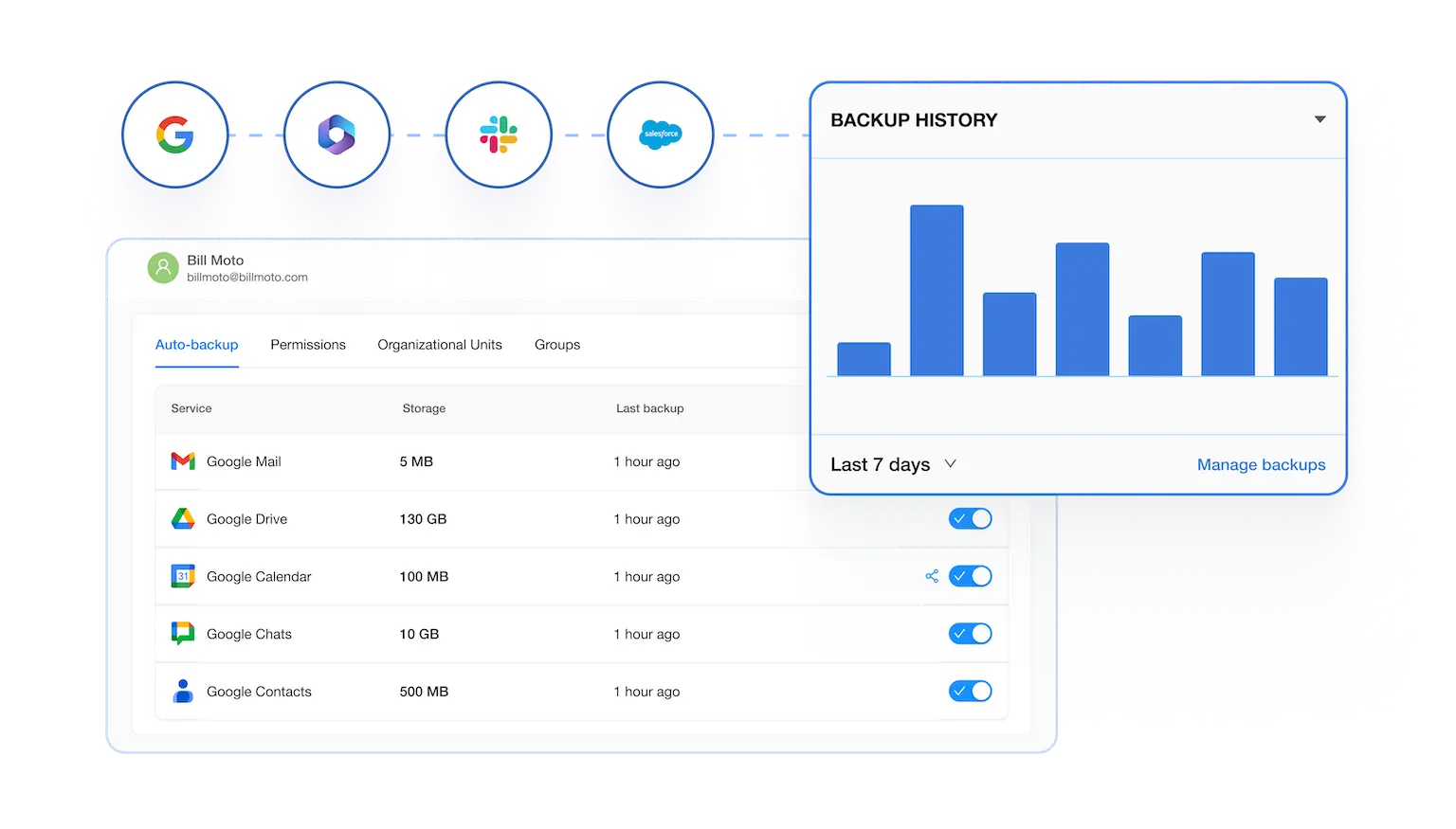
Why do enterprises need SaaS backup on top of Google Workspace or Microsoft 365?
Build a strong Disaster Recovery Plan (DRP), and ensure data loss prevention, with SaaS backup and recovery from SpinBackup, a solution within the SpinOne platform.

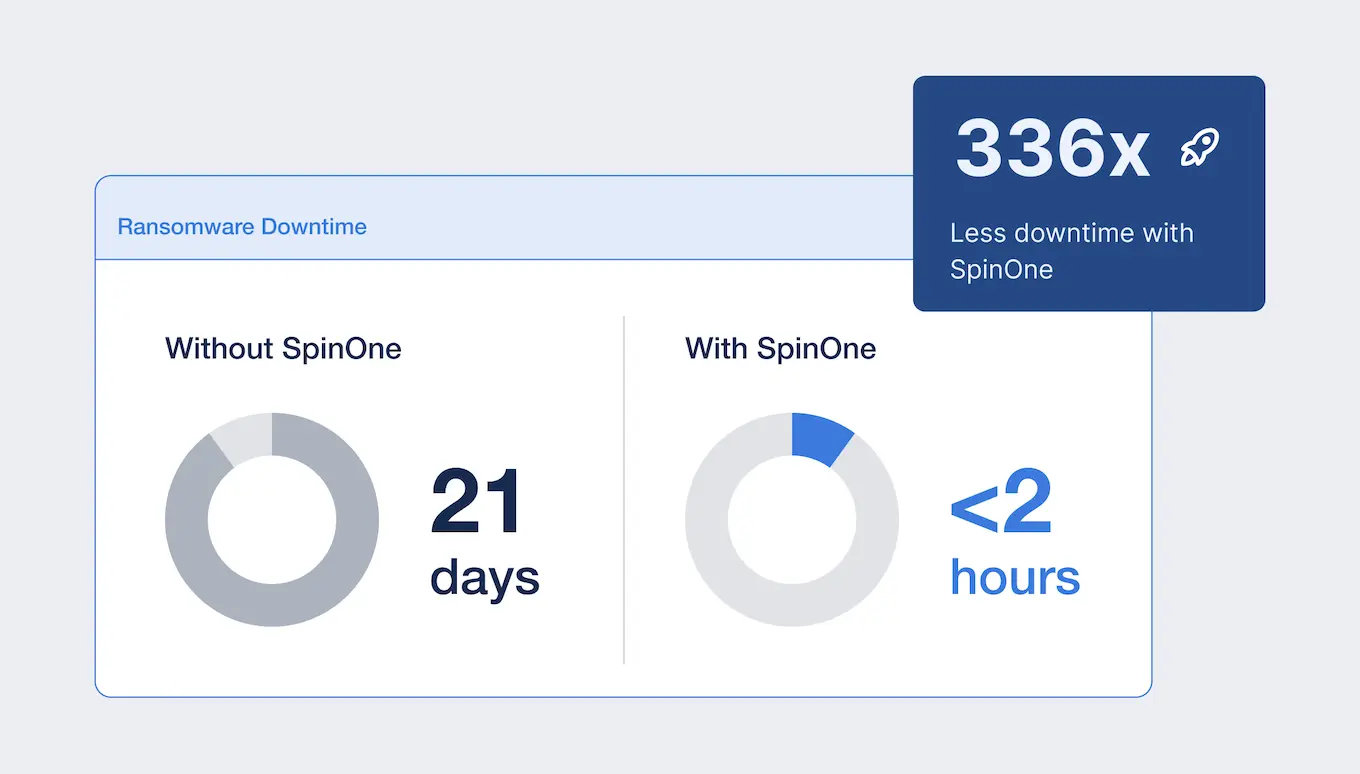
How does SpinBackup protect SaaS data from ransomware?
SpinBackup detects a ransomware attack in progress, stops it in real time, and rolls affected accounts back to a clean backup — typically within minutes. In practice that means we give you an SLA to recover from ransomware in 2 hours or less with a 99.9% recovery rate, versus the weeks of downtime and unpredictable recovery rates an unprotected SaaS environment faces.
How much does enterprise SaaS backup cost?


Salesforce
- Automated daily SaaS data backup
- Guaranteed 99.9% data recovery success rate
- Flexibility to choose storage provider: GCP, AWS, Azure, or BYOS
- Choose from 32 storage location options worldwide
- 24/7 Support by phone, email, and chat
- SOC 2 Type II audited; Data Privacy Framework & Cloud Security Alliance Certified; PCI DSS, HIPAA, & GDPR Compliant
- Modern UI to easily manage data and recover quickly
- Native integrations, audit-ready reports, & backup searchability
2,000+ Businesses Trust Spin.AI to Protect Their SaaS Environment
min, SpinOne saves $336K–$540K/hour


Multi-SaaS Protection
Protect multiple SaaS applications from a unified dashboard for complete protection.

Powerful Automation
Choose 1x (standard) or 3x (enterprise) a day automated snapshot backups with fast recovery.

Secure Storage
Back-up your Enterprise SaaS data on secure cloud storage: AWS, GCP, Azure, or BYOS.

Data Resiliency & Compliance Friendly
Store data at 32 locations around the world to meet data resiliency requirements for regional or industry compliance frameworks. SOC 2 audited with GDPR alignment and flexible data residency.

Flexible Retention Policy
Set short, mid, or long‑term retention and configure your enterprise data retention policy from 6 months to indefinitely, giving you the ability to retain archives for future investigations.

Robust Search Capabilities
Utilize numerous search functions and filters to easily identify and recover lost data, including archived data.

Ransomware Detection & Response
Our automated 24/7, AI-driven ransomware detection and incident response stops in-progress ransomware attacks on your Enterprise Google Workspace™ data within minutes, backing our promise with a 2-hour incident response SLA. Contain Cyberattack events in minutes, not hours or days.

E-discovery
E-discovery has become a crucial and often complex phase in modern litigation and investigations. Build the process within legal proceedings of identifying, collecting, preserving, reviewing, and producing electronically stored information that may be relevant evidence.
Award-Winning Solution
3x Recognition by
Global Infosec Awards
- Market Innovator Data Recovery
- Market Leader SaaS/Cloud Security
- Visionary Secure SaaS Backups
What Makes SpinBackup Different?
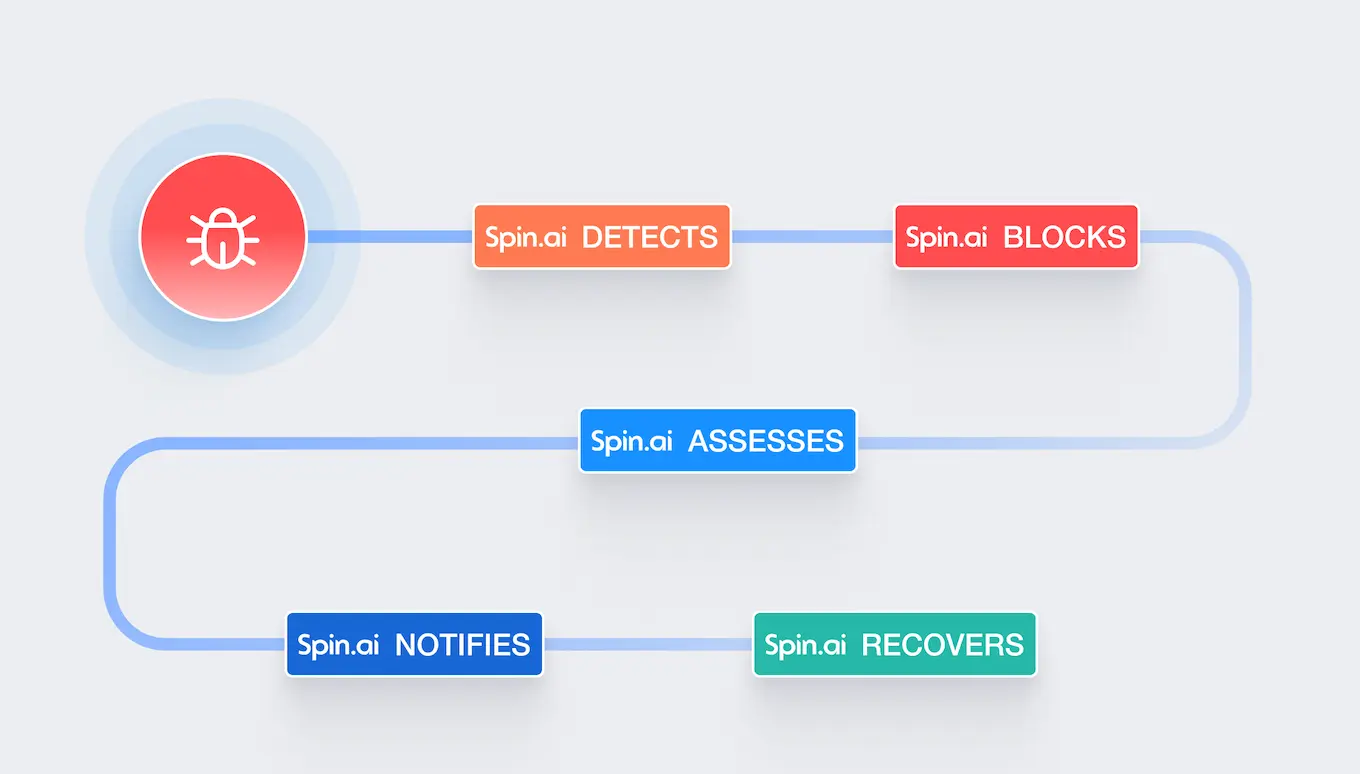
Ransomware Detection & Response is included in SpinBackup
Most solutions only promise to help you recover. Our commitment to protecting your data runs so deep that we’ll proactively prevent you from losing it to ransomware in the first place. We go above and beyond to help you prevent data loss.
SpinBackup has the fastest, most accurate Backup & Recovery for a Strong DR Plan
SpinBackup helps your organization build a strong SaaS resilience and business continuity program to avoid data loss disasters in the cloud. Our solution enables disaster recovery from events like ransomware attacks, human error, and accidental deletion.
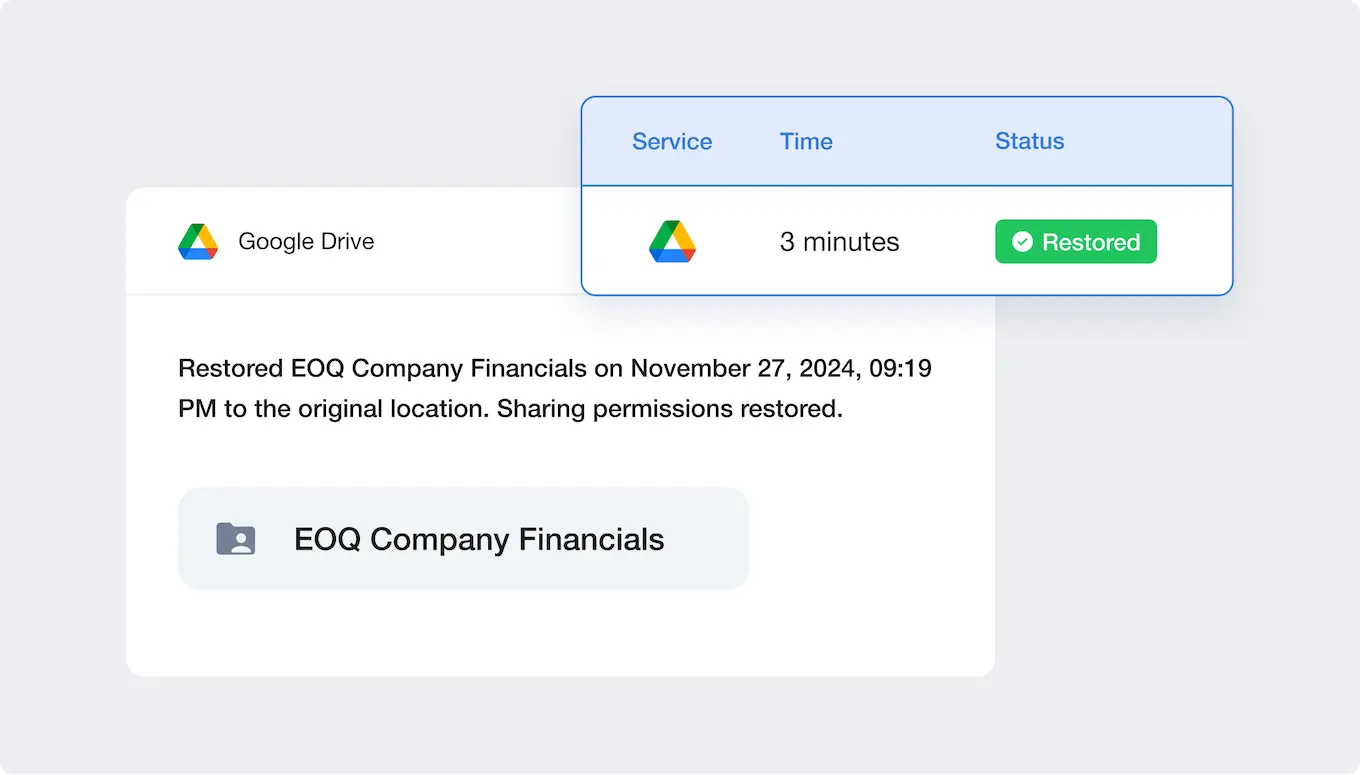
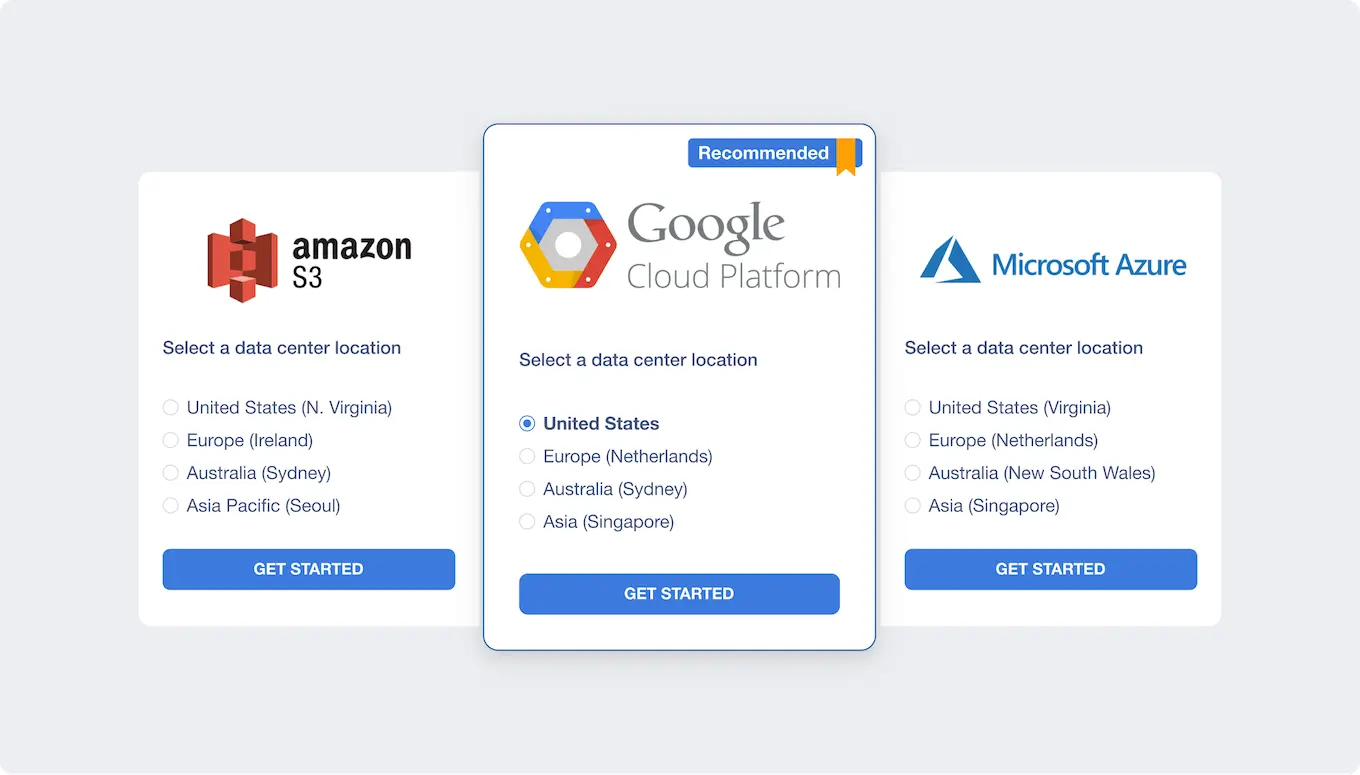
It’s the most compliance-friendly cloud backup for data residency requirements
SpinBackup helps you meet industry compliance regulations for data residency by offering 32 storage locations worldwide, and letting you select your preferred secure-cloud storage provider (AWS, GCP, Azure, or BYOS).
SpinBackup offers the most granular backup architecture
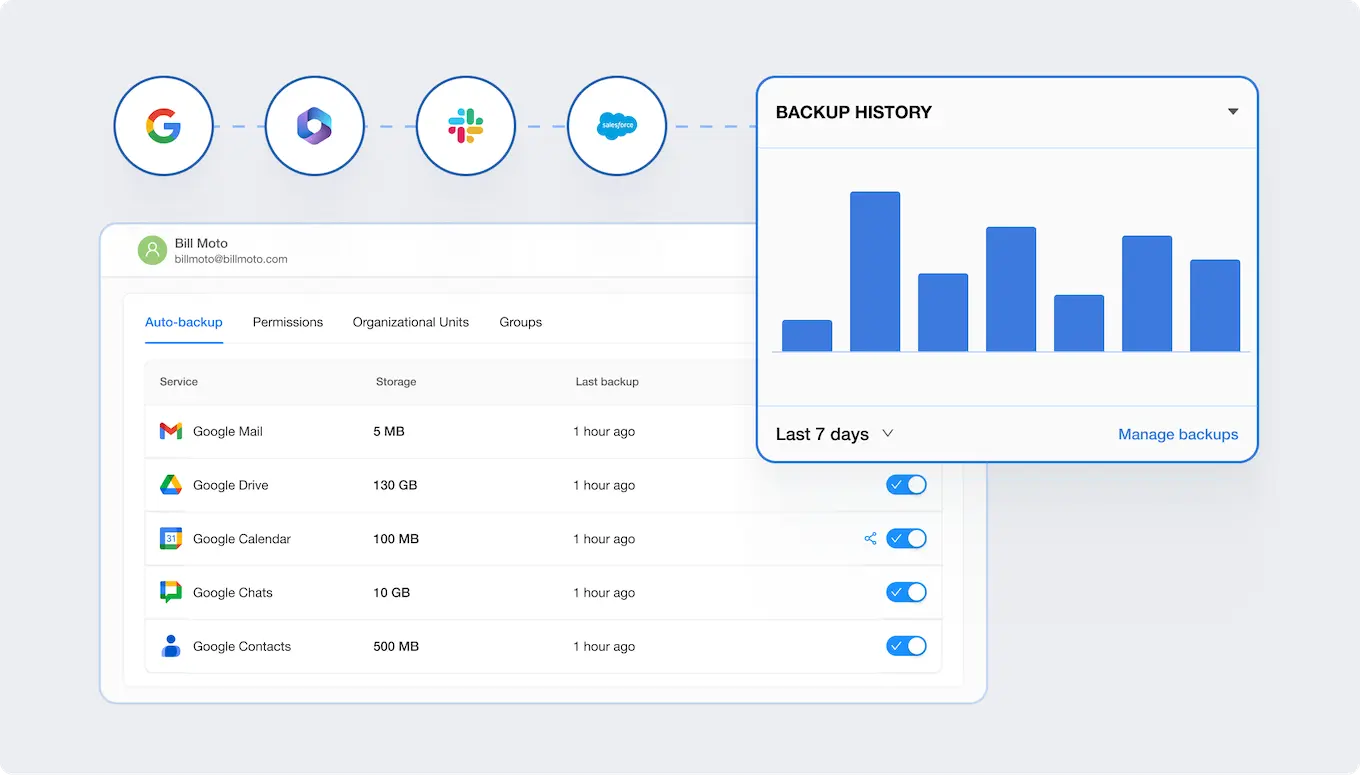
You can back-up and recover your emails, calendars, contacts, files and Shared Drives™ in Google Workspace and Microsoft 365, including metadata, hierarchy, and sharing permissions. SpinBackup lets you restore a single file, several folders, or a comprehensive backup with hierarchy and permissions, so you can restore only what’s needed and won’t lose your team’s progress or essential data objects most solutions don’t cover.
Why Businesses Choose SpinBackup?

“The setup process was straightforward, has good out-of-the-box security measures that could be easily tailored to suit my business requirements, and the user interface is highly intuitive…
I would highly recommend Spin.ai to anyone seeking a hassle-free, user-friendly data protection solution that can be set up with ease.”

“SpinOne is an easy to use must have for DR, security, ransomware detection and response.”

“I love the ease of restoring files and messages compared to our previous product.”
Highest Enterprise Backup Success Rate
SpinBackup uses modern, innovative technology to significantly decrease failures and throttling issues. As IoT signals and machine data land in SaaS apps, Spin.ai absorbs the growth curve without added hardware or on‑premise complexity.
Eliminate Throttling
Say goodbye to throttling and API limits that other vendors use to limit your data volume usage.

Incremental Backups
Execute batch operations or back up only changed data for speed and efficiency.
Intelligent Planning
Distribute requests by data type to avoid service limits. (e.g. drive, email, etc.)

Deduplication
We’ll make sure you’re not accidentally backing up the same files multiple times.



Exponential Backoff Executor
No more time-based quotas and “service unavailable” cases.

Provider Error Handling
Automatically process throttling issues, limits, retries, and reschedules.

System Alerts
Auto-generate alerts for the Spin.AI engineering team to investigate.

Individual Limits
Get the best speed and quality based on limits negotiated with providers.
Frequently Asked Questions
Yes, because SaaS operates on a shared responsibility model. The SaaS provider protects the platform, but you are responsible for backing up your own data to prevent loss in the event of a natural disaster, cyber incident, or human error. 3x daily automated backups with fast, granular restores ensure you can recover from accidental deletion, insider threats, and ransomware, and that’s exactly what SpinOne delivers.
SaaS backup and recovery is a cloud-to-cloud service that automatically copies your data from applications like Google Workspace, Microsoft 365, Salesforce, and Slack to secure, independent storage, so you can restore clean versions after accidental deletion, ransomware, or misconfigurations. Spin.AI provides automated point-in-time backups and fast, granular or full-account restores that preserve metadata and permissions.
You can restore clean versions in minutes with granular recovery, and Spin.AI backs incident response with a published 2-hour ransomware SLA to minimize downtime.
Emails, files, chats, calendars, contacts, and associated metadata and permissions are protected with automated backups 1–3 times per day through Spin.AI.
Yes. Behavior-based, AI-driven detection monitors for suspicious activity such as mass file changes or encryption, automatically isolates affected accounts, and orchestrates clean rollbacks from immutable backups for rapid recovery.
Yes. Spin.AI lets you choose your backup storage provider and region, giving you full control over where your data lives.
You can store backups on AWS, Google Cloud, or Microsoft Azure, or bring your own storage (BYOS) if your organization requires tighter control over cost, sovereignty, or encryption key management. Data residency options span 30+ regions worldwide, including multiple United States locations to support HIPAA, PCI DSS, GDPR, and other compliance requirements.
Storage location and provider can be configured at setup and scoped by user group, organizational unit, or workload, so different teams or regulated data sets can be pinned to different regions as needed.
Spin.AI is SOC 2 Type II audited, supports enterprise programs like HIPAA, PCI DSS, GDPR, and the Data Privacy Framework, and uses AES-256 at rest and TLS 1.3 in transit.
Pricing starts at $3 per user per month with a $5,000 annual minimum, and Spin.AI customers report significant savings by cutting downtime and incident response costs.
All four back up SaaS data; the practical differences are that SpinBackup bundles AI ransomware detection and response (not just recovery) with a published 2-hour SLA, lets you choose your own storage provider and region (AWS, GCP, Azure, or BYOS), and preserves full hierarchy and permissions on restore. If you only need scheduled backup with no ransomware response, a lighter tool may be sufficient; if ransomware recovery time is the priority, that’s where SpinBackup is built to win.
If at any point you decide to switch backup providers, your data remains your data – you can take it with you anytime.
If your only requirement is recovering a file a user deleted in the last 25–30 days, the built-in trash and retention policies in Google Workspace and Microsoft 365 may cover you, and you may not need a third-party backup. You should add a dedicated backup like SpinBackup when: you need retention beyond the native window; you need to recover from ransomware or malicious insider deletion (where native versions can also be encrypted or purged); you must restore data with its original folder hierarchy, sharing permissions, and metadata intact; or you have compliance requirements for an independent, immutable copy stored in a region and cloud you control.