
SpinProtect Transition to SpinProtect

SpinProtect is transitioning to SpinProtect to deliver browser security. SpinProtect includes all of SpinProtect’s capabilities, plus additional protection against browser-based threats.
SpinProtect will continue to exist but will no longer be supported. We recommend switching to SpinProtect as soon as possible to ensure continued protection and support.
Who does this affect? If your organization uses SpinProtect, you’ll need to switch to SpinProtect to continue receiving updates and support. If you don’t use SpinProtect, no action is required — but we encourage you to try SpinProtect to secure your organization’s browser extensions and browser activities.
What is SpinProtect
SpinProtect is a browser extension that delivers browser security through:
- Browser extension management — discover, assess, and control the risk of browser extensions used across your organization
- AI governance — monitor and manage how AI tools are accessed through the browser
- Data leak prevention (DLP) — block sensitive data from being pasted, typed, or uploaded into unapproved websites
- Web threat protection — protect users from malware downloads, phishing sites, and other malicious web threats
SpinProtect is available on Chrome, Edge, Firefox, and Safari.
Installing SpinProtect
SpinProtect can be installed directly from the Chrome Web Store on Chrome browsers.
Google Workspace customers can deploy SpinProtect to the entire organization through the Google Admin console. For successful organization deployment, the user must:
- Have Chrome sync enabled
- Be signed into their Chrome profile
Follow the instructions below for deployment through the Google Admin Console:
- Open Google Admin Console (admin.google.com)
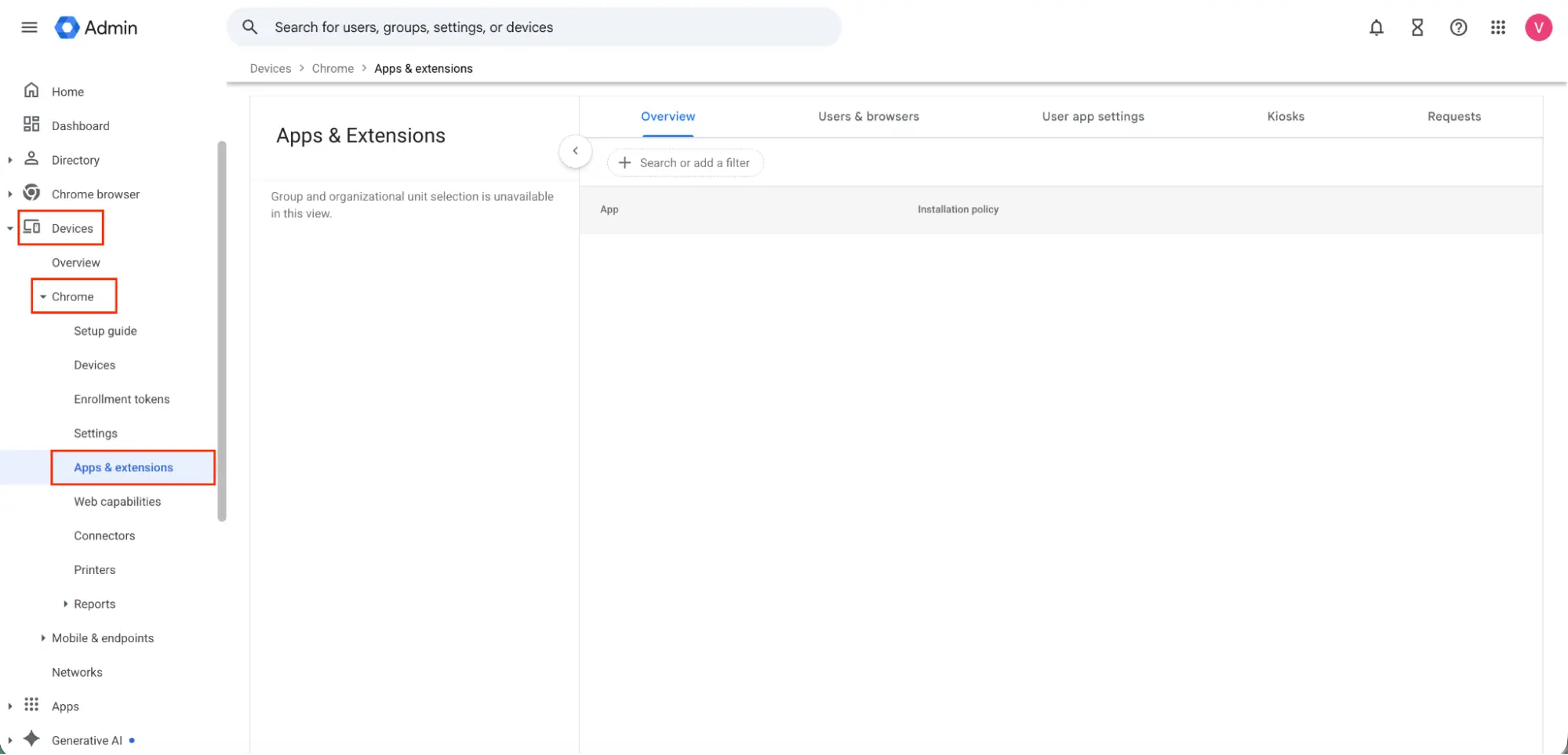
- In the navigation panel, select Devices → Chrome → Apps & extensions
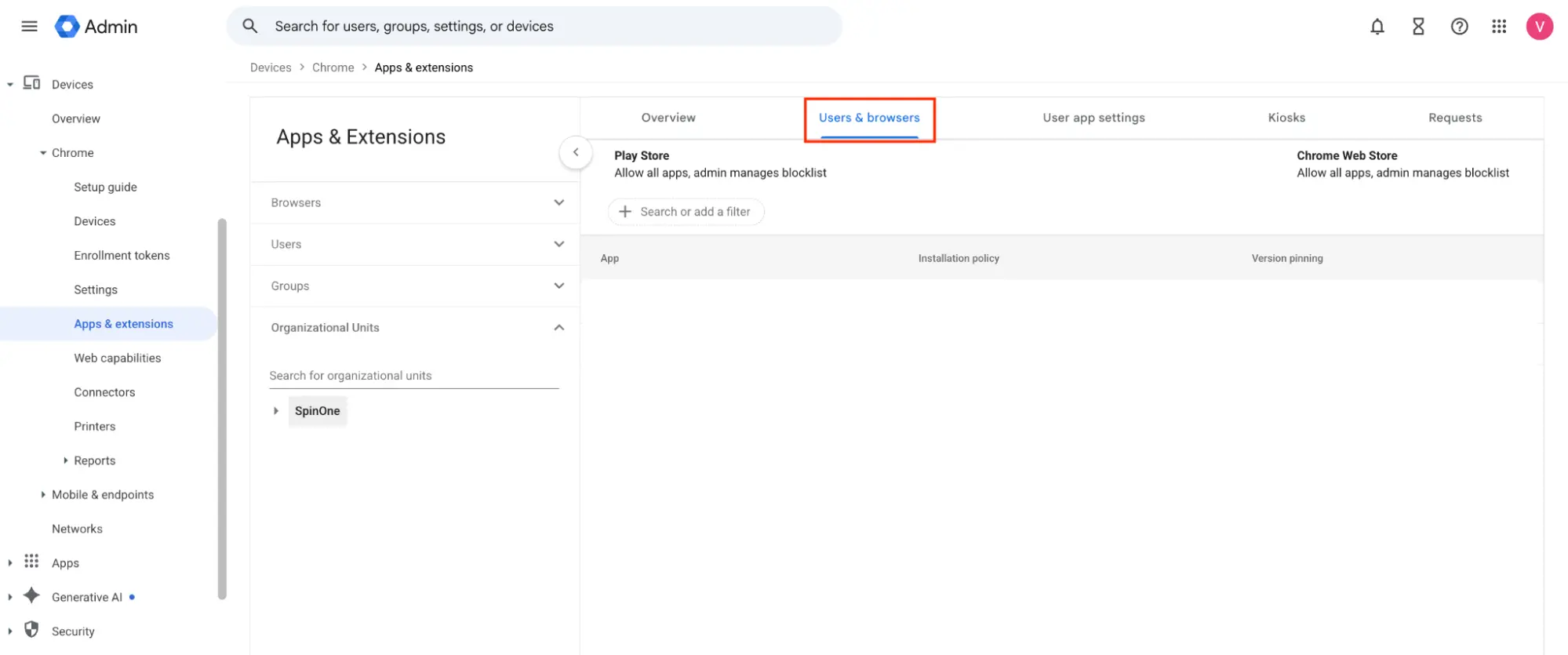
- Select the Users & browsers tab
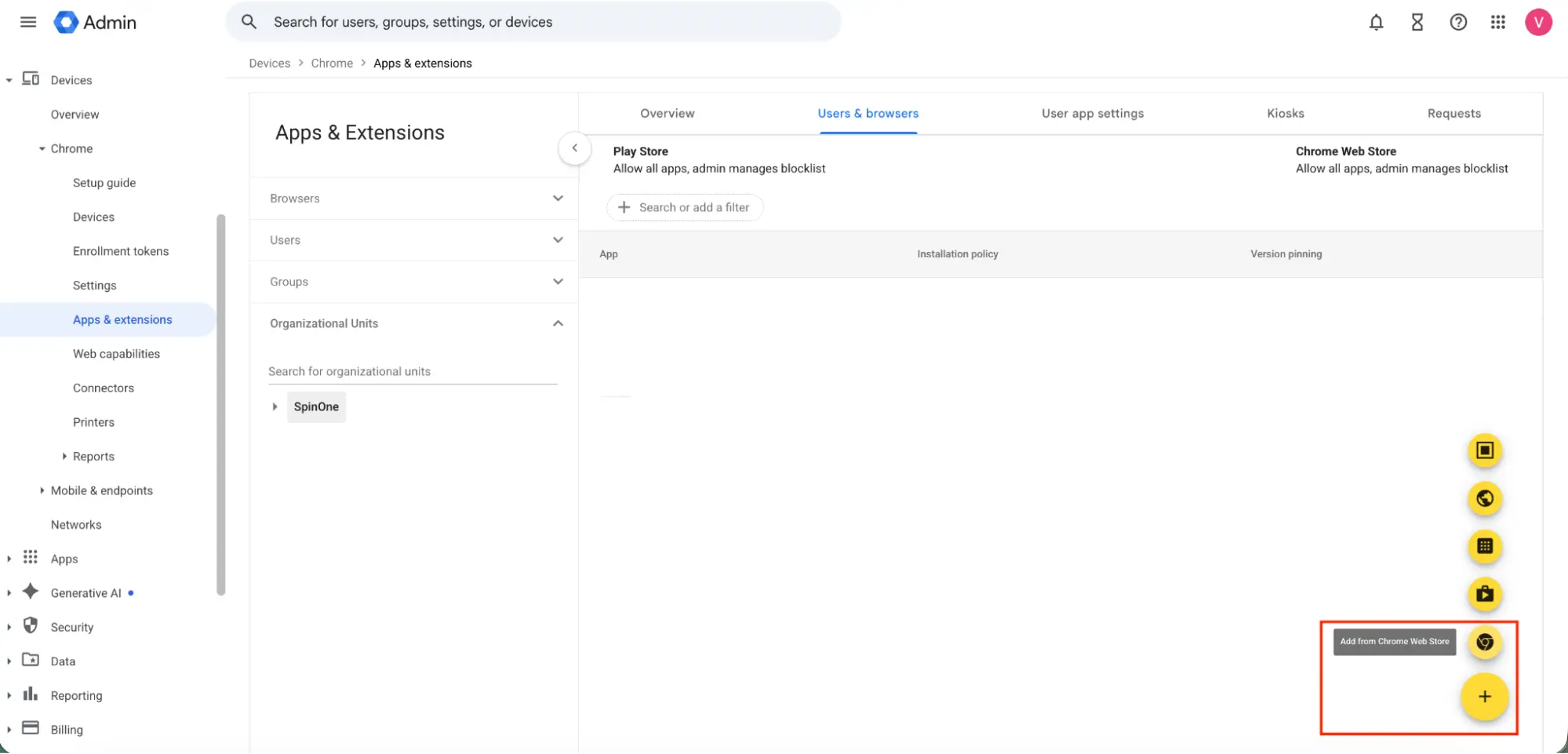
- In the bottom right corner, click on the yellow plus button and choose “Add from Chrome Web Store”
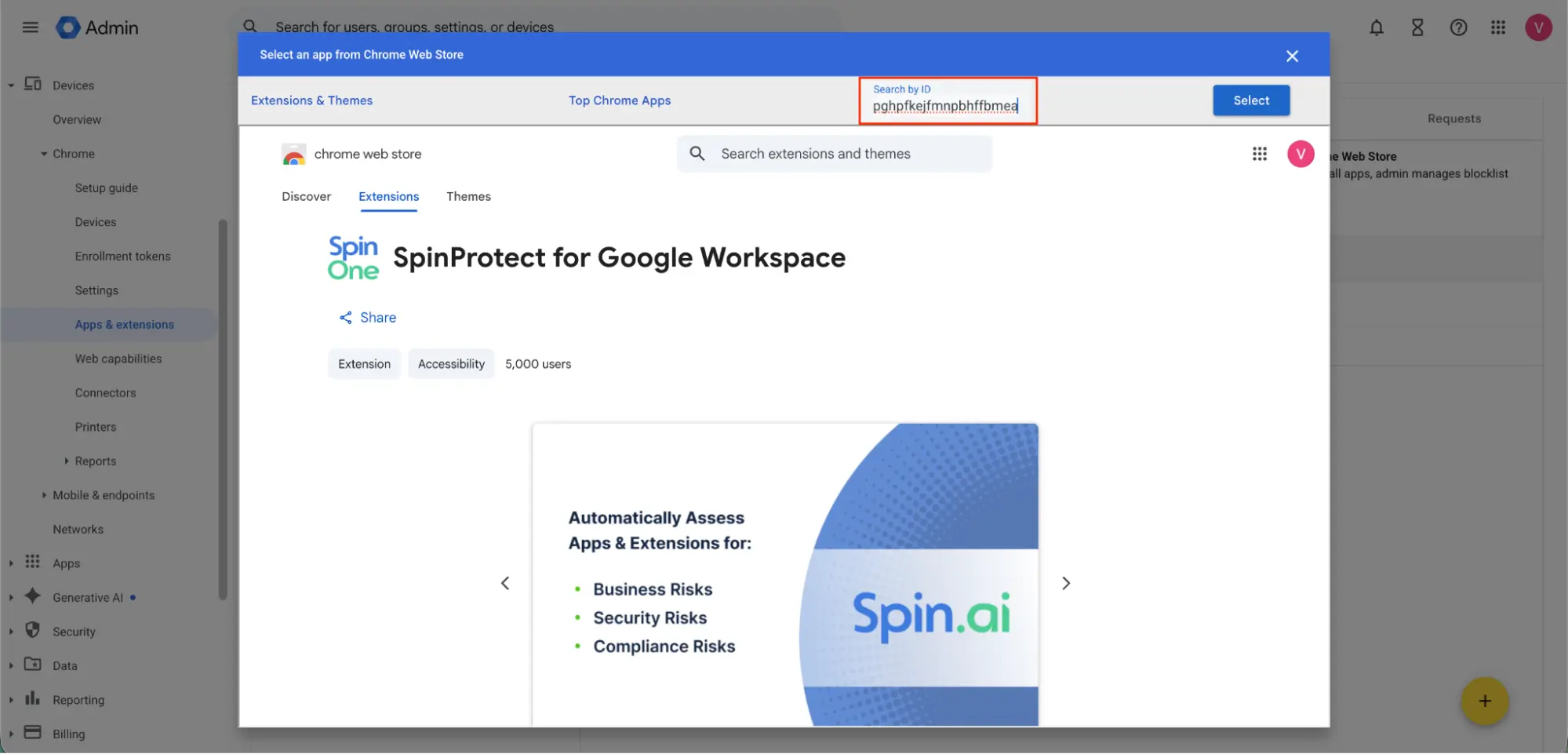
- In the pop-up window, search and select the SpinProtect browser extension ID: pjdkicnffioipghpfkejfmnpbhffbmea
- Select SpinProtect from the table and change its installation policy to: Force install + pin to browser toolbar
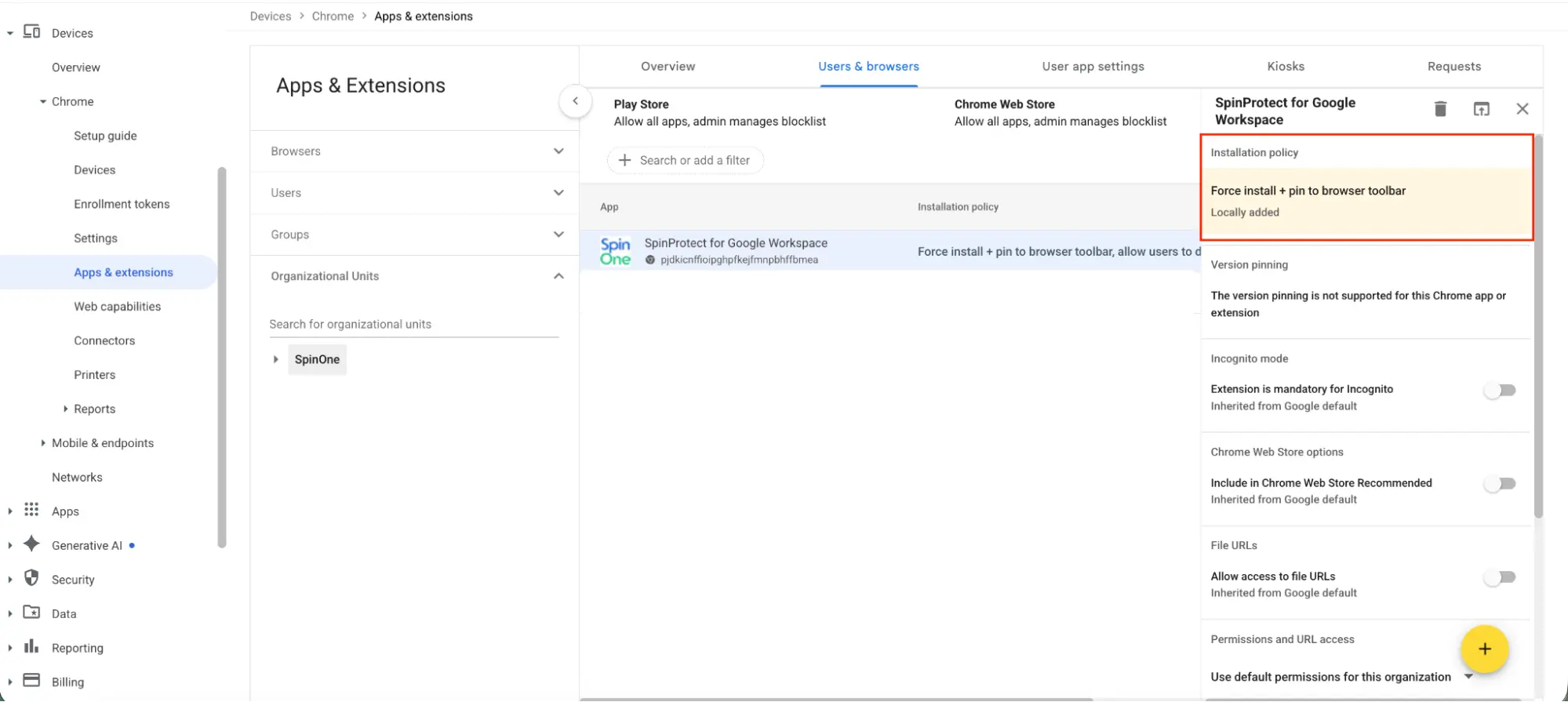
SpinProtect will now be automatically installed to every Chrome browser within your Google Workspace organization.
Note: These installation steps only provide coverage for customers using the Chrome browser. SpinProtect’s coverage of other browsers requires SpinCRX.
FAQ
SpinProtect includes all of SpinProtect’s browser extension management capabilities, plus additional browser security capabilities — including AI governance, data leak prevention, and web threat protection.
SpinProtect provides browser security. Common use cases include:
- Protecting users from browser threats, such as malware downloads and phishing websites
- Protecting against zero-day malicious browser extensions
- Preventing users from accessing unapproved websites or AI tools
- Preventing users from pasting, entering, or uploading sensitive data into the browser
Yes! For complete browser coverage and a flexible, hybrid deployment of SpinProtect, SpinCRX is required.
Contact support@spin.ai to schedule a guided walkthrough of the transition.