
SpinCRX Registration

To register SpinCRX select the registration link here.
Once you’ve selected the registration link, you should now see the Sign In menu.
Select your method of Sign In to continue and be sure to use Super or Global Admin for your domain.

Next, select your Storage Provider and your Storage Region and press Get Started.
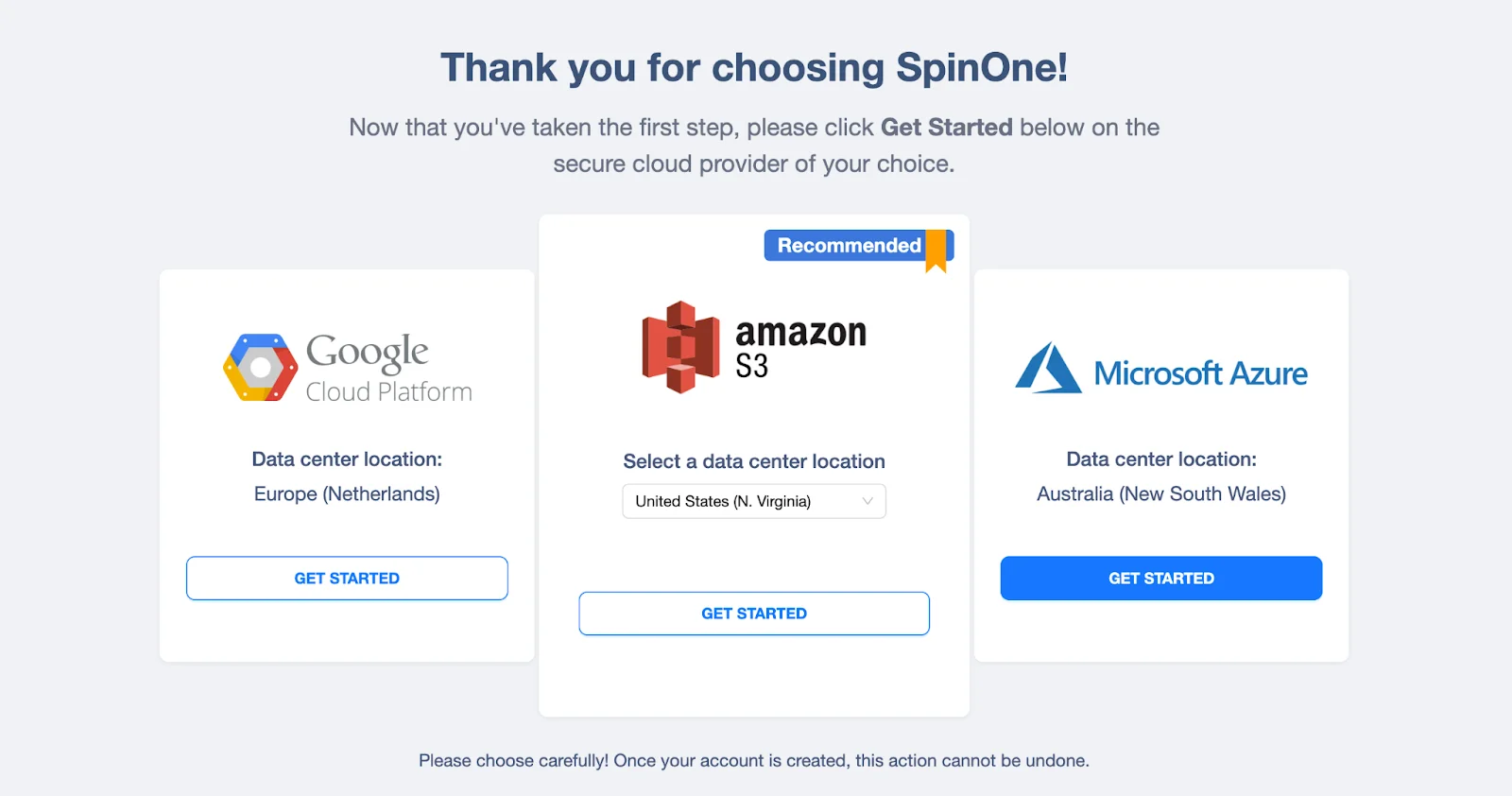
Once you’ve selected your Storage Provider and Region, now follow the registration instruction and select Create New Account.
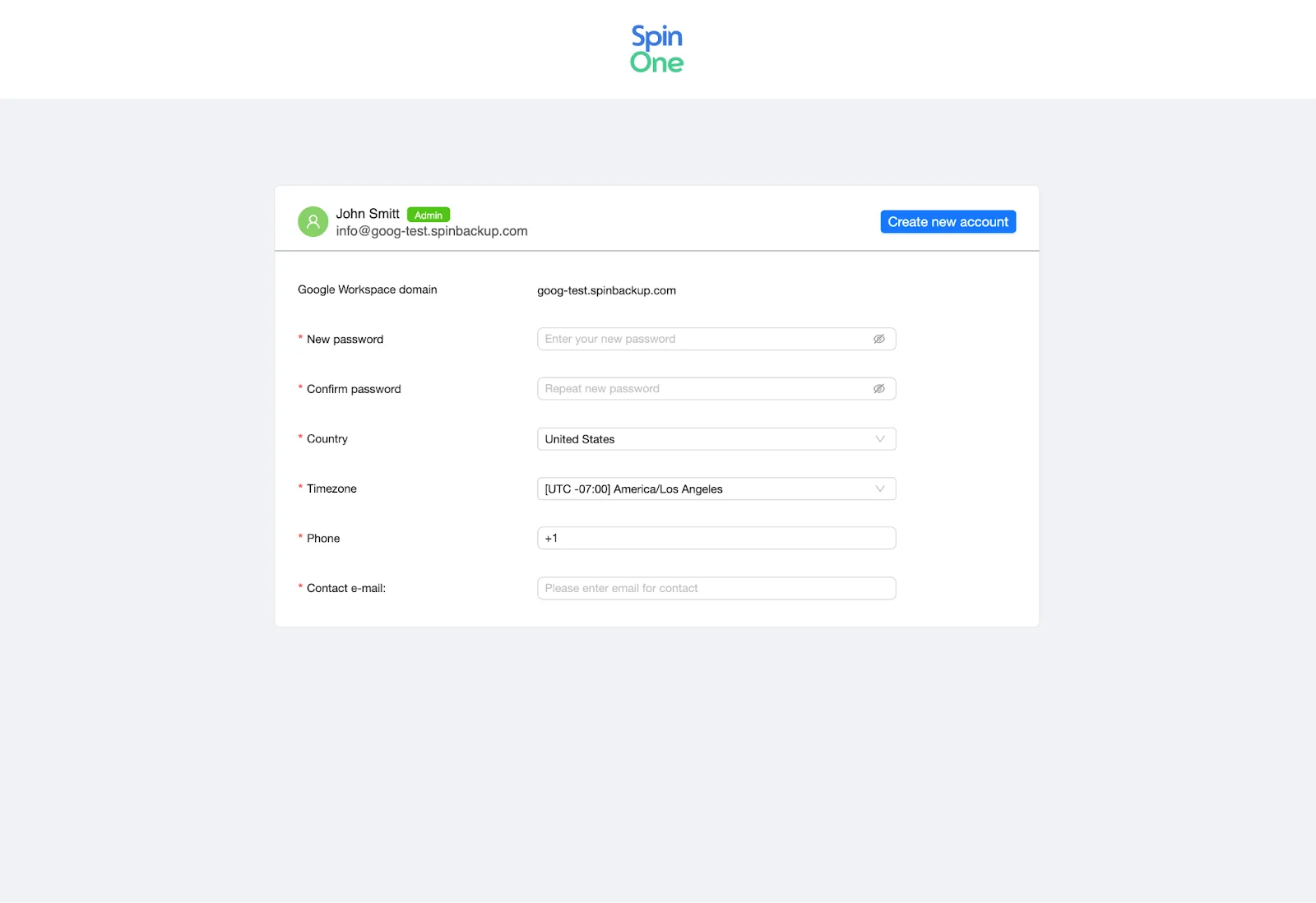
You should now be redirected to the dashboard of SpinCRX.
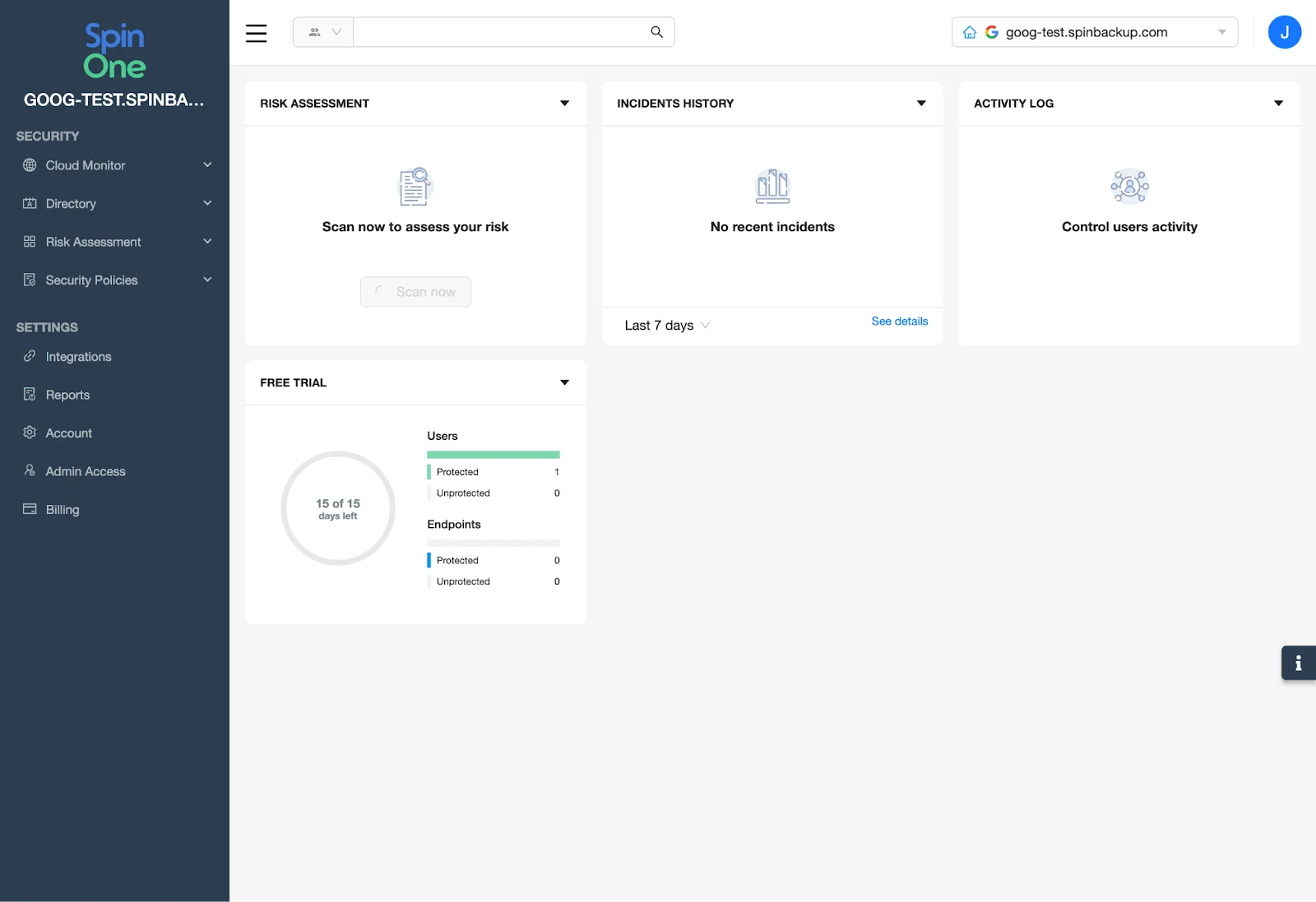
Congratulations! You have successfully completed the registration for SpinCRX!
Be sure to reference other Knowledge Base articles; showing how to onboard endpoints, onboard users as well as how to create automation rules for SpinCRX
Was this helpful?