Google Workspace™ Backup Solution For Businesses
Backup Google Workspace™ with SpinBackup to protect your data and stay compliant. Google Workspace™ backup tool for enterprises to small businesses.

Google Workspace™ Backup and Recovery for Enterprise Businesses
SpinBackup for Google Workspace™ helps Google Admins™ for enterprises improve their SaaS data recovery strategy and compliance. Protect company documents and records with domain‑wide backups, built‑in versioning, and one‑click export—delivering peace of mind at a cost‑effective price. See what sets us apart when backing up your Google Workspace™ and your Google Apps:


Backup and Recovery
for Chat™

Backup and Recovery
for Spaces™
Google Workspace™ Backup Pricing

- Automated daily data backup
- Ransomware Recovery SLA:
2hrs or less with 99.9% recovery rate - 24/7 support by phone, email, or chat
- Storage in popular locations like AWS, GCP, Azure, or bring your own cloud storage
- Compliance with SOC 2, Data Privacy Framework, and GDPR
- Easy data management
- Quick granular recovery
- Detailed incident reporting
1,000,000+ Business Users Trust Spin.AI to Protect Their SaaS Environment
min, SpinOne saves $336K–$540K/hour


Why Businesses Choose SpinBackup for Google Workspace™ Backup?
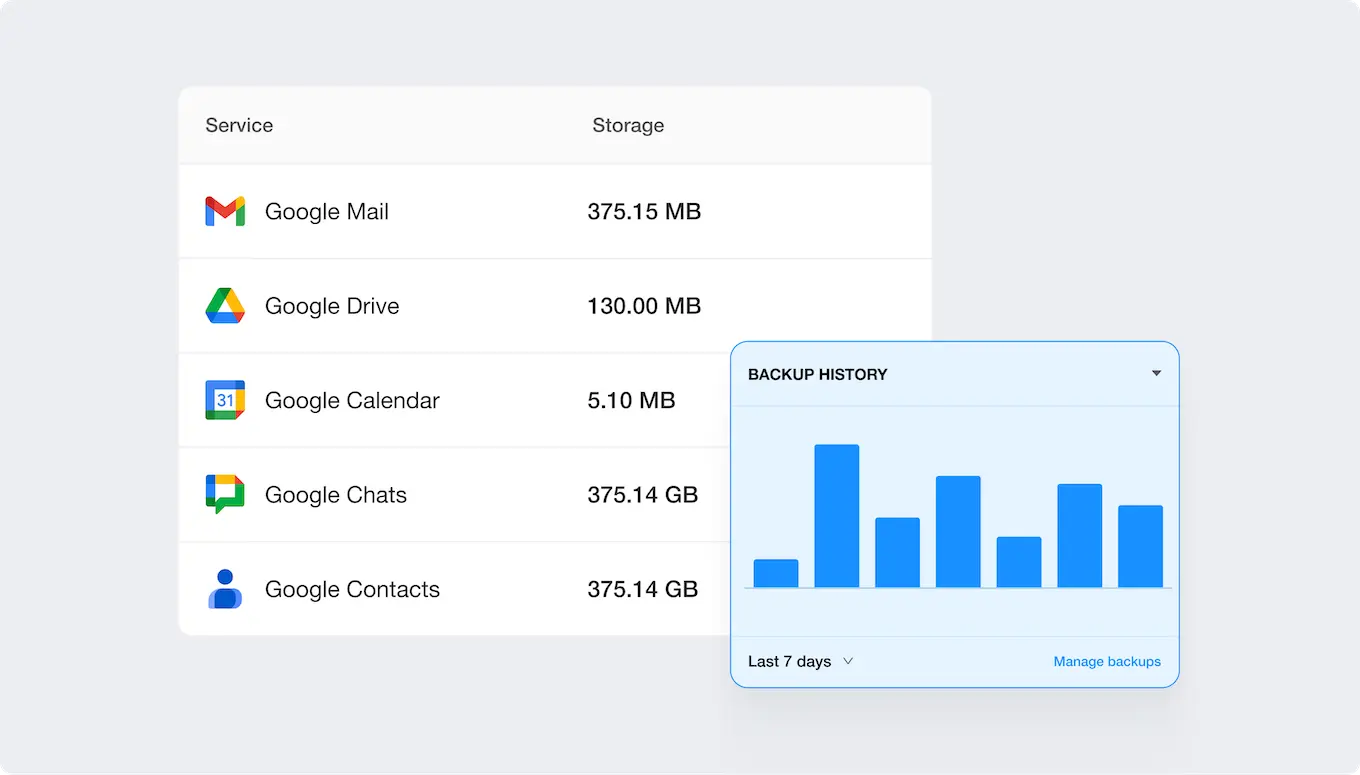
Built for Google Admins, SpinBackup offers comprehensive Google Workspace™ data protection solutions, including customizable backup retention, integrity checks, automated 3x daily incremental backups to secure cloud storage and full data security with encryption. These features work alongside flexible data restoration options, local downloads, data migration, data loss prevention, instant data location for quick searches, and ongoing monitoring.
- Backed-up services: Business Gmail™, Drive™, Contacts, Calendar™, Shared Drive™
- Automated backups 1× or 3× daily with health and integrity checks
- Multiple storage locations (AWS, GCP, Azure, custom)
- 99.9% accurate granular recovery
- Fast restoration
- Easy data management and export capabilities
- Archived users
- Flexible retention policies
- Centralized Admin Panel to reduce platform expenses
- 24/7 support: chat, email, phone
- Compliant backup: SOC 2, EU Privacy Shield, and GDPR
Backup Google Workspace™: Drive™, Gmail™, Contacts and Other Google Apps
Backup Google Workspace™: Drive™, Business Gmail™, Contacts and Other Google Apps Backing up Google Workspace™ is a critical strategy for businesses to ensure the security and accessibility of their data. Google Workspace™ is the backbone of many business operations. Despite Google’s robust infrastructure, data within Google Workspace™ is still vulnerable to user errors, malicious deletions, ransomware, and other cyber threats. A dedicated backup solution for Google not only provides a safety net against these risks but also ensures business continuity by allowing for the quick restoration of lost data.
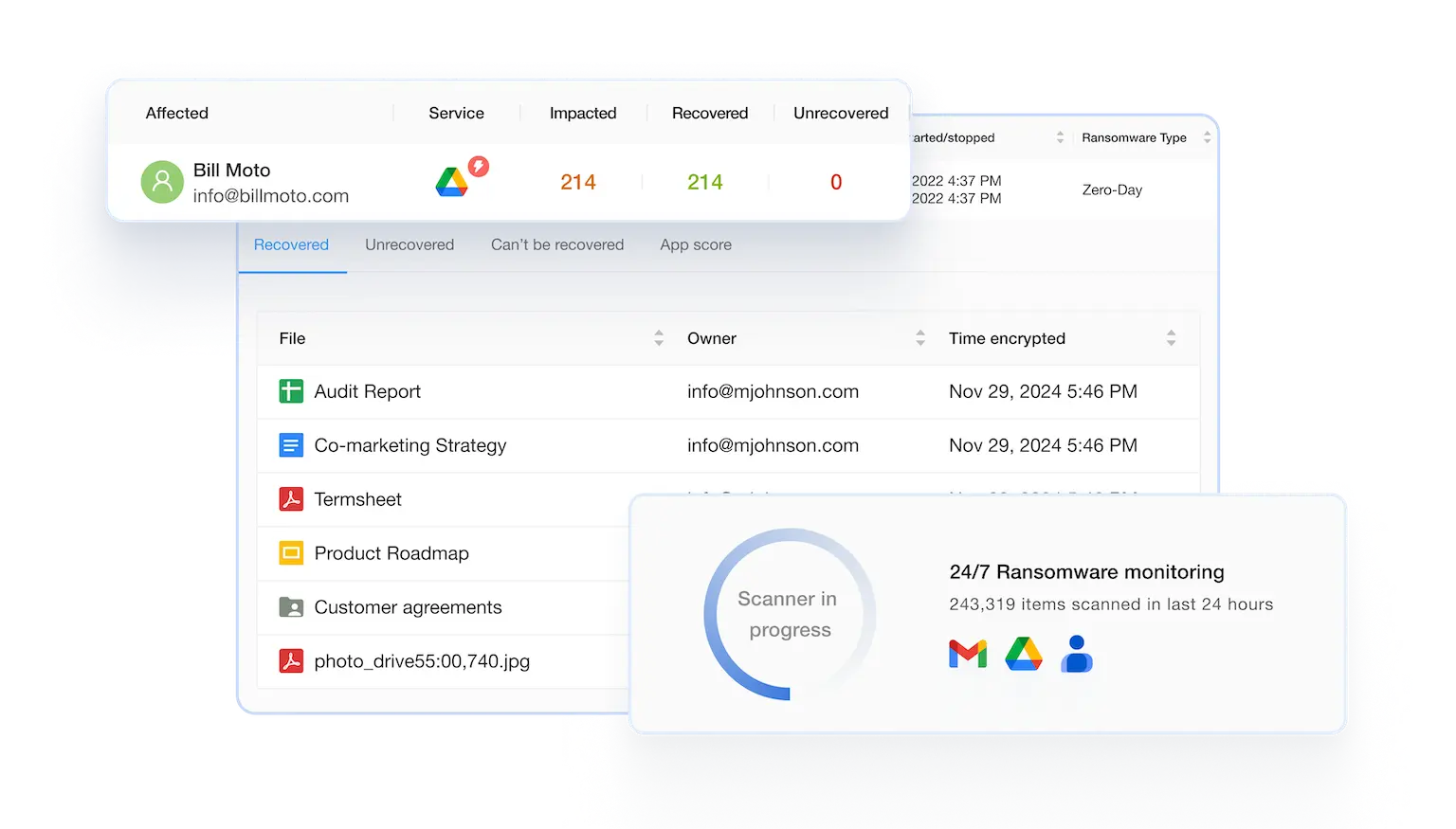
Protect Your Google Workspace™ Data from Ransomware
Automated backups and rapid restore deliver peace of mind, while proactive controls help Google Admins reduce company risk and downtime. SpinBackup offers comprehensive protection for Google Workspace™ against ransomware through our unique combination of automated backups and advanced cybersecurity features. Our Google Workspace™ Backup and Attachments recovery solution not only backs up critical data with a 99.9% recovery success rate but also includes a dedicated ransomware protection module that proactively guards against malicious attacks.



Book a Demo with Spin.AI
Schedule a 30-minute personalized demo with one of our security specialists
Google Workspace™ Backup Solutions
Despite Google’s robust security as a SaaS application, it remains vulnerable to threats like ransomware, man-in-the-middle attacks, and human error. Using SpinBackup, you can quickly recover deleted emails from your Business Gmail™ data by performing daily backups with Google Workspace™ Email backup. Secure copies of your data are stored in your preferred storage solution, such as Azure, GCP, AWS, or others, protected against ransomware and cybercrime.
In Google Workspace™, Google Drive™ serves as a repository for important corporate information. Cyber threats or accidental deletions can compromise or lose this data. If Google Drive™ content is lost, there could be significant repercussions, including disruptions in operations and criminal penalties. SpinBackup provides small and medium-sized businesses, educational institutions, and large enterprises with a premier g suite backup tool, backed by a 99.9% Service Level Agreement (SLA).
You can use Shared Drive™™ in your organization if you have Google Workspace™ Enterprise, Google Workspace™ Business, or Google Workspace™ for Education editions. Using Team Drives in Google Workspace™ allows enterprise teams to collaborate securely and efficiently in the cloud. Adding Google Shared Drive™™ Backup through SpinBackup to your data protection plan can strengthen your strategy for preventing data loss.
Google Contacts is essential to various organizational departments, including Sales, Procurement, Public Relations, Customer Success, and Marketing. Even though Google Contacts is a SaaS application, it is susceptible to threats such as ransomware, user errors, corruption, or intentional deletions. SpinBackup solves these vulnerabilities by providing daily backups of your Google Contacts data, which can be restored quickly if any information is lost. Data backups are securely stored in Azure, GCP, AWS, or other storage solutions.
While Google Calendar™™’s security is robust as a SaaS platform, it remains vulnerable to ransomware, accidental deletions, data corruption, and intentional removals. By backing up your Google Calendar™™ data daily, SpinBackup mitigates these risks, ensuring you can quickly retrieve any lost information. Your data is securely stored in the cloud storage option of your preference, including Azure, GCP, AWS, or others. By capturing a daily snapshot of Google Calendar™™ accounts, SpinBackup offers a straightforward solution for data restoration.
Google Chat™ helps Workspace users connect and collaborate to get things done, but this valuable data can be vulnerable to cyberattacks, leak or loss. SpinBackup for Chat™ ensures that all messages are backed up daily so you can restore them quickly and easily when needed.
Google Spaces™ is a separate service from Google Chat™, and needs to be protected in the same way you protect all your Google Workspace™ services. Google Spaces™ allow team collaboration, with the ability to share files, assign tasks, and review message history. Spaces™ can be used by employees, but also by external users so it’s critical to back up this data so that you can restore it in case of data loss, data leak, or ransomware attack.
Best Google Workspace Backup Solutions
for Enterprises in 2026
Based on publicly available information as of July 2026
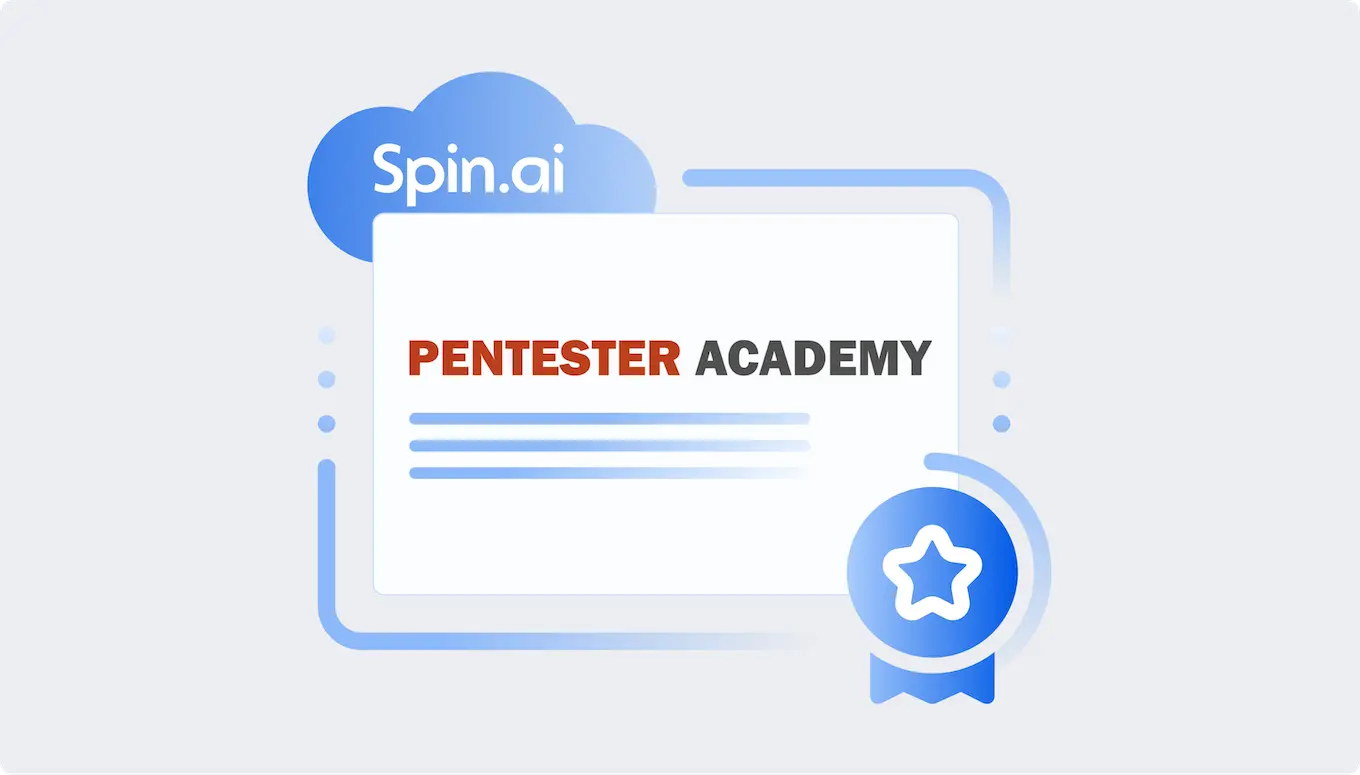
SpinOne Featured by Pentester Academy
SpinOne Google Workspace™ Backup was acknowledged by Pentester Academy for simplicity of use and automation
SaaS Security for Every Use Case


Why Businesses Choose SpinBackup for Google Workspace?

“Spin Technology Backup is awesome.
We have been using Spin Technology for several years, as a backup solution for Google Workspace. We have been very pleased with the service and web interface of Spin Backup, they make the process very easy for us. We highly recommend Spin Technology as your backup solution.”


“SpinAI is one of the best tools for Google Workspace.”


An easy to use security addition to Google Workspace, a great DR and security evaluation tool for any organization.”

Highest Backup Success Rate
SpinBackup uses modern, innovative technology to significantly decrease failures and throttling issues. Technical differentiators include:

Rate Limit Management
Overcomes throttling and API limits

Incremental Backups
Batch operations and incremental backups

Intelligent planning
Avoids service based limits with uniform distribution of requests by type (e.g. drive, email backups)

Deduplication
Ensures files are not backed up multiple times

Exponential Backoff Executor
Overcomes time-based quotas and ‘service unavailable’ cases

Provider Error Handling
Processes throttling issues and limits, reschedules and retries automatically

System Alerts
Generates alerts to Spin.AI internal engineering team for investigation

Individual Limits
Get the best speed and quality based on limits negotiated with providers
Google Workspace™ Backup Software Frequently Asked Questions
Have more questions about SpinOne and Google Workspace™ backup? Learn more from our FAQ section or contact our support.
Yes—Google protects its infrastructure, but not all user mistakes, ransomware, or insider deletions; a dedicated backup lets you restore exactly what you need fast, which is why many U.S. organizations choose Spin.AI to add automated, independent protection and quick granular recovery.
Google Workspace backup is an independent, cloud-to-cloud copy of your Gmail, Drive, Shared Drives, Calendar, Contacts, Chat, and Spaces data so you can quickly restore information if it’s deleted, corrupted, or encrypted by ransomware. Spin.AI provides Google Workspace backup in the United States with automated schedules, versioning, and secure storage separate from your production environment.
Google’s redundancy protects its infrastructure, but it doesn’t prevent user mistakes, malicious deletions, app misconfigurations, or ransomware from removing or encrypting your data. Spin.AI adds independent, immutable backups with point-in-time recovery and retention beyond native limits so you can restore exactly what you need in minutes.
A backup platform connects via secure OAuth and Google APIs to perform automated incremental backups one to three times daily, with encryption in transit and at rest and built-in integrity checks. Spin.AI lets you store copies in U.S. regions on AWS, Google Cloud, Azure, or bring your own storage (BYOS) for data residency and cost control.
Granular restore lets you recover a specific email, file, label, folder, or calendar event without rolling back an entire account, while point-in-time recovery restores data as it existed at a chosen timestamp. Spin.AI combines fast search with precise, item-level and time-based restores to minimize downtime for busy teams.
You can search, select a point in time, and restore specific items or entire accounts in minutes with high recovery accuracy, and Spin.AI provides easy, granular restores that get users back to work fast.
You can run automated backups once or three times daily with integrity checks, storing copies in U.S. regions on AWS, Google Cloud, Azure, or your own cloud, and Spin.AI encrypts data in transit and at rest for secure, compliant protection.
Ransomware can encrypt files in Drive or spread via email, causing costly downtime and data loss if you can’t roll back to clean versions quickly. Spin.AI provides immutable backups, rapid threat-aware recovery, and point-in-time restores so organizations in the United States can resume operations fast and limit business impact.
Compliance-ready backup includes encryption, access controls, detailed audit logs, flexible retention policies, and the ability to choose U.S. data residency, supporting frameworks like SOC 2, HIPAA, GDPR, PCI DSS, and ISO 27001. Spin.AI offers these controls along with exportable reports to help you demonstrate recoverability to auditors in your Google Workspace cloud environment.
Pricing starts at $3 per user per month with a minimum annual commitment, and Spin.AI can tailor estimates for your domain size and retention needs.