Expert Insights: SaaS Backup and Application Governance (Part 3)

Welcome back to our blog series on SaaS data protection. Part 1 focused on data protection fundamentals, part 2 focused on data protection solutions, and part 3 is focused on governance.
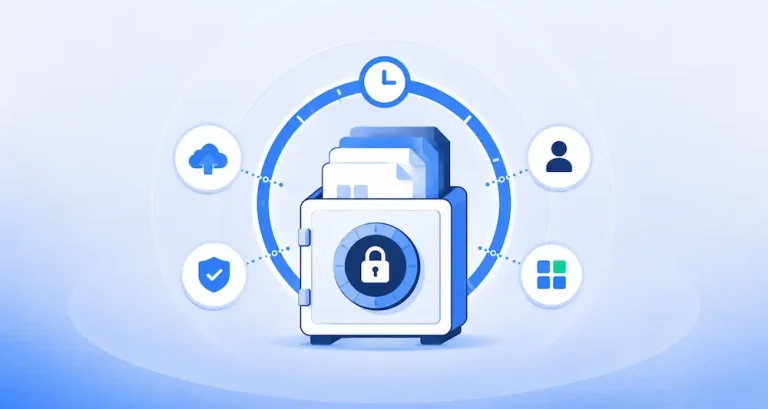
Magical thinking about the cloud will not protect data in SaaS applications. It only takes one mistake or malicious act to cause significant data loss and you cannot rely on the SaaS provider to protect you. If anybody needed a reminder that data in the cloud isn’t inherently safe, the recent incident at Google where an internal Google administration error led to a multi-billion dollar company’s data and backups being deleted should be a wake-up call. Fortunately, this company had their own backups outside Google’s control. Without that they would have suffered catastrophic loss.
With cloud IaaS deployments, backup is relatively simple with many mature tools that allow organizations to backup their application no matter where they’re hosted, but SaaS completely changes this due to the closed nature of the applications. That inability to simply backup data in SaaS applications means that organizations must put governance around SaaS adoption to ensure that the company’s data (it’s most critical asset) can be protected BEFORE the application is adopted. Failure to provide backups may mean you get the call to tell you that all the data they stored in a SaaS application is gone and that there are no backups!
Top Considerations for SaaS Application Governance
Because of the risk associated with SaaS applications, companies considering the deployment of a new SaaS applications should address the following considerations:
- How important is the application and the data stored in it
- What backup capabilities come with the SaaS application
- 3rd-party backup options
The Importance of the Application and the Data it Stores
The first step before adopting a SaaS application is to assess the importance of the application and what impact an outage or major data loss event would have on the organization. The evaluation should be a critical part of the process of adopting any SaaS application, and that requires organization-wide governance processes around that adoption. Key questions to ask include:
Application questions
A critical application would be one where loss of access to data would cripple an important business process such as processing customer orders.
Sometimes, organizations can put workarounds in place so that an application outage or severe data loss doesn’t make the business grind to a halt.
If the data in the application is the sole source, then data loss is impossible to recover from unless there’s a backup of the application’s data.
Applications that handle data that is subject to regulation present a higher risk.
Any public disclosure of data loss can cause customers to lose confidence or result in them taking legal action against the company.
SaaS File share and sync services such as Microsoft Onedrive are vulnerable to anything running on a client PC that can write data to the file store. This contrasts with SaaS applications where the data always resides on the provider’s systems.
Built-in Backup Capabilities of SaaS Applications
Some SaaS applications come with their own backup but these backup systems are often very limited in functionality and may be vulnerable to the same attack that breaches the application. Because of these factors it’s important to ask the SaaS application provider what they offer. Typical questions include:
SaaS Provider questions
There are many ways in which data can be lost, so it’s important to understand the extent to which the provider takes responsibility for safety of the data
If the provider offers compensation, it’s important to compare the value of the compensation with likely costs for a significant data loss event.
Ideally, restoration should be controlled by the SaaS customer to enable rapid recovery from data loss. However, many SaaS vendors require customers to submit a request through the helpdesk and wait.
It’s important to understand whether you can restore individual records and files or must reset the entire application back to the most recent backup.
Frequency of operation will dictate how much data can be lost. For example, a daily backup means that up to a day of changes to data can be lost.
Availability of 3rd-party Backup Systems
3rd-party backup of SaaS applications is still quite rare, but where options do exist, they are generally preferable to any service provider by the vendor of the SaaS application because they offer a truly independent backup that can’t be compromised by a breach at the provider. Organizations looking at 3rd-party options should consider the following questions…
3rd Party Backup
Options typically include storage in major cloud providers such as Amazon or Microsoft, storage on private infrastructure belonging to the backup provider, or storage at a location specified by the customer.
Supporting an application through unofficial APIs and workarounds is risky as the SaaS vendor can make changes that break the backup system without notice.
Customers should be wary of any backup system where a breach of security at the SaaS application level can allow the hackers to delete backups.
Being able to recover data after an attack is nice. Stopping the attack before too much damage is done is even better.
Sometimes cyber attackers want to steal data not just encrypt it. So, any ability of the backup system to detect data exfiltration or unusual data access patterns is a valuable additional feature.
Learn more about selecting backup vendors with these 3 questions to consider when evaluating backup solutions or by requesting a demo of SpinBackup.