Are Password Managers Safe? Everything You Need to Know

- What Is a Password Manager?
- Benefits of Using a Password Manager
- Risks of Using Password Managers
- Popular Password Managers and Their Security Profiles
- How Secure Are Password Managers?
- Can Password Managers Be Hacked?
- Understanding Versioning Risks
- How to Evaluate if a Password Manager Is Safe
- Compliance Risks
- Requested App Permissions: What to Watch For
- Best Practices for Using Password Managers
- Are Password Managers Safe to Use?
- FAQ: Are Popular Password Managers Safe?
With so many accounts needing unique passwords, password managers help keep things simple and secure. They can create, store, and fill in strong passwords for you on any device.
But with more news about data breaches and risky updates, many people are asking whether password managers are truly safe.
This concern is understandable. If someone hacks a password manager, all of your accounts could be at risk. Most trusted password managers use strong encryption and zero-knowledge systems, but their safety still depends on how they manage encryption, permissions, and updates.
To help you understand password manager safety, this article explains how password managers work, their main benefits and risks, and how to assess their security using Spin.AI’s Application Risk Assessment Tool.
What Is a Password Manager?
A password manager is a digital vault that securely stores your login credentials and autofills them when you need to access applications. Instead of having to remember several different passwords, you only need to learn one master password to unlock the manager and access all of your other accounts.
Most password managers use AES-256 encryption for vaults, accessible only with a master password. Many support biometric login, multi-factor authentication (MFA), and zero-knowledge architecture, so providers can’t access your data, either.

Benefits of Using a Password Manager
Cybersecurity experts largely recommend password managers because they solve many issues related to weak or reused passwords. Key benefits include:
1. Strong, unique passwords
Password managers automatically generate long, random passwords for every account, reducing risks like credential stuffing and account takeovers.
2. Encrypted credential storage
All data is encrypted with AES-256 and is accessible only through your master password or via biometric authentication, whether stored locally or in the cloud.
3. Phishing protection
Autofill works only on saved domains, preventing logins on fake or look-alike sites.
4. Breach alerts
Password managers monitor for leaked credentials and notify you to update compromised passwords.
5. Secure sharing and rotation
Teams can share credentials safely via password managers, without revealing them to teammates, and can quickly rotate passwords when roles change.
Risks of Using Password Managers
No cybersecurity tool is risk-free. While password managers strengthen security, they can introduce vulnerabilities if misconfigured or compromised. Here are the risks.
1. Single Point of Failure
When credentials are centralized, a stolen master password can expose all accounts. Use a strong master password, MFA, and secure recovery methods to keep your account safe.
2. Device Compromise
Malware or keyloggers on your device can capture credentials before encryption. Regular endpoint monitoring and anti-malware protection are essential to digital safety.
3. Cloud Sync Vulnerabilities
Cloud-based syncing may expose data through weak encryption or misconfigurations. Choose zero-knowledge managers so even providers themselves can’t access your vault.
4. Malicious Browser Extensions
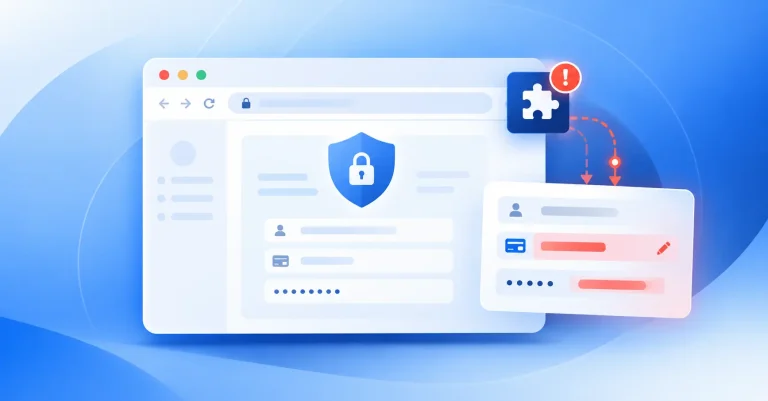
Hijacked or fake extensions may steal data or inject scripts. Spin.AI research shows attackers often exploit trusted extensions to harvest credentials.
5. Version and Supply Chain Risks
Compromised updates or vendor pipelines can insert malicious code, as seen in the Cyberhaven breach. Ongoing version reviews help prevent such risks.
Popular Password Managers and Their Security Profiles
This section includes an overview of popular password managers, including their average risk scores based on the Spin.AI Application Risk Assessment Tool, to help you compare their relative safety profiles.
1Password
Average Risk Score: 66/100 – Low to Medium Risk
1Password uses zero-knowledge design and end-to-end AES-256 encryption to protect your data. Features like Secrets Automation and Travel Mode add extra security when you travel or work remotely. To keep your account safe, check for risks in each browser extension version.
Bitwarden
Average Risk Score: 68/100 – Low to Medium Risk
Bitwarden is open source, so anyone can review its code. Its security depends on how you set it up. It’s best to enable MFA and consider self-hosting. Some extensions may ask for extra permissions, which could be risky in some cases.
Google Password Manager
Google Password Manager has a risk level similar to others, but since it is closely linked to your browser and Google account, your data could be at risk if those accounts are ever compromised. The risk score can change based on the version and the permissions it requests.
Norton Password Manager
Average Risk Score: 63/100 – Low to Medium Risk
Norton Password Manager uses strong Symantec encryption and stores your data in the cloud. It offers MFA and security alerts, but new app updates can introduce risks.
Having looked at individual products, let’s now look at the broader security picture for password managers.

How Secure Are Password Managers?
So, how secure are these password managers anyway?
Overall, password managers are secure when developers build them well and regularly check for risks. Most top providers use zero-knowledge encryption, MFA, and frequent security audits to keep systems safe.
Still, protection can vary by vendor, version, and browser extension, so it’s important to do your due diligence before selecting a tool.
For example, the Spin.AI Application Risk Assessment Tool helps you check password manager security by looking at data handling, permissions, and outside connections. It also gives risk scores for each version.
Spin.AI’s analysis shows that the average risk score for major password managers is about 67/100 (low to medium risk category). If a solution scores higher than this, it’s usually safer. Lower scores mean you should check more closely for possible problems.
Can Password Managers Be Hacked?
Given these security measures, you may still wonder whether attackers can hack password managers.
They can, but not in the way most people expect. Password managers themselves are not the main risk, but attackers can get in through things like phishing, weak master passwords, or faulty updates.
Most of the time, attackers don’t break the encryption that protects your vault. Instead, they take advantage of other weaknesses, like user habits, browser extensions, or problems in developer environments. Recent incidents show how these attacks usually happen:
- 1Password (March 2025): A phishing campaign impersonated 1Password alerts, urging users to reset their master passwords and share Secret Keys. The company confirmed no breach occurred.
- LastPass (October 2025): A large-scale phishing campaign used fake emails from “hello@lastpasspulse[.]blog” with the subject “We Have Been Hacked – Update Your LastPass Desktop App to Maintain Vault Security,” redirecting users to malicious domains like lastpassdesktop[.]com” or “lastpassgazette[.]blog.
- LastPass (September 2025): Attackers created fake GitHub pages distributing “Atomic Stealer” malware under the guise of LastPass software updates.
Understanding Versioning Risks
People often overlook version control when thinking about app safety. Every update to an app or browser extension adds new code, which can also introduce new risks. Even the most trusted apps can have issues after an update.
This is exactly what happened in the Cyberhaven case, where a regular update added harmful code and put customers at risk. Attackers exploited the trusted update process, leading to a significant security breach.
That’s why Spin.AI emphasizes checking the specific version of any app or extension in your environment using Spin.AI’s Application Risk Assessment Tool. It’s just one extra way to stay safe.
How to Evaluate if a Password Manager Is Safe
Determining whether a password manager is safe takes more than just trusting what the vendor says. Here are some key steps to follow:
- Run a risk assessment. Use Spin.AI’s Application Risk Assessment to view app and extension risk scores, version history, and flagged behaviors.
- Verify encryption and architecture. Confirm zero-knowledge design, AES-256 encryption, and strong key derivation.
- Enable MFA. Ensure support for hardware or FIDO2 tokens and test MFA setup.
- Review permissions. Check extension permissions and telemetry settings for potential data leaks.
- Assess vendor transparency. Look for third-party audits, bug bounties, and clear incident disclosures.
- Test recovery options. Validate recovery key handling and documentation, especially for enterprise users.
- Secure endpoints. Protect devices with anti-malware and restrict unauthorized extension installations.
Compliance Risks
Organizations handling regulated data (e.g., HIPAA, GDPR, and SOC 2) must ensure password managers meet compliance standards. Risks include:
- Data residency: Some tools store data outside compliant regions.
- Third-party access: Shared infrastructure may expose encryption keys.
- App behavior: Browser extensions can transmit analytics or metadata.
Spin.AI’s assessment tool helps identify compliance gaps early and maps app versions or extensions to specific regulatory issues by highlighting privacy, data access, and behavioral risks.
Requested App Permissions: What to Watch For
Browser extensions and native apps often request privileges that expand the attack surface. Watch closely for:
- Read/modify data on all websites (full web access): This is a high-risk permission.
- Access to browser tabs or activity: It can enable session theft.
- Clipboard access: It can leak copied passwords or tokens.
- Native messaging / wide filesystem access: It can exfiltrate files.
- Background network access (call-backs, C2): It’s an immediate red flag.
A password manager should only ask for the permissions it needs for autofill and secure syncing. Too many permissions can increase risk.
Best Practices for Using Password Managers
Here are some tips to help you stay safe:
- Use MFA on your password manager account to prevent unauthorized access.
- Never share your master password.
- Keep apps and extensions updated, but verify the risks of new versions via Spin.ai’s Application Risk Assessment Tool.
- Avoid unverified extensions.
- Regularly review permissions for connected apps and browsers to ensure they’re up to date.
- Use separate vaults for personal and corporate credentials.
Are Password Managers Safe to Use?
So, should you use a password manager? Is it safe?
The answer is yes.
Password managers are generally safe for most people when they are chosen carefully, set up correctly, and monitored. They greatly lower the risk of reused passwords and phishing attacks.
However, not all password managers or versions are the same. To keep your apps and data safe:
- Use zero-knowledge, MFA-enabled tools.
- Regularly audit app and extension versions for emerging threats.
- Leverage tools like Spin.ai’s Application Risk Assessment to identify security gaps before deployment.
Take the Spin.ai Application Risk Assessment today to evaluate your preferred password manager or browser extension and prevent bad actors from accessing sensitive applications and data.

FAQ: Are Popular Password Managers Safe?
Yes. 1Password uses end-to-end AES-256 encryption and a unique “Secret Key.” Its minimal permissions and zero-knowledge design make it highly trusted.
Yes, with trade-offs. Tight Chrome integration offers convenience but raises privacy concerns with respect to data centralization. It’s secure for Google users but less private than standalone tools.
Yes, with caution. Norton includes MFA and encryption, but some updates request new permissions. Always verify the version you’re using to make sure it’s current and secure.
Yes, it’s one of the stronger community-trusted options. Open source and frequently audited, though some extensions need elevated permissions.