How Browser Extensions Exfiltrate Data: 4 Attack Methods and How to Stop Them

A browser extension installed on one employee’s laptop can silently exfiltrate data from every cloud SaaS platform that employee touches — Google Workspace, Microsoft 365, Salesforce, Slack — without triggering a single firewall alert. Unlike endpoint malware, extensions operate inside the browser’s trusted context, using the same APIs and permissions that legitimate productivity tools use. That’s what makes them so difficult to detect and so dangerous when compromised. This article breaks down the four specific technical methods browser extensions use to steal data, and explains how automated risk scoring identifies them before the damage is done.
Why browsers are the hardest environment to monitor for data theft
Traditional security tools — EDR, DLP, SIEM — are largely blind to what happens inside the browser. They monitor network traffic, file system changes, and process execution. They do not inspect the browser’s internal permission model, the APIs an extension calls, or the data it reads from a web session. An extension with “read and change all data on websites you visit” permission operates in a space that most enterprise security stacks simply do not see.
The result is that the four attack methods below can run undetected for weeks or months. Understanding exactly how each one works is the first step toward identifying which extensions in your environment are exploiting them right now.
How Browser Extensions can steal your data
When it comes down to it, browser extensions can access any data that passes through your web browser. This is a bit unnerving when you think about the information that may flow through your browser. It includes sensitive information like login credentials, tokens, personal identifiers, and even financial information if you are browsing banking websites, etc.
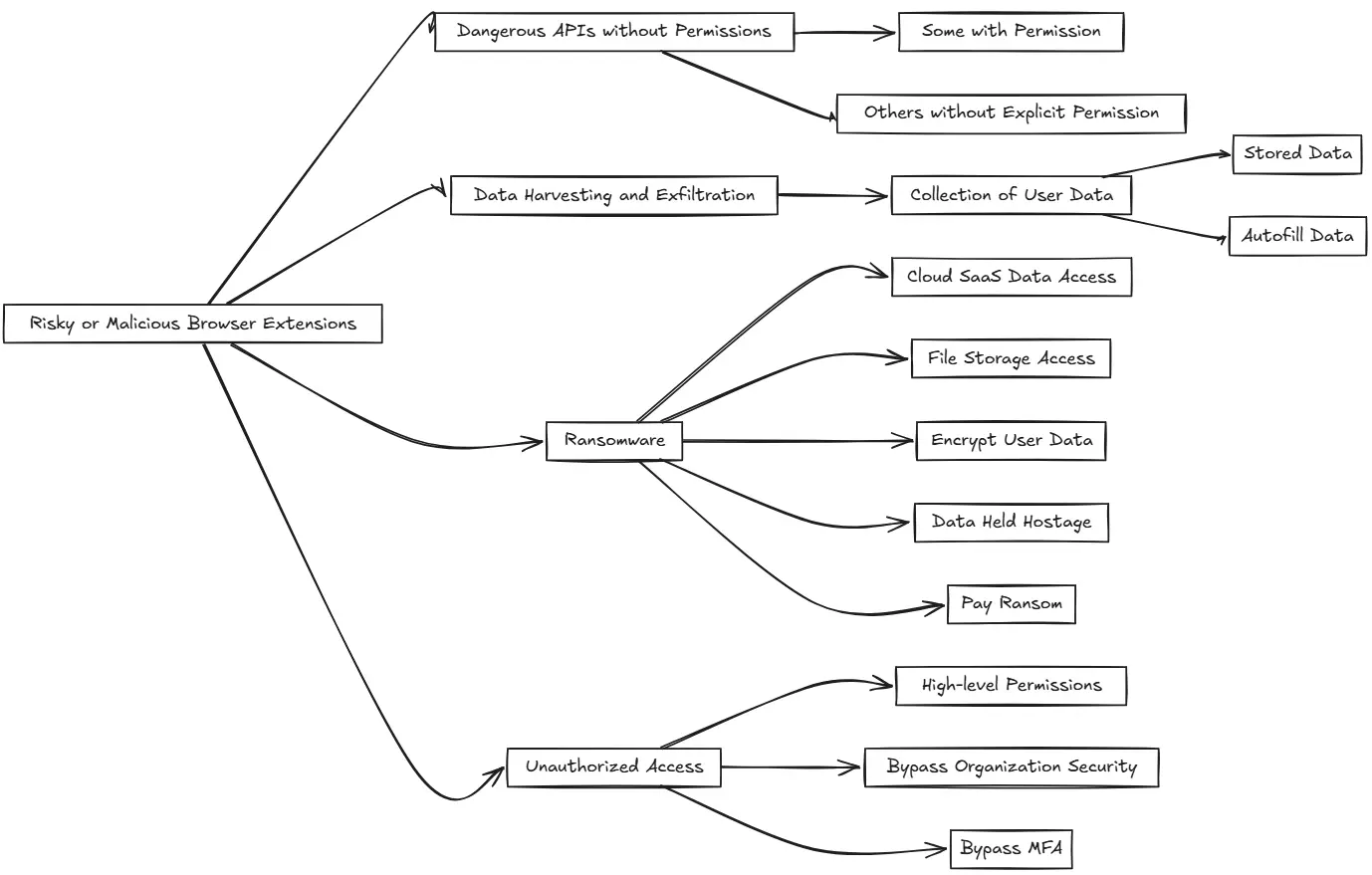
How can risky or malicious browser extensions be used to compromise sensitive data? Note the following points to consider:
- Use of dangerous APIs without permissions – There are tons of APIs and permissions that web extensions can access, some with your permission and others without explicit permissions needed. It is concerning to note that extensions with just a simple permissions popup are allowed to do things like take screen captures, log keystrokes, act as a “man in the middle” to web inputs, and many other dangerous things.
- Data harvesting and exfiltration: Malicious extensions can collect a large amount of user data. This data may include browser habits and history, saved passwords you may have stored, and autofill data, which can also contain lots of sensitive personal information. Attackers can sell this on the dark web or use it in other types of attacks, including phishing.
- Ransomware: Some extensions can carry out ransomware attacks. Since cloud SaaS data like file storage can be accessed through your browser, a malicious extension could encrypt all the data the user has access to and then hold the data hostage until the ransom is paid.
- Unauthorized Access: Extensions with high-level permissions can often bypass security measures an organization may have in place, like multi-factor authentication (MFA). Browser extensions may cache a token that gives it long-term access to the environment and does not initiate the MFA prompt.
The Spin.AI browser risk report
Spin.AI has created a great resource for the community, the Browser Risk Report. It provides a look at the dangers of using certain browser extensions. It provides detailed insights into how Spin.AI evaluates extension risks, focusing on factors such as data access permissions, developer reputation, and compliance with security standards.
It uses Spin.AI’s database of apps, which, at this point, currently numbers over 1,000,000 apps and browser extensions. With the insights provided, organizations can use it to have visibility to risks in their environments and why certain apps may be deemed as risky.
New App and Extension Risk Assessment
Along with the browser extension risk report, Spin.AI has released a new tool for assessing and managing risks, the new Free App and Extension Risk Assessment. This tool is designed to give you quick and complete insights into the security and compliance risks of any SaaS app or browser extension.
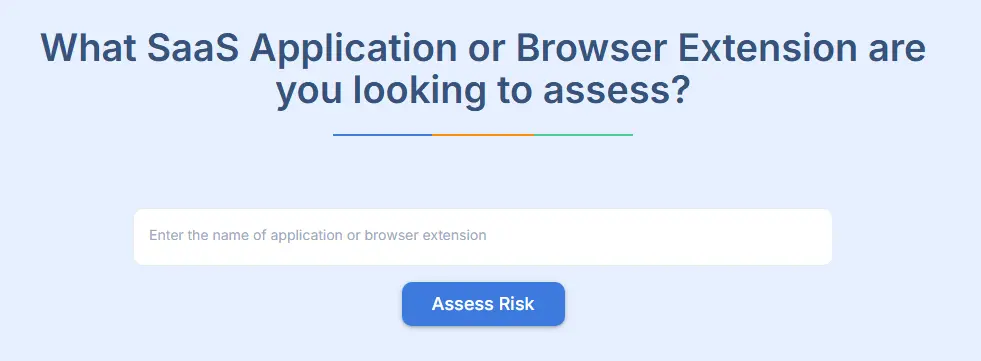
Note the following features of the App and Extension Risk Assessment:
- AI Driven Assessment: The Spin.AI app risk assessment tool uses machine learning algorithms for risk assessment. These modern algorithms help to make sure the tool is accurate and discovers risks before manual risk assessments. By using the tool, you have access to over 1,000,000 apps and extensions that have already been assessed and cataloged by Spin.
- Access Risk Scores: When you enter the name of an app or extension, you will get an instant score of the app which is based on Spin.AI’s extensive database. The risk score includes the threats that the app or extension may bring to your SaaS data.
- Risk Assessments: It assesses many factors related to risk assessments. These include permissions requested, the reputation of the developer, the history of vulnerabilities, and compliance with leading security standards.
- Compliance: If you are concerned with compliance regulations like GDPR, HIPAA, or CCPA, the risk assessment tool also provides a separate compliance risk score. The compliance score helps you understand how well an app or extension aligns with key data protection regulations and certifications, including ones like ISO 27001 and SOC 2.
- Free to use: The tool is free to use, and you don’t even have to register to use it. All you have to do is simply enter the name of the app or extension and get your risk report in seconds. This helps you conduct quick and frequent assessments, which helps to bolster your security stance in protecting your SaaS environment from modern threats.
The App and Extension Risk Assessment tool, helps to make sure you are less vulnerable to things like ransomware attacks, data exfiltration, and unauthorized access when using SaaS apps in your cloud environments like Google Workspace™, Microsoft 365, Salesforce or Slack. Identifying risky apps and browser extensions as early as possible enables you to take proactive measures to protect your data.
How SpinSPM responds when it detects exfiltration risk in your environment
Detecting that an extension is risky is only useful if you can act on it at scale — across every user, not just the one who reported a problem. SpinSPM translates risk scores into organizational-level automated responses. Here is what happens when the platform identifies each of the four exfiltration methods described above:
- Dangerous API usage or high permission scope detected: SpinSPM flags the extension with a risk score and surfaces it in the admin dashboard. Admins can set a policy threshold — any extension scoring below a defined risk tolerance is automatically blocked organization-wide, before a single credential is logged.
- Data harvesting or exfiltration behavior detected: SpinSPM’s policy engine revokes the extension’s access across all users in the Google Workspace or Microsoft 365 tenant and generates an audit trail — showing which users had it installed, for how long, and what data scopes it held permission to access.
- Ransomware delivery or MFA bypass risk detected: The risk score flags the specific threat vector (token caching, storage API abuse) so admins know exactly which permission to revoke, rather than making a blanket block decision. The compliance risk score also updates separately, giving your compliance team clean evidence for GDPR, HIPAA, or CCPA reporting without cross-referencing security logs manually.
Spin.AI’s Risk Assessment provides an app risk score and compliance risk score, which helps you decide which apps and extensions meet the standards needed by your organization.
Wrapping up
There are many advantages to using cloud SaaS apps and browser extensions that can enhance your productivity workflows and even add features and capabilities to the environment. However, the risks of using third-party apps are real and cannot be ignored.
Spin has released many great resources for use, including the new App and Extension Risk Assessment. All you have to do is enter the name of the app or extension, and in just a couple of seconds, Spin.AI will let you know the risks associated with the app. This allows organizations to be proactive and secure their environments to protect from potential threats.If you are interested in seeing how SpinOne can help prevent data leaks and breaches in your organization, sign up for a free demo here: https://spin.ai/demo.