The Silent Compliance Risk in Browser Extensions

We’ve analyzed 1,000,000+ browser extensions across enterprise environments.
The pattern we found challenges a core assumption most security teams make: that approved extensions stay safe.
They don’t.
The Approval Illusion
Your security team reviews an extension. They check permissions, verify the publisher, scan for obvious red flags. The extension gets approved. Users install it. Everyone moves on.
That approval creates a trust relationship that persists indefinitely.
The problem is the extension itself doesn’t stay static. Publishers change. Code updates ship silently. Permissions expand without new review cycles. What passed your security review six months ago can become a data exfiltration tool tomorrow, and your approval remains valid.
In our research, we tracked extensions that operated cleanly for years before malicious actors purchased them from legitimate developers. These weren’t obscure tools. Some had millions of installs and featured badges in official stores.
The invisibility window averages 98 days between when an extension turns malicious and when it gets patched or removed from stores.
During those three months, the extension continues running with its original trust level. Users see no warnings. Security tools that checked it once don’t recheck it. The malicious version ships via the same auto-update mechanism that keeps software current.
Three Persistent Threat Vectors
Browser extensions create ongoing compliance exposure through mechanisms that point-in-time audits can’t catch.
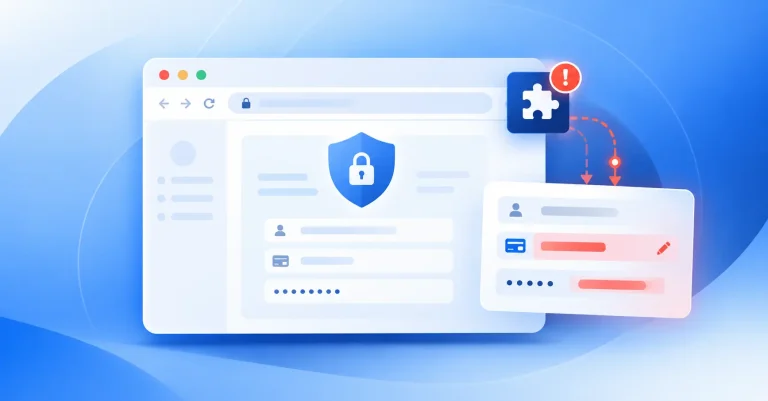
Data exfiltration pathways operate continuously once an extension has DOM access. Malicious extensions in campaigns like RedDirection could read full page content in enterprise SaaS apps. That includes PHI in EMR systems, PII in HR portals, financial records in accounting platforms, and customer data in CRM tools.
The exfiltration happens gradually. Low-and-slow scraping over 98 days accumulates large volumes of regulated data without triggering rate limits or anomaly detection. By the time you discover the compromise, you’re facing GDPR or HIPAA breach notification requirements for data you can’t precisely scope.
Protected data access extends beyond what users actively view. Extensions with broad permissions can access background tabs, cached content, and session storage. They see data users scroll past, forms users abandon, and documents users preview without opening.
This creates a compliance gap. Your DLP policies might block users from downloading sensitive files, but extensions can capture that same content as it renders in the browser. The data never crosses your network perimeter in a way traditional security tools monitor.
OAuth token abuse represents the most persistent risk. When users authenticate to SaaS apps, their browsers store OAuth tokens and session cookies. Extensions with appropriate permissions can read these tokens and send them to external servers.
OAuth tokens live outside password sessions. If you suspect compromise and force password resets across your organization, those tokens remain valid. They don’t expire when you revoke user sessions. They continue working until you explicitly revoke token access, which requires knowing which tokens to revoke.
Attackers who steal OAuth tokens can impersonate users directly in SaaS environments. The API calls look legitimate. They originate from valid tokens. Your logs show normal user activity, not unauthorized access.
The Temporal Gap
Most enterprises audit browser extensions quarterly or annually. Some review them only during initial deployment or major security assessments.
Between those audits, extensions change.
Developers ship updates. Ownership transfers happen. Permission requests expand. New external domains get added to network calls. The extension you approved in January operates differently by March, but your approval from January still stands.
This temporal gap creates a window where malicious behavior runs undetected. The extension passed your last review. It hasn’t triggered any new approval workflows. Users trust it because it’s on the approved list.
During this window, you’re accumulating compliance exposure you can’t measure. You don’t know which regulated data the extension accessed. You can’t determine which OAuth tokens it captured. You can’t scope the potential breach because you don’t have continuous visibility into what the extension actually did.
Regulatory Exposure
The ambiguity around what data was accessed creates painful compliance problems.
GDPR requires breach notifications within 72 hours if the breach risks individuals’ rights. You need to document “the nature of the personal data breach” and “the categories and approximate number of data subjects concerned.”
When all you know is what an OAuth token could reach, you’re forced into worst-case assumptions. You can’t prove which specific records were accessed, so you must assume all accessible records were potentially compromised. That inflates notification scope and regulatory scrutiny.
HIPAA creates similar pressure. Any impermissible use or disclosure of unsecured PHI is presumed to be a breach unless you demonstrate low probability of compromise. Without clean separation between legitimate and malicious token use, you can’t make that demonstration.
You end up treating broad sets of PHI as potentially compromised, driving large notifications and corrective action plans.
The data reconstruction problem compounds this. SaaS logs show valid, token-based activity. API calls look identical whether they came from the employee’s browser or from an attacker replaying the same token elsewhere. There’s no separate “attacker account” to filter on.
Many SaaS platforms provide coarse-grained logging. You see “file viewed” without content details. You see “mailbox accessed” without message-level specificity. This forces you to assume all data accessible via that token could be affected, expanding reportable incident scope far beyond what you can prove was actually accessed.
The Consolidation Imperative
Browser-level monitoring alone doesn’t solve this.
A standalone browser security tool can tell you that something happened in a tab. It can’t tell you what that meant in your SaaS environment.
You lose the ability to tie page-level events to real objects, policies, and blast radius. The browser tool sees DOM content, URLs, and network calls. It doesn’t have authoritative knowledge of which SaaS record that page represented, which folder contained those files, or who owns and classifies that data in your apps.
During an investigation, you still need the SaaS side to know “this page was Patient X’s record” or “this API call touched these 327 contracts.” A browser-only tool can’t reliably infer or reconcile that with your backup, DLP, and audit systems.
Policy consistency breaks down. You can’t enforce the same PHI and PII policies from browser to SaaS. Browser rules and SaaS DLP rules drift. You can’t prove the same data classes are treated the same way end-to-end.
Automated response requires SaaS actions. True containment often needs revoking OAuth grants, locking accounts, quarantining files, and adjusting sharing permissions. A browser-only tool can’t orchestrate that across Google Workspace, Microsoft 365, Salesforce, and your other SaaS apps.
Browser-level sensing without a unified SaaS control plane gives you more signals. It doesn’t give you the policy alignment, SaaS context, or remediation hooks you need to turn those signals into defensible security and compliance outcomes.
Continuous Monitoring Architecture
Real-time visibility requires treating the browser as a transaction log for data access.
You need to capture who, which extension, which SaaS page, which data class, and what action in real time. When a user opens a page with regulated data, the system logs which extensions are active, what permissions they exercised, and whether they touched that page context.
Field-and object-level data classification happens on the fly. The browser DLP layer classifies which parts of the page or document are sensitive. Each event records “Extension X had read access to Y records of type Z on this page at this time.”
Outbound requests get linked to extensions. When an extension initiates or modifies a network call, the system attributes that call to the specific extension, records destination and volume, and checks whether classified data was present before masking or blocking.
For suspected malicious extensions, you can replay effective access history. Which users had it installed. Which regulated pages and objects it could see. Which external endpoints it communicated with. Whether any unmasked regulated data was actually sent.
That lets you answer breach questions with evidence instead of assumptions. You can say “This extension was present when PHI pages were open, but policy blocked outbound PHI” or “Here are the specific records and pages where unmasked data was exfiltrated.”
Recovery Speed as Damage Control
The difference between detecting at three months versus detecting in real time determines whether you’re managing a contained incident or a full-blown breach.
At three months, you’re facing large, uncertain blast radius. Many users, many apps, no precise record of which regulated records were exposed. You’re forced into worst-case assumptions in reporting and legal response.
Business impact shows up as broad breach notifications, brand damage, incident response projects that tie up teams for weeks, and corrective actions demanded by regulators and major customers.
In real time, the extension may have been present, but the data movement is blocked or masked. You can often argue that no unsecured PHI or PII left your control. That turns a potential reportable breach into a narrowly scoped security incident.
The business impact becomes a near-miss. A small number of users see guardrails. Security files concise incident records instead of breach notifications. Recovery is measured in hours of analysis rather than months of legal, PR, and remediation work.
The Mindset Shift
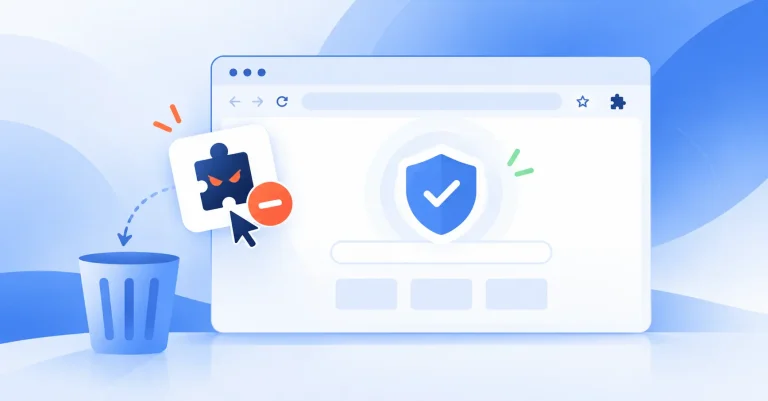
The assumption that “approved equals safe” breaks down when you understand that extensions change over time.
Our research shows many of the worst incidents come from previously approved extensions that later changed owners, permissions, or behavior. They turned into data-stealing backdoors via silent updates.
Once you internalize that an extension can go from trusted to malicious without a new install event, and remain that way for roughly three months before the ecosystem reacts, quarterly reviews stop feeling sufficient.
You start treating continuous, behavior-aware monitoring as the only realistic way to keep up with that moving target.
The shift isn’t from no security to some security. It’s from periodic verification to continuous verification. From trusting that approved tools stay approved to confirming that approved tools continue behaving as approved.
That’s the difference between managing compliance exposure and discovering it three months too late.
References and Resources
Browser Extension Security Research
- Spin.AI Research: Malicious Extensions Attack 14M+ Users – Original research documenting the RedDirection campaign and ownership transfer attack patterns.
- Browser Extension Risk Report – Comprehensive analysis of 400,000+ browser extensions across enterprise environments.
- How Spin.AI Researchers Uncovered 14.2 Million More Victims in the RedDirection Campaign – Deep dive into the investigative methodology and victim scope expansion.
- Understanding Browser Extension Risks Guide – Enterprise security framework for continuous extension monitoring.
- Chrome Extension Turns Malicious After Ownership Transfer – The Hacker News coverage of post-acquisition weaponization patterns.
- A Browser Extension Risk Guide After Recent Attack Campaigns – Industry response framework following major extension compromise incidents.
- 2026 Browser Data Reveals Major Enterprise Security Blind Spots – Analysis of detection gaps in enterprise security architectures.
- eSentire Security Advisory: RedDirection Browser Extension Campaign – Technical indicators and remediation guidance for the RedDirection threat.
- The Chrome Extension Backdoor: How Productivity Tools Became Enterprise Attack Vectors – Analysis of the productivity-to-surveillance pipeline in extension attacks.
OAuth Token Security and Session Management
- SaaS OAuth Attack Leads to Widespread Browser Extension Breach – Case study connecting OAuth token theft through extensions to downstream SaaS compromise.
- Can Chrome Extensions Steal Your Session Tokens? – Technical discussion of browser extension access to session storage and authentication material.
Shadow IT and Enterprise Browser Security
- Browser Extensions as Shadow IT Security Risk – Analysis of browser extensions within the broader shadow IT threat landscape.
- Most Teams Underestimate the Risk of Browser Extensions – Discussion of organizational perception gaps around extension security.
- Understanding the Risks of Browser Extensions in Enterprise Environments – Comprehensive risk taxonomy and mitigation framework.
- From Convenience to Catastrophe: The Real Cost of Unchecked Browser Extensions – Business impact analysis of extension-related security incidents.
SaaS Security and Data Loss Prevention
- Browser as Compliance Sensor: New Architecture for SaaS Security – Technical framework for browser-level data classification and policy enforcement.
- The SaaS Data Loss Visibility Crisis – Analysis of logging and forensic gaps in SaaS environments during security incidents.
- AI-Native DLP for SaaS: From Policies to Autonomous Guardrails – Next-generation DLP architecture incorporating real-time browser-level data classification.
- The Shared Responsibility Gap in SaaS Security – Framework for understanding where enterprise security controls end and SaaS provider controls begin.
- SaaS Data Loss Prevention: Compliance and Security Guide – Operational playbook for unified SaaS DLP across browser and application layers.
- Spin.AI Data Loss Prevention Platform – Technical overview of integrated browser and SaaS DLP architecture.
- SpinOne: Unified SaaS Security Platform – Platform documentation for consolidated SaaS protection and incident response.
- Browser Extension Risk Report: Enterprise Security Impact Assessment – Quantitative analysis of extension-related security incidents and business impact.
Regulatory Compliance Frameworks
- GDPR Article 33: Notification of a Personal Data Breach to the Supervisory Authority – Official text of GDPR breach notification requirements and 72-hour reporting window.
- Common HIPAA Violations and Breach Notification Requirements – Analysis of impermissible PHI disclosure and breach presumption standards.
- SOC 2 Compliance Requirements: Access Monitoring and Incident Response Controls – Framework for demonstrating effective security controls in audit contexts.