
Command Center for Confluence
Your single command center for Confluence knowledge base security, compliance, and control. Protect every Space, page, attachment, comment, automation rule, and audit log—with granular restore and compliance-grade retention.


Trusted by enterprise teams at






Atlassian protects their platform.
You protect your knowledge base.
The cloud shared responsibility model means Atlassian keeps Confluence running—but your data, including spaces, pages, attachments, and audit history, is ultimately your responsibility. Most teams discover this gap only after losing critical data.
Atlassianis responsible for
Platform infrastructure and uptime
- Application and platform security
- Network and infrastructure uptime
- Full disaster recovery at the platform level
- Basic backup with full-restore only
Youare responsible for
Your Confluence data, your compliance, your risk
- Accidental deletion of Pages, Spaces, and attachments
- Malicious actions by insiders or compromised accounts
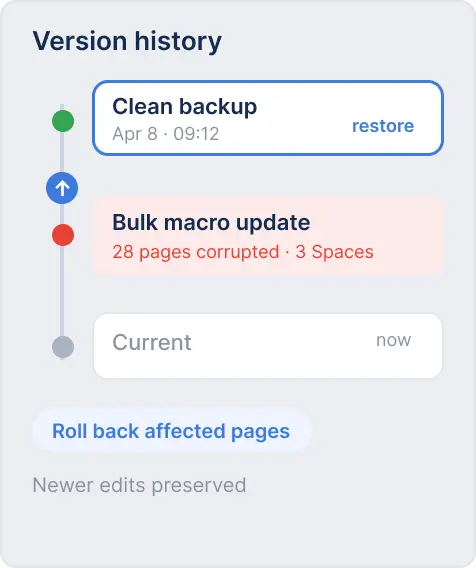
- Content corruption from bulk edits or macro errors
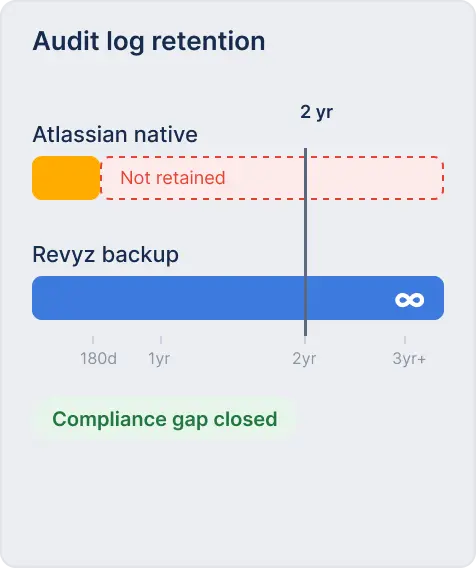
- Audit history beyond Atlassian’s 180-day cap
- Granular recovery without a full site revert
- Compliance evidence for auditors and regulators
Secure your single source of truth.
Command every corner of Confluence.
Command Center for Confluence is a complete toolkit to govern your Confluence environment, from managing Space permissions and recovering deleted pages to extending audit history for compliance and cloning entire Spaces for new teams.

Backup & Granular Restore
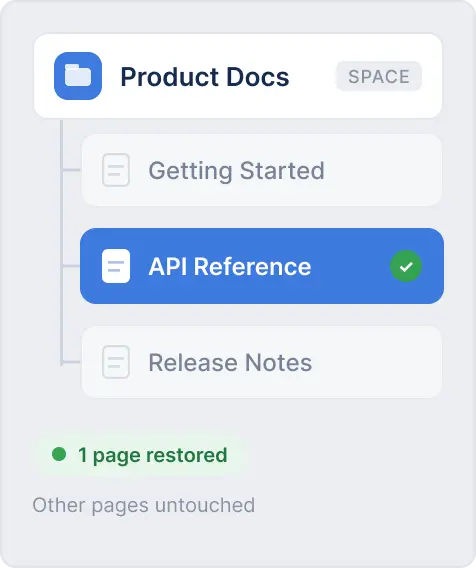
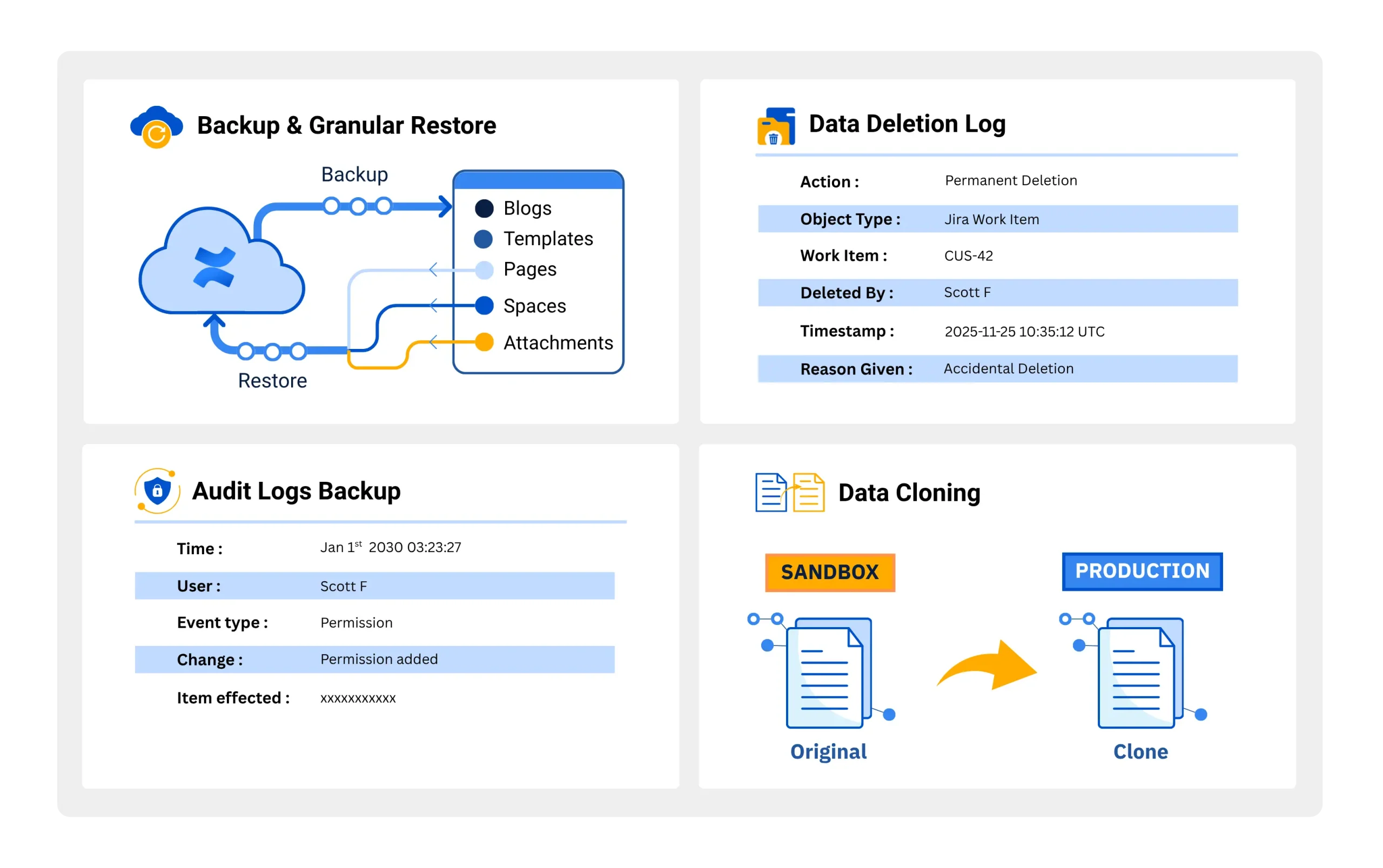
Full-fidelity automated daily backups of all Confluence Spaces, pages, attachments, comments, automation rules, templates, and blogs—including actual file attachments, not just references. Restore a single deleted page, a corrupted attachment, or an entire Space without affecting any other content. Cross-site restore supports migrations between Confluence instances.

Data Deletion Log
Maintain an immutable, tamper-proof log of every deleted page, space, and attachment. This permanent record is captured the moment content is deleted—giving your security and compliance teams a complete history for audits, incident investigations, and point-in-time recovery without needing to trigger a full backup restore.

Audit Log Backup
Confluence’s native audit log retention is capped at 180 days—far short of SOX, HIPAA, and most enterprise compliance requirements. Command Center securely backs up your complete Confluence audit history, giving you access to every critical event: page deletions, permission changes, Space access modifications, and administrative actions—whenever auditors ask.

Data Cloning
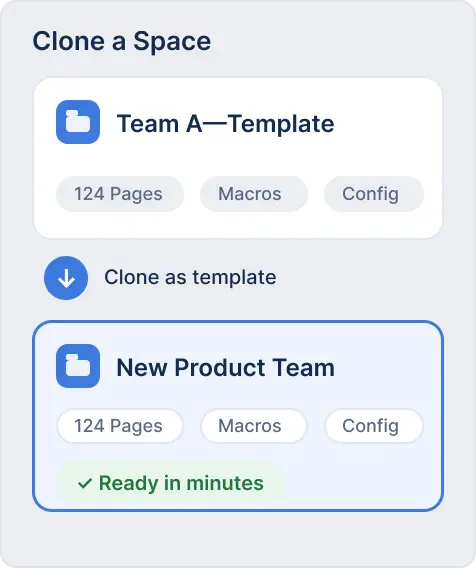
Effortlessly clone entire Confluence Spaces—complete with all pages, templates, macros, and configurations—to create project sandboxes or onboard new teams without rebuilding from scratch. Clone within the same site or across different Confluence instances for migrations and environment setup.
The situations Confluence admins face
—and how we solve them
Human Deletion
Audit Log Compliance
Data Corruption
Clone Spaces
Problem
A team member accidentally deleted an entire Confluence Space containing months of product documentation. A full site restore would roll back everyone’s recent work.
Solution
Command Center’s granular restore lets you recover that specific Space—or even a single page—in minutes, without touching any other content or disrupting other teams.
Power up your Confluence
Up and protecting your knowledge base
in three steps
Command Center for Confluence installs directly from the Atlassian Marketplace. No infrastructure to provision, no agents to deploy, no configuration scripts to write.
Install
Install Command Center for Confluence from the Atlassian Marketplace. Connect your instance securely in minutes.
Configure
Set automated backup policies, configure retention rules for your compliance requirements, and enable audit log backup.
Protect
Your Spaces, pages, and attachments are now continuously protected. Effortlessly recover lost data whenever you need it.
The most complete Confluence
data protection available.
No other solution covers backup, granular restore, audit log extension, deletion logging, Space cloning, and attachment insights in a single Confluence product.
All information is based on publicly available data as of June, 2026
| Capability | Revyz Command Center | Appfire |
|---|---|---|
| Backup & Granular Restore (Confluence) | ||
| Data Deletion Log | ||
| Audit Log Backup | ||
| Data Cloning (Across sites & same site) | ||
| Attachment Insights | ||
| Confluence Configurations Backup & Restore: Automation rules | ||
| Automated Export Data into User- & Audit-friendly Format | ||
| End-User Portal (Read-only “preview” of your Confluence data) |
All information is based on publicly available data as of June, 2026
| Capability | Revyz Command Center | Atlassian Native |
|---|---|---|
| Backup & Granular Restore (Confluence) | Backup with Attachment References & Full Restore Only | |
| Data Deletion Log | ||
| Audit Log Backup | ||
| Data Cloning (Across sites & same site) | ||
| Attachment Insights | ||
| Confluence Configurations Backup & Restore: Automation rules | ||
| Automated Export Data into User- & Audit-friendly Format | Limited Support: Manual export required for every Confluence content | |
| End-User Portal (Read-only “preview” of your Confluence data) |
All information is based on publicly available data as of June, 2026
| Capability | Revyz Command Center | HYCU |
|---|---|---|
| Backup & Granular Restore (Confluence) | ||
| Data Deletion Log | ||
| Audit Log Backup | ||
| Data Cloning (Across sites & same site) | ||
| Attachment Insights | ||
| Confluence Configurations Backup & Restore: Automation rules | ||
| Automated Export Data into User- & Audit-friendly Format | ||
| End-User Portal (Read-only “preview” of your Confluence data) |
All information is based on publicly available data as of June, 2026
| Capability | Revyz Command Center | Rewind |
|---|---|---|
| Backup & Granular Restore (Confluence) | ||
| Data Deletion Log | ||
| Audit Log Backup | ||
| Data Cloning (Across sites & same site) | ||
| Attachment Insights | ||
| Confluence Configurations Backup & Restore: Automation rules | ||
| Automated Export Data into User- & Audit-friendly Format | ||
| End-User Portal (Read-only “preview” of your Confluence data) |
All information is based on publicly available data as of June, 2026
| Capability | Revyz Command Center | Rubrik |
|---|---|---|
| Backup & Granular Restore (Confluence) | ||
| Data Deletion Log | ||
| Audit Log Backup | ||
| Data Cloning (Across sites & same site) | ||
| Attachment Insights | ||
| Confluence Configurations Backup & Restore: Automation rules | ||
| Automated Export Data into User- & Audit-friendly Format | ||
| End-User Portal (Read-only “preview” of your Confluence data) |
All information is based on publicly available data as of June, 2026
| Capability | Revyz Command Center | Salto |
|---|---|---|
| Backup & Granular Restore (Confluence) | ||
| Data Deletion Log | ||
| Audit Log Backup | ||
| Data Cloning (Across sites & same site) | ||
| Attachment Insights | ||
| Confluence Configurations Backup & Restore: Automation rules | ||
| Automated Export Data into User- & Audit-friendly Format | ||
| End-User Portal (Read-only “preview” of your Confluence data) |


Book a Demo with Spin.AI
Schedule a 30-minute personalized demo with our security engineer
Enterprise-grade protection for
your most sensitive knowledge base data.

SOC 2 Type 2 Certified
Independently audited security controls give your compliance teams the evidence they need—without extra work on your part.

Immutable, air-gapped backups
Revyz stores your logs independently using write-once-read-many (WORM) immutability. They cannot be altered or deleted—even by a compromised admin—ensuring your data remains tamper-proof, legally defensible, and safe from ransomware

Bring Your Own Storage (BYOS)
Keep backup data in your own AWS or Azure environment for full data sovereignty—meeting residency requirements without compromising on protection.

Up to 3-Year Retention
Retain backup data for up to 3 years in Revyz storage, or indefinitely in your own storage—meeting SOX, HIPAA, and long-term audit requirements that Atlassian’s native 14–30 day retention cannot satisfy.

Permanent Audit Log Archive
Never be caught off-guard by an audit request again. Your complete Confluence audit history is preserved permanently, far beyond the 180-day native limit.

Encrypted End-to-End
All Confluence data is encrypted in transit and at rest. Isolated, dedicated cloud compute ensures your knowledge base data never shares infrastructure with other tenants.
Value tailored for every role that touches
your Confluence environment
Extend your security perimeter to business-critical Confluence knowledge base data


OUTCOME
180→∞
Audit log retention extended from Atlassian’s 180-day cap to permanent, compliance-ready storage—on demand for any audit.
Extend your security perimeter to business-critical Confluence knowledge base data


OUTCOME
Pages→Entire Spaces
Recover anything from a single page to an entire knowledge repository without disrupting the broader Confluence environment.
Extend your security perimeter to business-critical Confluence knowledge base data

OUTCOME
Minutes, Not Searches
When critical Atlassian data vanishes, how many hours does your team waste trying to investigate deletion events or manually reconstruct content?
Flip the script. Find and restore lost knowledge in minutes, not through endless search panic.
Trusted by Confluence admins and
IT teams at leading organizations.
Command Center for Confluence installs directly from the Atlassian Marketplace. No infrastructure to provision, no agents to deploy, no configuration scripts to write.

“Backup is great and at its core, but the fact that it also gives you optimize and analyze functionalities is amazing. Also filling the gap on auditing that we currently have makes this a real valuable app to have. I can highly recommend this app to anyone who wants to sleep better at night and not worry about their data.”


“We’re really loving this app, it’s very reliable and the team developing it is quick to add features. Support is very quick with responses. Even though it began as a backup tool we actually use it more for merges and migrations of data between instances—it’s become essential.”


“Revyz has done a fantastic job meeting a need Jira and Confluence admins have had for a long time. The app is easy to use, intuitive, and scalable. It has become an essential part of how we manage our Atlassian environment.”

Questions Confluence admins and
IT leaders ask us.
Direct answers to the questions that matter most when evaluating Confluence data protection for your organization.
Command Center for Confluence, developed by Revyz and now part of the Spin.AI platform, is a native data security, compliance, and governance app built specifically for Atlassian Confluence Cloud. It provides automated daily backup and granular restore of all Confluence content—including Spaces, pages, attachments, comments, automation rules, templates, and blogs—along with Data Deletion Log, Audit Log Backup extending beyond Atlassian’s 180-day cap, and Space Cloning. All capabilities are accessible from a single native interface installed via the Atlassian Marketplace.
No. Spin.AI acquired Revyz in April 2026 and Revyz is now a Spin.AI company, but Command Center for Confluence is the same app on the same Atlassian Marketplace listing. Your backups, space cloning, audit log archive and data residency settings are unchanged, no reinstall or migration is required, and support continues through the Revyz Support Center. Revyz has published a full breakdown of what the acquisition means for Command Center customers, covering product continuity, support, Marketplace availability and pricing.
Atlassian backs up their platform infrastructure for platform-level disaster recovery. Under the cloud shared responsibility model, you are responsible for your data: accidental deletions, malicious actions by insiders, bulk edit errors, and macro-related corruption. Atlassian’s native backup provides only full-site restoration with no granular recovery, retains backup data for just 14–30 days, and does not include attachments in the backup payload. For compliance, their audit log only goes back 180 days. Command Center for Confluence fills every one of these gaps.
Yes. This is one of the most important capabilities Command Center for Confluence provides. Granular restore lets you recover a single page, a batch of pages, an entire Space, or specific attachments—at any previous point in time—without triggering a full site restore that would roll back everyone else’s work. You can restore content to its original location or to a different Space or site, which also makes it valuable for migrations.
Atlassian’s native Confluence audit log retains data for only 180 days. This falls short of most enterprise compliance and regulatory requirements, including SOX (7 years), HIPAA, GDPR, and ISO 27001. Audit Log Backup captures every critical event in your Confluence environment—page deletions, permission changes, Space access modifications, admin actions—and stores it permanently in Revyz’s secure, compliant storage. You can retain this data for up to 3 years in Revyz storage, or indefinitely in your own AWS or Azure environment via Bring Your Own Storage.
The Data Deletion Log is an immutable, real-time record of content deleted in your Confluence environment—every Page, Space, and attachment—captured at the moment of deletion. It serves as a forensic audit trail for security incidents, a compliance artifact for auditors, and a quick-reference tool for admins investigating “what happened to that page?” It strengthens your security posture by making all deletions visible and permanent.
Yes. Command Center for Confluence backs up all Confluence content with full fidelity: pages, Spaces, comments, attachments (actual files, not just references or pointers), blogs, templates, and automation rules. This complete coverage means that when you restore content, it is fully intact—including all attached files, with no broken links or missing resources.
Space Cloning lets you create an exact copy of any Confluence Space—including all pages, macros, templates, and configurations—and deploy it to the same site or a different Confluence instance. Common use cases include: onboarding a new product team by cloning a working Space as a template; setting up a sandbox environment for testing changes before applying them to production; migrating content to a new Confluence site; and creating department-specific copies of shared documentation frameworks.
By default, backups are stored in Revyz’s secure cloud infrastructure with object-lock immutability, encrypted in transit and at rest, in isolated and dedicated compute environments. For organizations with data residency or sovereignty requirements, Bring Your Own Storage (BYOS) allows you to direct all backups to your own AWS S3 or Azure Blob Storage environment. This means your Confluence data never leaves your own cloud account, while still benefiting from all Command Center features. Revyz is SOC 2 Type 2 certified.
Rewind and HYCU both offer backup and granular restore for Confluence. Revyz differentiates itself by offering a unified toolkit for wider data governance and compliance. Specifically, the Revyz Command Center for Confluence includes key native capabilities that both Rewind and HYCU lack: an immutable Data Deletion Log to track deleted assets and a dedicated Audit Log Backup to bypass Confluence’s native retention limits. Essentially, Rewind and HYCU function strictly as backup and recovery tools, whereas the Revyz Command Center acts as a complete native administration and compliance platform that consolidates backup with advanced space management.
Yes, you can leverage the Revyz platform for both systems, but you will utilize two separate apps. Because the platform is built natively for the Atlassian Cloud, Revyz offers a specialized Command Center for Jira (which covers Jira Software, JSM + Assets, and JWM) alongside its dedicated Command Center for Confluence. While they are separate listings on the Atlassian Marketplace to align with your specific workspace configurations, they function as a unified data security and compliance platform. Adopting both allows your IT and security teams to manage automated backups, granular recovery, data cloning, and immutable deletion logs across your entire Jira and Confluence environments under a single vendor relationship.
Secure your knowledge base.
Recover your Confluence data in a single click.
Join 1,000+ organizations protecting their Confluence Cloud environment
with Command Center for Confluence—powered by Revyz, a Spin.AI company.







