What Questions Should a CISO Ask Before Approving a New AI Tool for Company-Wide Use?

- Does the tool’s format change the risk, and how should approval differ by type?
- What happens to our data once it enters the AI tool?
- How does the tool authenticate users and control access?
- How does this tool connect to Google Workspace or Microsoft 365, and who should have access?
- Can the vendor prove its security and compliance posture?
- Who is allowed to use this tool, and for what?
- How will we detect unsanctioned or expanded use after rollout?
- Does this tool deliver enough value to justify the risk, and can we exit if needed?
- The Full Checklist: Questions to Ask Before You Approve
- What Approach Are CISOs Taking to Requests for Multiple Tools?
- AI Governance Doesn’t End at Approval
Before approving any AI tool for company-wide use, a CISO should first confirm its format: embedded platform feature, standalone SaaS app, browser extension, or API integration, since that changes which controls apply. From there, ask targeted questions across six areas: data handling and privacy, security and access controls (including connections to core SaaS platforms like Google Workspace and Microsoft 365), vendor risk and compliance, governance and usage policy, ongoing visibility into unsanctioned use, and business fit.
AI tools are being adopted faster than security teams can review them. A single copilot or embedded AI feature can touch customer data, IP, and regulated records the moment it’s turned on. The approval decision deserves the same rigor as any high-risk vendor change, not a rubber stamp because “it’s just AI.”
Does the tool’s format change the risk, and how should approval differ by type?
“AI tool” covers at least four distinct formats, each reaching your environment through a different door. A native feature embedded in an already-approved platform (Copilot in Microsoft 365, Gemini in Workspace) inherits that platform’s controls, but raises its own question: does switching on a feature inside an approved platform still require its own review, or quietly skip it? A standalone SaaS or chat app typically goes through normal vendor procurement. An API or agent integration built internally carries its own risk around credentials, scopes, and code ownership.
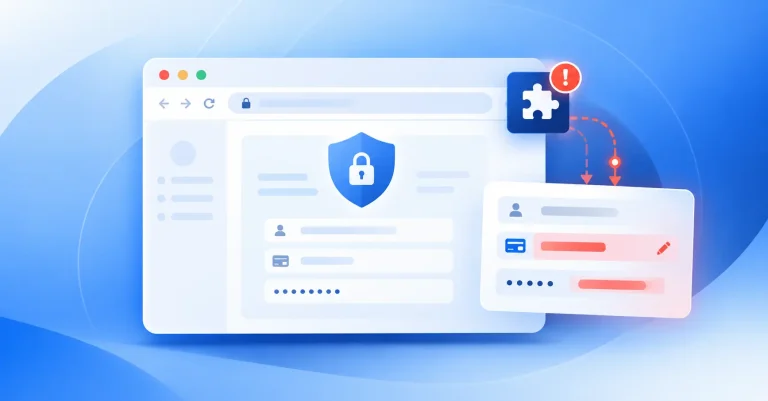
AI-powered browser extensions deserve the most scrutiny of the four. They’re usually installed by an individual employee in a few clicks, request broad browser permissions as opposed to a scoped OAuth grant, and routinely operate outside procurement entirely, which is exactly how they end up bypassing a “no GenAI” policy written with SaaS apps in mind, not add-ons. Confirm which format a tool actually is (a vendor’s marketing may call it a “platform” when it ships as an extension), and give extension-delivered AI its own discovery and review process rather than assuming it will surface through the same channel as a SaaS app. Spin.AI’s browser extension policy bypass research covers why this format specifically slips past existing controls.
What happens to our data once it enters the AI tool?
Ask the vendor directly whether inputs and outputs are used to train their models (opt-out or opt-in by default), where data is stored and processed geographically, how long it’s retained, and whether it can be deleted on request. Confirm whether prompts and outputs are logged, who at the vendor can access those logs, and whether encryption applies in transit and at rest. If the tool integrates with existing SaaS platforms, ask specifically what data it pulls from those systems, not what it’s capable of accessing, but what it actually requests.
How does the tool authenticate users and control access?
An AI tool used company-wide needs to fit into your existing identity stack, not create a parallel one. Confirm support for SSO/SAML and MFA, and whether permissions can be scoped by role or team rather than granting every user the same access. Ask how the tool handles service accounts and API keys, frequently the weakest link in AI integrations, and what happens if an integration point is compromised or over-permissioned.
How does this tool connect to Google Workspace or Microsoft 365, and who should have access?
Most AI tools sold as standalone products get connected via OAuth to Google Workspace or Microsoft 365 to summarize email, search files, or draft in Docs and Outlook. That connection point is where risk concentrates, since the tool inherits whatever scope it’s granted. Ask exactly what OAuth scopes are requested, such as read-only versus read/write access to mail, files, calendar, contacts, and whether they can be restricted by user, group, or domain instead of granted tenant-wide.
This isn’t theoretical. Spin.AI’s own analysis of 1,000,000+ apps and extensions connected to Google Workspace and Microsoft 365 found roughly 4,371 third-party apps connected in a typical 10,000-user organization, with 39% of Microsoft 365 apps and 11% of Google Workspace apps classified high risk (another 78% of Workspace connections fall into a medium-risk band requiring “access to sensitive permissions”). Across both platforms, 64% of third-party apps access sensitive data without business justification, and 60–80% of OAuth apps go unmonitored once approved — serious enough that Microsoft began requiring admin approval for third-party apps by default in July 2026.
Further, our internal Spin.AI research shows AI agents are capable of deleting files at scale, in the hundreds. When we talked to an admin one organization about the issue, they had no idea this was happening. Granted, an individual may build an AI agent to do this on purpose, but the fact remains that 1) admins don’t have visibility into this, and 2) AI agents are capable of deleting potentially critical files.
It’s key to decide who is authorized to grant OAuth consent for new AI integrations: end users, admins only, or a tiered model, and build in recurring review of active scopes and tokens rather than a one-time approval. Offboarding should automatically revoke tokens tied to departing employees. Spin.AI’s OAuth app risk research and Google Workspace data protection coverage go deeper here.
Can the vendor prove its security and compliance posture?
Don’t accept a vendor’s marketing page as evidence. Request current SOC 2 Type II or ISO 27001 reports, ask for the vendor’s subprocessor list (many AI tools route data through additional model or infrastructure providers you haven’t vetted), and confirm the contract includes a Data Processing Agreement with clear breach-notification terms. If you operate under GDPR, HIPAA, CCPA, or industry-specific regulation, get the vendor’s compliance support in writing instead of leaving it implied. Also ask what happens contractually if the vendor is acquired or discontinues the product: AI vendors are consolidating quickly.
Who is allowed to use this tool, and for what?
Even a well-vetted tool needs a usage policy before rollout, not after. Define which roles get access, which use cases are approved versus prohibited (no pasting customer PII or unreleased financial data into a public chat interface), and who owns exception requests. Confirm usage can be audited against that policy, not just documented and hoped for. Decide whether new hires get access by default or through a request process, since default-on access is one of the fastest ways a tool’s blast radius grows past what was approved.
How will we detect unsanctioned or expanded use after rollout?
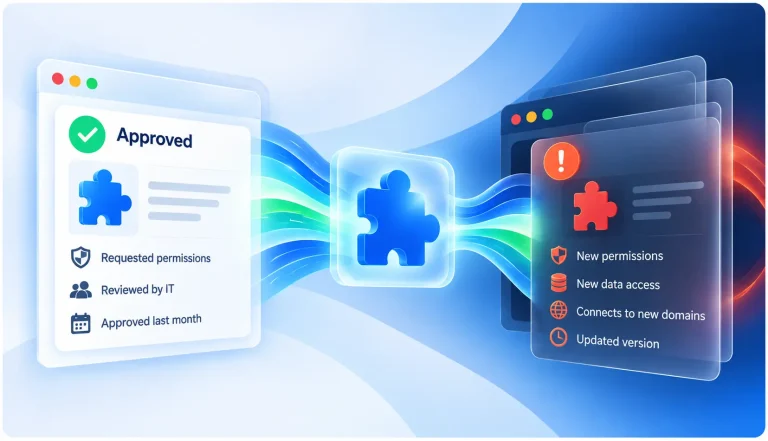
Approval isn’t a one-time event. Usage patterns shift, employees connect the tool to systems you didn’t anticipate, and shadow AI use grows around whatever gets approved, not just around what gets blocked. Per IBM’s 2026 Cost of a Data Breach Report, security incidents involving shadow AI more than doubled year over year to 43%, and over two-thirds of organizations still lack a governance process for it. And vibe-coding has made it so easy to build and release new apps and browser extensions that we can expect this explosion in available shadow AI tools to continue.
With browser extensions in particular, we can see that there are many AI wrappers -these browser extensions are simply a middleman between the user and a public AI model. Ask yourself how you’ll discover AI-connected browser extensions and OAuth integrations outside the original approval. Our Shadow AI vs. Shadow IT breakdown covers why shadow AI tends to outpace shadow IT and what a Zero Trust approach looks like in practice.
Does this tool deliver enough value to justify the risk, and can we exit if needed?
Ask the tool’s internal sponsor to define success in measurable termsL hours saved, error reduction, revenue impact, so approval isn’t based on enthusiasm alone. Then ask the harder question: if the tool needs to be shut off in six months, can we get our data out in a usable format, and how dependent will workflows have become on it by then? Vendor lock-in and workflow dependency are easy to underweight during review and expensive to unwind later.
The Full Checklist: Questions to Ask Before You Approve
- What format does this tool actually take: embedded platform feature, standalone SaaS app, browser extension, or API/agent integration?
- If it’s a browser extension, is it going through the same review process as a SaaS app, or bypassing procurement entirely?
- Does the vendor train models on our inputs/outputs, and is that opt-in or opt-out?
- Where is our data stored, processed, and retained, and can it be deleted on request?
- Are prompts and outputs logged, and who at the vendor can access those logs?
- What data does this tool actually pull from our existing SaaS platforms?
- Does it support SSO/SAML, MFA, and role-based access control?
- What OAuth scopes does this tool request from Google Workspace or Microsoft 365, and can they be limited by user, group, or domain?
- Who is authorized to grant OAuth consent for new AI integrations, and is that reviewed as a recurring exercise, rather than once at approval?
- Can we see current SOC 2 Type II or ISO 27001 reports and a subprocessor list?
- Does the contract include a DPA with clear breach-notification terms?
- Does the vendor state in writing how it supports our specific compliance obligations (GDPR, HIPAA, CCPA, etc.)?
- What happens to our terms if the vendor is acquired or changes its data-use policy?
- Who is approved to use this tool, for which use cases, and who owns exceptions?
- How will usage be audited against our stated policy after rollout?
- How will we detect unsanctioned or expanded use after approval?
- What measurable value does this tool need to deliver, and how will we track it?
- Can we export our data and unwind our dependency on this tool if we need to exit?
What Approach Are CISOs Taking to Requests for Multiple Tools?
The CISOs I’ve spoken with about their stance on AI report that they’ve chosen to stick with one vendor: pervasively the native AI tool connected to their operational SaaS suite. The reason is because the SaaS applications hosting most of their sensitive data is within that environment. Therefore, in order to limit their exposure, they want to go all-in on that provider’s AI solution and ban employees from using other models. This requires intensive shadow AI discovery and governance, but helps dramatically reduce their risk.
AI Governance Doesn’t End at Approval
Every question above should be revisited on a schedule, not just at rollout. Vendors change their policies, employees connect tools to new systems, and a tool that was low-risk at launch can look very different a year in. This is where most approval checklists quietly fail: they answer the go/no-go question well but leave no way to see how usage evolves afterward. A platform like Spin.AI is built for exactly that gap, giving security teams continuous visibility into SaaS and AI app usage, browser extensions, and OAuth integrations, including the ones nobody formally approved, so governance doesn’t stop at the sign-off. For more on how unsanctioned AI access tends to slip in through integrations, not just new app installs, see our App and Browser Extension Risk Assessment overview.