Is Google Vault a Backup Solution?

No. Google Vault is an archiving, legal hold, and eDiscovery tool — not a backup solution. It has no restore function, retains only the latest version of a file, and doesn’t cover Drive, Calendar, Contacts, or Sites the way a real backup does. If you’re relying on Vault to protect against data loss, you have a gap. Here’s exactly why, and what the real cost of closing that gap looks like.
What Google Vault Actually Does
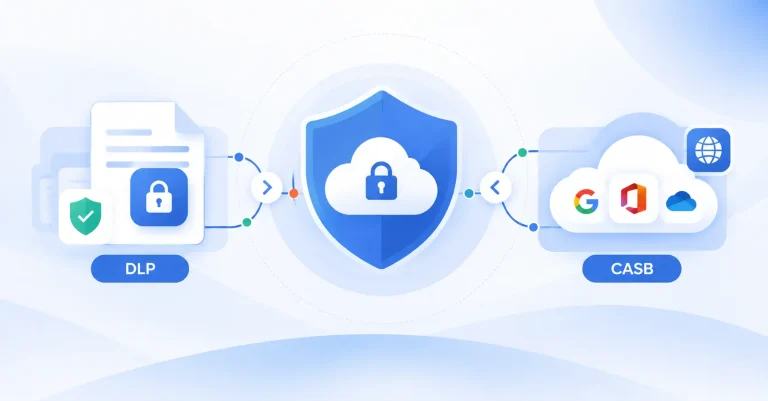
Vault is Google’s native tool for retaining, holding, searching, and exporting Google Workspace data, built for legal and compliance needs. It covers:
- Email and chat archiving and search
- Legal holds to preserve data indefinitely
- Email, chat, and Drive export
- Domain-wide retention policies
- Audit reports on Vault user activity
It requires a Vault license — bundled into Workspace Business/Enterprise plans or purchased as an add-on — for every user in your domain, whether or not they need it.
Why Vault Isn’t a Backup Mechanism
The word “backup” doesn’t appear anywhere in Google’s own description of Vault, and for good reason:
- No restore function. Items in Vault can be searched, viewed, and exported — never restored to their original location (inbox, Drive, Shared Drive).
- Only the latest version is retained. A real backup lets you pick a restore point — before a mistaken edit, before ransomware hit. Vault keeps no file history, so there’s no point-in-time recovery.
- Incomplete coverage. Vault isn’t designed to back up or restore Drive, Calendar, Contacts, or Sites — it only archives what falls under its retention and legal hold rules.
- No protection against admin compromise. If a Workspace admin account is compromised, an attacker can delete users and their data — including what’s sitting in Vault. Vault has no independent recovery path from that scenario, because it isn’t a separate, independent copy of your data; it’s a retention layer on top of the same environment.
Vault is excellent at what it’s built for: archiving and eDiscovery. It was never built to be, and doesn’t function as, a backup solution.
Why This Distinction Matters for Compliance
This isn’t just a technical footnote — it has real consequences for regulated organizations. Take education: institutions must comply with the Family Educational Rights and Privacy Act (FERPA) and the Freedom of Information Act, both of which can require producing email records, including for students and parents, often within a matter of days. Vault helps satisfy the “archive and produce on request” side of that obligation. But it does nothing to protect that same data from being lost in the first place — accidental deletion, a compromised admin account, or a sync error can still permanently wipe records Vault was never designed to recover. Organizations that treat Vault as their complete data protection strategy are covering the legal-hold half of their compliance obligation while leaving the data-loss half completely exposed.
The Real Cost of Relying on Vault
*Pricing based on publicly available data as of July 2026
Consider a 100-user Google Workspace domain:
- *Google Workspace Business Plus (required for Vault access): $22 / user / month (annual plan) × 100 users OR $26.40 / user / month (flexible monthly plan)
- *Vault add-on (if not already bundled in your tier): $5 / user / month + the cost of your current subscription, applied to all 100 users (required, regardless of whether they need it)
- SpinBackup: licensed per user starting at $3 / mo, so if only a subset of your organization needs backup and recovery, you pay for that subset — not the full domain
- If you want to add archiving capabilities to your backup plan, you can do so as an add-on.
- eDiscovery comes included with SpinBackup enterprise or SpinOne subscriptions.
The structural difference matters more than any single price point: Vault’s licensing model charges for every user in the domain, while SpinBackup lets you scope licensing to exactly the users who need protection. Get current numbers for both before running this math for your own organization — see SpinOne pricing.
What to Use Instead
SpinBackup (SpinOne’s backup product) closes exactly the gap described above:
- Automated backup and point-in-time recovery for Gmail, Drive, Contacts, Calendar, and Sites, with multiple restore points instead of Vault’s single latest-version copy. See SpinBackup →
- Ransomware detection and rapid recovery, protection is for your live Google Workspace environment (not just backups) and is independent of Google’s own infrastructure, so a compromised admin account or ransomware event doesn’t take your recovery path down with it. Backed by a 2h ransomware recovery SLA.
- Automated archiving for departed or inactive users, running on SpinBackup’s own infrastructure rather than native retention rules. See Enterprise Archiving →
- Built-in eDiscovery, so the legal-hold and search side of what Vault does is covered too — without giving up backup and recovery to get it. See eDiscovery →
For most organizations, that means SpinBackup alone actually closes the data protection gap.
For a shorter side-by-side comparison of Vault and SpinOne Archiving and eDiscovery, see Google Vault vs. SpinOne: What’s the Difference? You’ll be able to evaluate both archiving and eDiscovery solutions to see what’s right for you.
FAQ
No. Vault archives and retains data for legal and compliance purposes, but it has no backup or restore function.
No. Vault keeps only the latest version of a file and has no mechanism to restore data to its original location. Items can only be searched, viewed, and exported.
Vault isn’t an independent copy of your data — it’s a retention layer within the same Workspace environment. If an attacker compromises an admin account and deletes users or data, Vault provides no separate recovery path.
Vault requires licensing for every user in the domain, either bundled into a higher Workspace tier or purchased as an add-on. SpinBackup is licensed per user, so you only pay for the accounts that need backup and recovery. See current SpinOne pricing for exact figures.