The Hidden Risk of Personal Browsers in Enterprise SaaS Access

When you first became aware of the tremendous risk browser extensions can pose, you probably followed standard best practices:
- Lock down corporate browsers.
- Deploy endpoint protection.
- Enforce device management policies.
Then employees opened their personal Chrome profile and logged into Salesforce from their home laptop.
Problem is, your corporate security stack also likely never picked up on it.
The Visibility Gap Nobody Talks About
Here’s what we’ve learned from assessing 1,000,000+ browser extensions across enterprise environments: the browser has become the primary workspace for most knowledge workers. Over 80% of work happens in the browser.
That means your SaaS security posture depends entirely on what happens inside browser sessions.
The problem is that corporate security controls only govern managed devices and corporate browser profiles. When someone uses a personal browser to access work SaaS applications, you lose visibility into extensions, session behavior, and data movement.
Traditional network controls can’t help here. Once traffic is encrypted, you can’t see what’s happening at the application layer. You can’t detect when a risky extension starts capturing keystrokes or when data gets copied into an unauthorized AI tool.
How Personal Browsers Bypass Your Controls
The attack surface is larger than most security teams realize.
13% of unique installed browser extensions are classified as High or Critical risk. More concerning, over 300 Chrome extensions that leak browser data or steal information have been discovered, affecting 37.4 million combined users.
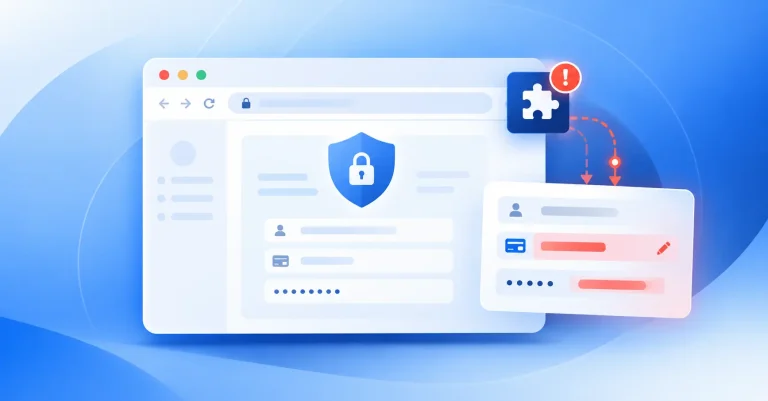
These extensions update silently. They change permissions without user awareness. They exfiltrate data to third-party servers while appearing to provide legitimate productivity features.
When employees use personal browsers for work access, these extensions operate outside your security perimeter. Your DLP policies don’t apply. Your monitoring tools can’t see the session. Your incident response team won’t know about the breach until it’s too late.
The data supports this concern. Approximately 48% of organizations have suffered data breaches linked to unsecured or unmanaged personal devices in the past year. Microsoft research shows that 80-90 percent of ransomware attacks over the past year originated from unmanaged devices.
The OAuth Problem Compounds the Risk
Personal browser sessions create another vulnerability: persistent OAuth tokens.
When someone authorizes a SaaS integration from a personal browser, that OAuth token remains valid even after they close the browser. The token persists even if the employee leaves the company. The access continues even if you revoke their corporate credentials.
We’ve seen OAuth tokens remain active for months after employee departures. The average enterprise SaaS environment connects to over 200 third-party applications through OAuth and API integrations. Three quarters of these connections were installed via personal accounts or unmanaged workflows.
This creates a shadow access layer that bypasses your identity management controls. You can’t see it in your corporate directory. You can’t audit it through your SIEM. You can’t revoke it when someone leaves.
Why Hard Bans Don’t Work
The obvious response is to ban personal browser access entirely.
That approach fails in practice.
Employees use personal browsers because your sanctioned stack doesn’t meet their workflow needs. They need to access work email from a home device. They need to collaborate with external partners who don’t have corporate credentials. They need to work from locations where managed devices aren’t available.
When you ban these workflows without providing alternatives, you drive the behavior deeper underground. People find workarounds. They use personal accounts. They share credentials. They create bigger security problems than the ones you tried to prevent.
Shadow IT emerges from unmet needs. Treating it as a compliance problem instead of a data problem misses the point.
Building a Resilience Program That Works
The solution isn’t to eliminate personal browser access. The solution is to extend your security controls to cover both corporate and personal browser sessions without creating friction that drives users away.
This requires visibility at the browser level. You need to see which extensions are installed across all sessions accessing your SaaS applications. You need to monitor OAuth grants regardless of where they originated. You need to detect anomalous data movement even when it happens outside your corporate network.
Most organizations now use 80+ SaaS applications across departments. Security teams cannot protect what they cannot see. Without proper monitoring, suspicious activities like mass downloads, unusual access patterns, or configuration changes often go undetected until breaches occur.
A serious SaaS resilience program treats browser security as infrastructure, not as an endpoint problem. It assumes that employees will use personal devices and personal browsers. It builds controls that work regardless of the access method.
This means continuous monitoring of browser extensions across all sessions. It means automated discovery of OAuth integrations and shadow accounts. It means data loss prevention that operates at the SaaS layer instead of the network layer.
What This Looks Like in Practice
Start with visibility. You need an inventory of every browser extension that can access your SaaS data, regardless of whether it’s installed on a corporate or personal browser.
Assess risk continuously. Extensions change permissions. New vulnerabilities emerge. What was safe last month might be compromised today.
Automate remediation where possible. When a high-risk extension appears, you need the ability to block it or revoke its access without waiting for manual review.
Extend your identity controls to cover OAuth tokens and API integrations. Track which applications have access to your data. Monitor how that access is being used. Revoke tokens when employees leave or when integrations are no longer needed.
Build these capabilities into a unified platform instead of deploying separate tools for each function. Consolidation reduces complexity. It eliminates gaps between security functions. It makes your security posture easier to maintain and faster to respond when incidents occur.
The Real Cost of Ignoring This
78% of enterprises reported at least one significant security incident related to their SaaS applications in the past six months. SaaS security vulnerabilities have increased by 65% since 2024.
The browser is where these incidents originate. Personal browser sessions are where your visibility ends and your risk begins.
You can’t eliminate personal browser access without breaking legitimate workflows. You can’t ignore it without accepting unmanaged risk.
The answer is to extend your security controls to cover the full attack surface. Treat personal browser sessions as part of your SaaS security perimeter. Build visibility and control mechanisms that work regardless of the device or browser profile.
This isn’t a tools problem. This is a data problem. Your data moves through browsers. Your security controls need to follow it there.
Start by mapping where your SaaS data actually flows. Identify which applications employees access from personal browsers. Discover which extensions have permissions to read or modify that data. Build the visibility layer first. The control mechanisms follow from there.
The organizations that solve this problem will be the ones that treat browser security as a core component of their SaaS resilience program. The ones that ignore it will keep discovering breaches that originated from access methods they never monitored.