How to Detect Shadow AI: 6 Ways to Discover Unauthorized AI Tools

tl;dr
- Shadow AI hides differently than traditional shadow IT: no rogue server or laptop, just OAuth grants, browser extensions, and API keys that are easy to grant and hard to inventory.
- Six discovery methods, roughly ordered from easiest to most technical: OAuth app audits, browser extension review, network/DNS monitoring, code repository scans, embedded AI features in approved SaaS tools, and expense report checks.
- This is about finding which AI tools employees use, not detecting AI-generated content. That’s a separate discipline.
- Don’t block everything you find. Triage by risk (data sensitivity and permission scope) and use what you learn to build a sanctioned AI program, not just an enforcement list.
Your employees are using AI tools your IT team never approved. The problem isn’t whether it’s happening. It’s that you can’t see it.
This is shadow AI, and it doesn’t look like traditional shadow IT. There’s no rogue server humming in a closet and no unsanctioned laptop on the network. The risk hides inside browser extensions, OAuth-connected apps, and API tokens buried in code. For a full breakdown of how shadow AI differs from traditional shadow IT, see our comparison of Shadow AI vs. Shadow IT.
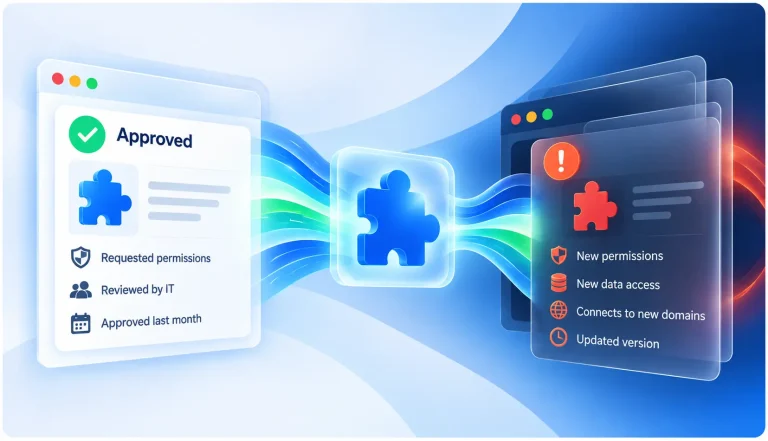
Those entry points are easy to grant and hard to inventory. An employee signs into an AI writing assistant with their work Google account, and now a third-party app has access to their inbox. A developer pastes an OpenAI key into a config file, and your data starts flowing to an endpoint no one is watching.
Discovery is a process you can run today. This tutorial walks through it, step by step, from the passive checks anyone can start with to the more technical scans that surface deeper usage.
One clarification before you begin. This guide is about finding the tools employees use, not detecting whether a given document or image was AI-generated. Output detection is a separate discipline. Here, the goal is visibility into your environment.
How to Find Unauthorized AI Tools
The steps below move from easiest to most technical. You don’t need to run them in strict order, but early steps tend to surface the most tools for the least effort. Work through them as a sweep, and treat what you find as a starting inventory rather than a final answer.
1. Audit OAuth-Connected Applications
Pull a report of every third-party app authorized to access your identity provider: Google Workspace™, Microsoft 365, Okta, or whatever you use. Most AI tools that run in the browser ask employees to “sign in with Google” or “sign in with Microsoft,” which grants OAuth access the moment they sign up with a work account. Filter the report for apps with AI-related names or scopes, especially anything requesting read access to email, files, or calendars.
This single step usually catches the largest class of unauthorized AI tools. It’s also where the highest-risk connections live, since OAuth grants often include broad data permissions. Spin.AI’s own SaaS Application Risk Report found that 35% of apps with OAuth permissions to Google Workspace or Microsoft 365 are classified as high risk, which gives a sense of how much exposure typically shows up in this single audit.
2. Review Browser Extensions Across Managed Devices
AI writing assistants, page summarizers, and coding helpers almost all ship as browser extensions. Use your MDM or endpoint management tool to enumerate the extensions installed across managed devices, then cross-reference that list against your approved software. Flag anything with “AI” in the name, along with anything requesting broad permissions to read and change data on every page.
Broad page-read permissions matter here. An extension that can see every page an employee visits can also send that content to an AI backend, which is exactly the exposure you’re trying to find. Enterprise browser extension risk assessment can automate this cross-reference instead of running it manually every time.
3. Monitor Network Traffic and DNS Logs
Look for outbound connections to known AI service endpoints (OpenAI, Anthropic, Cohere, Hugging Face, and similar providers) coming from devices that have no business making those calls. DNS query logs are often easier to parse than full packet inspection, and they still reveal the domains your employees are hitting. Build a watchlist of AI provider domains and review which internal hosts are resolving them.
This method catches usage that OAuth and extension audits miss, including standalone apps and direct API calls. It also gives you a rough sense of volume, since repeated queries to an AI endpoint suggest a tool in daily use rather than a one-time trial.
4. Scan Code Repositories and CI/CD Pipelines
Developers frequently embed API keys for AI services directly in code or configuration files. Search your repositories for known key patterns (the sk- prefix used by OpenAI is a common one) and for import or require statements pulling AI SDKs that aren’t on your approved dependency list. Extend the search into your CI/CD pipeline configs, where keys often live as environment variables.
A hardcoded key is a double problem. It signals an unsanctioned tool, and it’s a secret that could leak. Finding one lets you address both the shadow AI usage and the exposed credential at the same time.
5. Check SaaS Applications for Embedded AI Features
Many tools your employees already use have quietly added AI features that require no separate install. Notion, Slack, Salesforce, and GitHub have all shipped AI capabilities that activate inside apps you already approved. Audit the feature flags and admin settings across your existing SaaS stack, because some of these features are on by default even if no one turned them on deliberately.
This step is easy to overlook precisely because the underlying tool is sanctioned. The AI layer is new, though, and it may route your data through a model provider your original approval never accounted for.
6. Review Expense Reports and Corporate Card Transactions
Individual AI subscriptions often show up as personal charges that employees expense back to the company. ChatGPT Plus, Claude Pro, and Perplexity all commonly appear this way. Run a keyword search across your expense and corporate card data for known AI vendor names to surface these.
It’s low-tech, but it works. Expense data catches paid usage that never touched your OAuth directory or your managed browsers, which makes it a useful final layer over the more technical scans above.
What to Do After You Find Something
Resist the urge to block everything you discover. A blanket ban pushes usage further underground and costs you the visibility you just gained. Instead, triage what you found by risk.
Start by separating tools that touch sensitive data from those that don’t. An AI assistant with OAuth access to your email inbox is a very different problem than a grammar checker running on marketing copy. Sort your findings along that line, and prioritize the connections with broad permissions or access to regulated data.
From there, use what you learned to build a sanctioned AI program rather than just an enforcement list. Once you’ve triaged what you found, our CISO checklist for approving AI tools walks through the evaluation criteria for deciding what to formally sanction. The fact that employees adopted these tools tells you where the real demand is. Meet that demand with approved options, clear policy, and ongoing monitoring, because a one-time sweep goes stale fast and new tools appear every week. Running this discovery process quarterly, with continuous monitoring in between, keeps the inventory current instead of aging out between sweeps.
How SpinOne’s SSPM and SpinCRX Automate Shadow AI Discovery
Two of the six steps above can run continuously instead of as a periodic sweep. SpinSPM audits OAuth-connected and third-party applications across Google Workspace™, Microsoft 365, Salesforce, and Slack, and includes a dedicated Shadow AI use case for flagging GenAI apps with OAuth access, covering Step 1. SpinCRX monitors browser extensions across Chrome, Edge, Firefox, and Safari on managed devices and specifically identifies unsanctioned GenAI tools and AI-enabled extensions, covering Step 2. Network monitoring, code repository scans, and expense report review remain manual processes outside either tool’s scope today.
FAQs
Shadow AI is the unauthorized use of AI tools inside an organization: browser extensions, OAuth-connected apps, API keys embedded in code, or personal subscriptions employees expense back to the company. See our comparison of shadow AI and traditional shadow IT for how the two differ.
Start with an OAuth-connected application audit. Most browser-based AI tools ask employees to sign in with their work Google or Microsoft account, which grants OAuth access immediately, so this single step usually surfaces the largest class of unauthorized tools for the least effort.
No. Blocking everything pushes usage further underground and costs you the visibility you just gained. Triage by risk instead: prioritize tools with broad permissions or access to sensitive data, and use lower-risk findings to inform a sanctioned AI program.
No. This process is about discovering which AI tools employees are using, a visibility problem. Detecting whether a specific document or image was AI-generated is a separate discipline entirely.
It shouldn’t be a one-time sweep. New tools appear every week, so running this process quarterly, backed by continuous monitoring in between, keeps your inventory current.
Yes, Spin.AI helps solve the two most elusive discovery processes: SpinSPM automates OAuth and third-party app discovery (Step 1) and SpinCRX automates browser extension monitoring (Step 2), both with dedicated Shadow AI detection built in.