Browser Security Comparison for 2026: Which Is Safest?

- What Does the Browser Landscape Look Like in 2026?
- What Do The Vulnerability Statistics Really Tell?
- What Makes a Browser “Secure” in 2026?
- Browser-by-Browser Security Analysis
- How Do Browser Fingerprinting and Traffic Analysis Work?
- The Chrome Security Transformation: Can Chrome Be Secure?
- Enterprise Considerations: What Should IT Teams Evaluate?
- How To Secure Any Browser in 2026?
- User Behavior Reality
- Which Secure Browser Should You Choose?
- The Verdict: Is Chrome an Equal Security Choice?
- Conclusion: Security Through Strategic Coverage
- Glossary: Safe Web Browser, Digital Fingerprinting & Tracking
- Safe Browsers Frequently Asked Questions
TL;DR
- Chrome is the most targeted browser, but also among the most manageable and extensible for enterprises.
- Microsoft Edge offers strong enterprise security and Microsoft ecosystem integration.
- Firefox prioritizes privacy and anti-tracking protections.
- Safari performs best inside Apple-based ecosystems.
- The safest browser depends on configuration, management, and business needs.
As cybersecurity threats continue to evolve, selecting the most secure browser for your organization has become a critical decision. With browsers serving as the primary gateway to the internet for most users, understanding their security posture is essential for IT professionals managing enterprise environments. However, the question isn’t just about finding the theoretically safest browser—it’s about balancing security with the reality of user preferences and productivity needs.
We’ll also explain how browser fingerprinting inflates your digital footprint, why private windows don’t fully stop third-party cookies or social media trackers, and which controls provide protection against hacking at the browser and network layers.
What Does the Browser Landscape Look Like in 2026?
The browser market remains dominated by a few major players, each with distinct security approaches and vulnerability profiles. Chrome holds 68% market share, Safari at 17%, and Edge at 5.5%
What does this concentration mean for security?
Market dominance creates a double-edged sword. The most popular browser options attract more security research and faster patching. However, they also face more targeted attacks. Understanding this dynamic is key to making informed security decisions.
What Do The Vulnerability Statistics Really Tell?
Recent vulnerability data reveals concerning trends across all major browsers. According to a recent report by the Google Threat Intelligence Group, 2025 saw record numbers of zero-day vulnerabilities exploited in the wild, with Chrome receiving a majority of the attacks.
This statistic highlights a critical reality: market dominance often correlates with increased targeting by threat actors. That is not to say, however, that a “security by obscurity” approach is a reliable strategy to reduce the likelihood of attacks.
The reality is that your end users are going to gravitate toward the browser in which they feel most productive, so teams need to be prepared to secure broad coverage across different browsers that employees might be using.

What Makes a Browser “Secure” in 2026?
Understanding browser security requires looking beyond marketing claims. What specific features and architectures actually protect users?
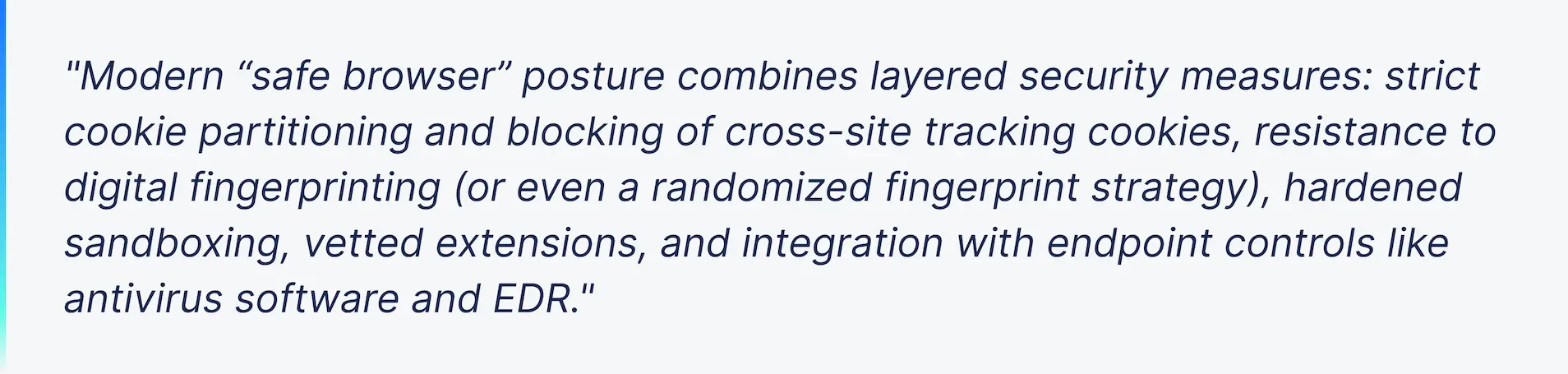
Modern “safe browser” posture combines layered security measures:
- Strict cookie policies and blocking of cross-site tracking cookies.
- Resistance to digital fingerprinting
- Vetted extensions in their marketplace with security review processes.
- Integration with endpoint controls like antivirus software and EDR.
- Network-level defenses, including secure DNS servers (DoH/DoT) and policy-driven domain whitelists.
These layers stack together to provide you with a secure browsing experience and reduce exposure from multiple attack vectors.
Browser-by-Browser Security Analysis
1. Google Chrome
Market Position: Dominant player (~68% market share)
Pros:
- Chrome Enterprise Core provides free, powerful management tools.
- Massive extensions ecosystem for additional security layers.
- A large security research community is actively hunting vulnerabilities.
Cons:
- The highest number of reported vulnerabilities is due to market share
- Frequent zero-day exploits targeting Chrome
- Privacy concerns related to Google’s data collection practices
Recent Incidents: Several critical zero-day vulnerabilities in 2025, including CVE-2025-2783, CVE-2025-4664, CVE-2025-5419, CVE-2025-6554, CVE-2025-14174, requiring immediate updates.
2. Apple Safari
Market Position: Strong security reputation with Apple’s ecosystem integration (~17% market share)
Key Security Features:
- Password generator and intelligent tracking prevention
- Machine learning-based protection against malicious sites
- Anti-fingerprint tools to reduce tracking and tight integration with MacOS security features
Pros:
- Excellent performance optimization for Apple hardware,
- Strong anti-tracking capabilities,
- Regular security updates tied to Mac OS and iOS updates
Cons:
- Limited to the Apple ecosystem
- Less frequent feature updates compared to Chrome
- Smaller third-party security research community
- The extension ecosystem is more limited than Chrome or Firefox
3. Microsoft Edge
Market Position: Enterprise-focused with strong Microsoft integration (~5.5% market share)
Key Security Strengths:
- SmartScreen phishing and malware protection.
- Multiple privacy levels.
- Strong integration with Microsoft 365 and Azure security services.
Pros:
- Fast performance with strong security features.
- Superior enterprise integration and policy management.
- Built-in password manager and credential monitoring.
Cons:
- Based on the Chromium open source project, inheriting some Chrome vulnerabilities.
- A smaller market share limits security research attention.
- Some enterprise features require Microsoft 365 subscriptions.
- Less extensive extension ecosystem than Chrome.

4. Mozilla Firefox
Market Position: Privacy-focused alternative with strong security heritage (~2% market share)
Key Security Strengths:
- Enhanced Tracking Protection by default
- Open-source codebase allowing for community security audits
- Strong commitment to user privacy
Pros:
- Best-in-class privacy protections out of the box
- Transparent development process
- Lightweight compared to a Chromium-based browser
Productivity and Security Concerns:
- In 2025 testing, Firefox ranked last in speed among major browsers
- A smaller market share means fewer security resources than Chrome.
- Some enterprise management features lag behind competitors.
5. Brave Browser
Market Position: Privacy-first browser gaining traction (approximately 1% market share)
Key Security Features:
- Built-in ad and tracker blocking
- Brave Shields for customizable privacy protection
- Tor private browsing mode integration
- Automatic HTTPS upgrading.
Pros:
- Blocks trackers and ads by default without extensions
- Built-in cryptocurrency wallet (optional feature)
- Strong anti-fingerprint measures
Cons:
- Smaller development team compared to competitors.
- Some user experience can be degraded due to blocking unnecessary content
- Cryptocurrency features may not appeal to enterprise users.
6. Tor Browser
Market Position: Anonymity-focused specialized browser
Key security features:
- Routes traffic through Tor network for anonymity
- Multi-layered encryption
- No script and HTTPS only mode by default
- Isolated circuits per website
Pros:
- Maximum anonymity and privacy protection
- Resists fingerprinting and traffic analysis
- Essential for journalists, activists, and privacy-critical use cases
- Regular security updates from Tor projects
Cons:
- Significantly slower browsing experience
- Many websites block Tor exit nodes
- Not suitable for general productivity use
- Requires understanding of operational security
How Do Browser Fingerprinting and Traffic Analysis Work?
Browser fingerprinting correlates device and behavior signals—fonts, canvas, WebGL, IP/DNS paths, and more—to create a persistent browser fingerprint.
What does this mean to you?
Many users end up with a non-unique fingerprint, which still enables correlation across sessions and sites. Traffic analysis at the network layer can further link activity. Effective defenses include:
- strict tracker/cookie controls,
- isolating identities, and
- reducing high-entropy signals (or periodically producing a randomized fingerprint via privacy tooling).
The Chrome Security Transformation: Can Chrome Be Secure?
Despite Chrome’s higher likelihood for being targeted, its extensive security ecosystem and management capabilities position it uniquely to match or exceed other browsers’ security when properly configured. But IT teams need to ensure this configuration happens across users, either manually or with a 3rd-party browser security solution.
The Security Extension Ecosystem Advantage
Chrome’s massive market share has created an unparalleled ecosystem of security-focused extensions and tools that can transform it from a security liability into a fortress.
Essential Security Extensions:
While uBlock Origin was removed from the Chrome Web Store due to Google’s transition from Manifest V2 to Manifest V3, the extension remains functional for existing installations.
uBlock Origin is described as an advanced ad blocker that also blocks trackers and other unwanted scripts, lightweight and highly efficient, ensuring browsing speed remains fast while keeping users secure.
Some experts suggest building your own security by combining an antivirus, an ad blocker and a password manager for complete coverage, with uBlock Origin, Avast Online Security and 1Password forming a great trio.
Alternately, tools like SpinCRX combine multiple browser security layers into a single solution, providing risk analysis and management for new extensions across all of the most popular browsers on the market.
It uses sandboxing, AV, and other factors to block adware, spyware, malicious, or generally risky extensions across all your users and provides streamlined approvals, as well as incident response.
This layered approach creates multiple defensive barriers that other browsers cannot match through extensions alone.

Enterprise Management Superiority
Chrome Enterprise Core provides IT teams with powerful insights and seamless browser management at no additional cost. The Admin Console provides a range of capabilities to help safeguard Chrome devices, data, and users, letting administrators tightly control who can enroll devices and what privileges they have, with granular access policies defined at the user, group, or organizational unit level. If you don’t have time to configure access policies manually across users, though, you can always use a solution like SpinCRX to help implement policy enforcement across all your users’ browsers at once.
The Admin console for Chrome Enterprise has been re-engineered to perform up to 10 times faster on page loads according to internal testing, meaning administrators can find a device, set a policy, and see results without delay.
The Developer and Community Advantage
Chrome benefits from the largest security research community, which creates both challenges and advantages. While Chrome’s popularity makes it a target, it also ensures that vulnerabilities are discovered and patched quickly. The extensive security research community means problems are found faster than in less-scrutinized browsers.
Enterprise Considerations: What Should IT Teams Evaluate?
Update Management
All major browsers provide automatic updates, but enterprises need to consider:
- Update frequency and testing requirements
- Compatibility with internal applications
- Rollback capabilities for problematic updates
Integration Requirements
Consider how browsers integrate with:
- Identity management systems
- Data loss prevention (DLP) tools
- Endpoint detection and response (EDR) solutions
- Certificate management infrastructure
Compliance and Governance
Different browsers offer varying levels of:
- Policy management capabilities
- Audit logging
- Data residency controls
- Privacy compliance features
Implementation checklist for safer enterprise web browsers
- Enforce auto-updates and extension allowlist/whitelist.
- Block third-party cookies by policy; audit exceptions.
- Enable anti-tracking modes; minimize digital fingerprinting signals.
- Route via secure DNS servers (DoH/DoT); block known trackers.
- Pair with managed antivirus software / EDR for protection against hacking.
- Disable risky APIs where feasible; prefer identity isolation per role.

How To Secure Any Browser in 2026?
Regardless of the browser of choice, certain practies significantly improve security posture:
- Enable Automatic Updates: Ensure rapid deployment of security patches
- Gain Visibility into Extensions: Know which extensions your users are using today and the risks associated with each.
- Configure Security Settings: Disable unnecessary plugins and enable security features
- Implement Browser Management: Use group policies or mobile device management (MDM) solutions
- Monitor Browser Extensions: Regularly audit and control extension installations with a browser management tool.
- Network Security: Implement DNS filtering and web security gateways
User Behavior Reality
When evaluating browser security, IT professionals must confront a fundamental truth: users will gravitate toward the browser that enables the most productivity for them, regardless of security recommendations. The productivity vs security is a real trade off for IT Teams.
Chrome’s dominance isn’t accidental—it offers superior performance, extensive web application compatibility, and seamless integration with productivity tools that users rely on daily.
This user behavior creates a critical challenge. Fighting against user preferences often leads to:
- Shadow IT adoption of unsecured browser instances
- Reduced productivity and user satisfaction
- Inconsistent security policy enforcement
- Support overhead from incompatible applications
Which Secure Browser Should You Choose?
Rather than trying to force a single “most secure” browser choice, modern IT organizations should implement comprehensive browser security coverage that accounts for user preferences and business needs:
Tier 1: High-Security Users
- Microsoft Edge for maximum security with strong enterprise integration, especially on Microsoft 365 based environments.
- Strict policy enforcement and limited extension access
- Used for sensitive applications and compliance-critical tasks
Tier 2: Productivity-Focused Users
- Google Chrome with comprehensive security tooling and management
- Curated security extensions and password managers.
- Chrome Enterprise Core for centralized policy management
- Regular security monitoring and rapid update deployment
Tier 3: Specialized Use Cases
- Firefox for privacy-sensitive operations
- Safari within Apple ecosystems where appropriate
- Brave or Tor Browser for annonimity-critical activities.
- Custom security configurations for specific application requirements

The Verdict: Is Chrome an Equal Security Choice?
When properly configured and managed, Google Chrome can achieve security parity with traditionally “safer” browsers like Edge or Safari.
What makes an enhanced security level possible?
- Comprehensive Security Tooling: Chrome’s extension ecosystem provides security capabilities that exceed native browser protections
- Superior Enterprise Management: Chrome Enterprise Core offers free, powerful management tools that surpass many competitors
- Rapid Response Capability: Chrome’s large security research community and frequent update cycle ensure quick vulnerability remediation
- User Adoption Reality: Since users prefer Chrome for productivity, providing secure Chrome configurations is more effective than forcing alternative browsers
Conclusion: Security Through Strategic Coverage
The question “What is the safest browser in 2026?” involves solutions that go beyond simple vulnerability counter measures.
In 2026, the safest browser strategy involves:
- Acknowledging User Preferences: Users will choose productivity over security restrictions
- Implementing Comprehensive Coverage: Secure configurations across multiple browsers rather than enforcing a single choice
- Leveraging Chrome’s Strengths: When users inevitably choose Chrome, ensure it’s properly secured through enterprise management and security extensions
- Maintaining Flexibility: Different browsers for different security contexts and use cases
Chrome’s path to security leadership doesn’t rely on having fewer vulnerabilities—it lies in having the best tools to mitigate and manage those vulnerabilities. When combined with proper enterprise management and user behavior realities, Chrome becomes not just a viable security choice, but potentially the most practical one for modern organizations.
The safest browser is ultimately the one that users will actually use with proper security configurations in place. For most organizations, this makes Google Chrome—when properly managed and secured—an equal or superior choice to traditional security-focused alternatives.

If you’re ready to secure your organization’s browser, learn how SpinCRX provides comprehensive browser security across all major platforms with automated policy enforcement, extension risk analysis, and real-time threat protection.
Note: Browser security is a rapidly evolving field. Organizations should regularly review current vulnerability databases and security advisories to make informed decisions based on the latest threat intelligence.
Glossary: Safe Web Browser, Digital Fingerprinting & Tracking
- Browser fingerprint / digital fingerprinting: Signal collection to identify sessions/devices.
- Non-unique fingerprint: A fingerprint shared by many devices; still linkable session-to-session.
- Randomized fingerprint: Intentional, periodic changes to reduce linkability.
- Cross-site tracking cookies: Third-party cookies used to follow users across domains.
Safe Browsers Frequently Asked Questions
No. They limit local traces but not network- or script-level fingerprinting or traffic analysis.
Block third-party cookies, reduce high-entropy APIs, and use managed DNS servers with tracker blocking. Consider using multiple browsers for different activities and compartmentalize your digital identity.
No, It’s one layer—pair with antivirus software, EDR, and strict extension policy (allowlist/whitelist). Browser security is part of a defense-in-depth strategy, not a complete solution.
Yes, they can reduce long-term linkability but may affect site compatibility; apply selectively. For most users, consistent anti-tracking tools provide better usability while maintaining privacy.
For high-security activities like online banking, use a dedicated browser instance with minimal extensions, automatic updates enabled, and strong anti-phishing protections. Microsoft Edge SmartScreen or Chrome with enterprise policies are excellent choices.
As soon as security updates are available, and apply critical security patches immediately. Zero-day vulnerabilities are often exploited within days of discovery, making rapid patching essential for security.
Yes, extensions are a significant attack vector. Only install extensions from trusted marketplaces and regularly audit installed extensions and use enterprise tools to enforce extension allow lists.
Tor browser provides the strongest anonymity protections, routing traffic through multiple encrypted relays. For less critical privacy needs, Firefox with Enhanced Tracking Protection or Brave Browser offers strong protections with better day-to-day usability.
Yes, compartmentalizing activities across different browsers reduces the impact of any single compromise. A typical compartmentalized usage involves using a browser for work, another for personal browsing, and a third for sensitive activities.
Choose Chrome if your users need maximum extension flexibility and you’re prepared to configure enterprise policies. Edge is the best alternative if you are heavily invested in Microsoft 365 and would like built-in phishing protection with less configuration overhead.